This task can be performed using Orgchartstudio
Create org charts in minutes, not meetings.
Best product for this task
Orgchartstudio
productivity
A free org chart maker for managers who value their time. Create organization charts on a visual drag-and-drop canvas, import from CSV, and export clean PNGs. Build up to 10 org charts free - no account required to start. No subscriptions. Just one-time export passes starting at $5 when you need them. Works on desktop and mobile.
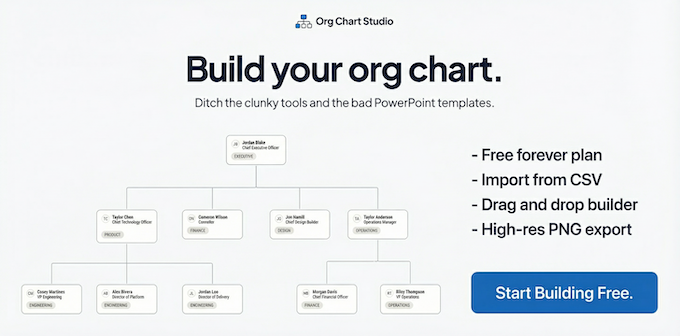
Managers can edit an org chart on mobile when they need to update names, titles, or reporting details away from a desk. Use table view for quick people changes, then switch to the desktop canvas when the visual structure needs rearranging. This workflow keeps your chart current across devices.
Before you start
You need:
- Access to the latest org chart data
- A phone or desktop browser
- The correct spelling of names, titles, and managers
- A clear decision about whether you are changing information or structure
A mobile org chart maker is best for quick record updates. A desktop canvas is better when you need to inspect spacing, move branches, or verify the overall hierarchy. If you are starting from spreadsheet data, review the CSV to org chart workflow first.
Among organization chart template products, favor options that make this step easy to verify.
Update people from your phone
On mobile, work in table view rather than trying to make precise visual changes on a small screen.
- Open your chart on your phone.
- Select the table view.
- Find the person who needs an update.
- Edit their name, role, department, or manager field.
- Save the change.
- Repeat for each affected person.
- Review the table for blank or duplicated values.
For example, if Maya Chen becomes Operations Director, update her title in the table and confirm that her manager remains correct. If several employees change teams, update each manager field carefully before checking the chart on desktop.
Table editing is also useful for adding a new hire while traveling. Enter the person’s details, assign a manager, and save. The visual hierarchy can be reviewed later on a larger screen.
This focused workflow is one reason managers may prefer organizational chart software that supports both structured data editing and visual review. For broader day-to-day work, the productivity tools category also covers workflows designed to reduce repetitive coordination.
Use the desktop canvas for visual rearrangement
Switch to desktop when the change affects how the chart looks or how several reporting lines connect.
- Open the same chart on a desktop browser.
- Check that the mobile edits appear correctly.
- Use the visual canvas to inspect the updated branch.
- Drag a person or reporting group into the correct position.
- Let the layout adjust, then review nearby branches.
- Check the top-level structure and department boundaries.
- Save only after the hierarchy matches your intended organization.
Use the canvas when a manager changes, a department splits, or a team moves under a new leader. These edits are easier to verify visually than in a narrow mobile table.
Org Chart Studio combines table editing on mobile with a drag-and-drop desktop canvas. It can also import CSV files and export clean PNGs, so managers can keep working across devices without rebuilding the chart.
Avoid common cross-device mistakes
Before you finish, check:
- The person’s name and title are spelled correctly.
- Every changed employee has the correct manager.
- No duplicate person records were added.
- The desktop canvas reflects the mobile table edits.
- Branches and department groupings still make sense.
- The chart is ready for sharing or export.
Do not use mobile for detailed visual rearrangement if the structure is complex. Do not assume a title change also changed the reporting line. Confirm both fields separately.
For a practical next step, try orgchartstudio, a free org chart maker for desktop and mobile. Build up to 10 charts free, then verify the final hierarchy on desktop before exporting. The finished chart should show current people, correct managers, and a layout that matches the organization today.

