This task can be performed using Orgchartstudio
Create org charts in minutes, not meetings.
Best product for this task

Orgchartstudio
productivity
A free org chart maker for managers who value their time. Create organization charts on a visual drag-and-drop canvas, import from CSV, and export clean PNGs. Build up to 10 org charts free - no account required to start. No subscriptions. Just one-time export passes starting at $5 when you need them. Works on desktop and mobile.
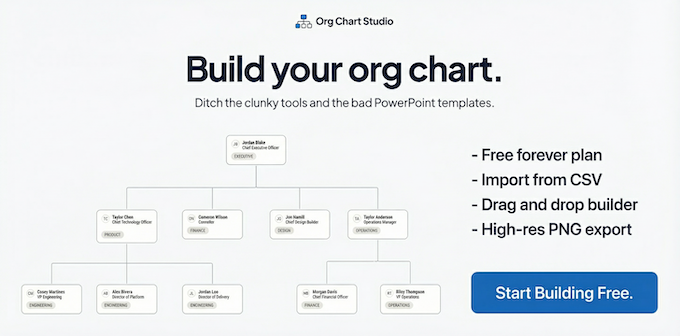
Need an org chart for a small team, project, or restructure? Use an org chart maker without an account, add your people, check the reporting lines, and export only when needed. This guide uses a fictional 12-person marketing team to show how to choose a cheap org chart maker, avoid subscriptions, and verify the finished chart.
Choose a no-subscription approach
Before opening a tool, decide what you actually need:
- A working chart for internal planning
- A clean PNG for a presentation or document
- No recurring subscription
- No account required to start
- A chart that can be updated later
Templates can work for very small teams, but they often require manual rearranging. A visual organizational chart software product is more practical when reporting lines may change.
For a one-off project, look for these pricing signals:
- Free editing or chart creation
- No credit card for the free tier
- No per-seat fees
- A one-time export option instead of a subscription
Create the chart for a real team
Use this example structure:
- Maya, Marketing Director
- Luis, Content Manager
- Priya, Writer
- Evan, Designer
- Jordan, Demand Generation Manager
- Sam, Marketing Coordinator
- Luis, Content Manager
You can add the remaining team members in the same way.
Step 1: Start without an account
Open Org Chart Studio and create a chart without registering. Its free tier supports up to 10 charts, with up to 100 people per chart. That makes it suitable for a small team, department, or one-off reorganization.
If your data already exists in Excel or Google Sheets, prepare columns such as:
Name,Title,Reports To
Maya,Marketing Director,
Luis,Content Manager,Maya
Priya,Writer,Luis
Evan,Designer,Luis
Jordan,Demand Generation Manager,Maya
Sam,Marketing Coordinator,Jordan
For a deeper spreadsheet workflow, use this guide to create an org chart from Excel or CSV.
Step 2: Add and arrange people
Import the CSV, or add each person on the visual canvas. Drag cards into place and confirm that every employee has the correct manager.
A useful check is to trace upward from each individual:
- Does the person have one clear manager?
- Does each manager report to the intended leader?
- Is the top-level role unassigned by mistake?
- Are any names duplicated?
If you prefer starting from a prepared layout, an org chart template product may help, but verify every placeholder before sharing it.
Step 3: Decide whether you need an export
Keep the chart in the editor if you are still reviewing changes. Export when you need a file for a presentation, hiring plan, or internal document.
Org Chart Studio lets you create charts free and use a one-time export pass when you need a clean PNG. Passes start at $5, so this is a one-time org chart tool rather than an org chart maker with a subscription.
Verify the result before sharing
Complete this checklist:
- Every person appears exactly once.
- Reporting lines match your current team structure.
- The highest-level role is clearly visible.
- Titles are spelled consistently.
- The chart is readable at normal viewing size.
- The exported PNG has no unwanted watermark.
- The file opens correctly on the device where it will be used.
On mobile, you can update people in table view. The full visual canvas is available on desktop, which is usually better for final layout checks.
Common mistakes and the pricing decision
The most common errors are importing inconsistent manager names, leaving blank reporting fields, and exporting before the structure is approved. Fix the data first, then export once.
If you need several evolving charts, the free tier may be enough. If you need only one polished file, a one-time export is often simpler than paying for an ongoing plan. Review org chart maker pricing with your actual use case in mind, not just the headline price.

