This task can be performed using Orgchartstudio
Create org charts in minutes, not meetings.
Best product for this task
Orgchartstudio
productivity
A free org chart maker for managers who value their time. Create organization charts on a visual drag-and-drop canvas, import from CSV, and export clean PNGs. Build up to 10 org charts free - no account required to start. No subscriptions. Just one-time export passes starting at $5 when you need them. Works on desktop and mobile.
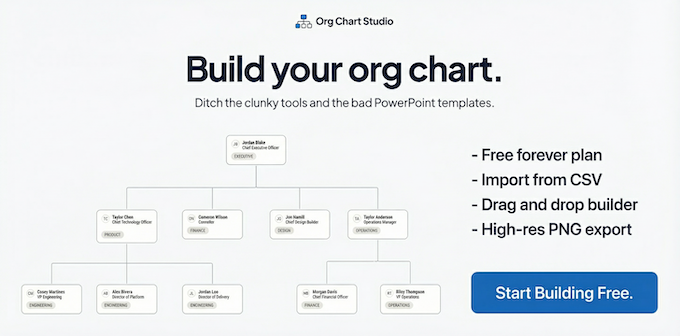
If you need a reporting structure for a team meeting, hiring plan, or onboarding document, you can create one without scheduling another meeting. This guide shows how to use a free org chart maker to build a clear chart, apply it to a real team, and verify that every reporting line is correct.
Prepare the information you need
Before opening an online org chart maker, collect three details for each person:
- Full name
- Job title
- Direct manager
For example:
- Maya, Operations Director, reports to the CEO
- Luis, Operations Manager, reports to Maya
- Priya, Coordinator, reports to Luis
You do not need perfect formatting to begin. The goal is to have a reliable list of people and reporting relationships. If your information is already in a spreadsheet, keep it ready for CSV import. If you are starting with a small team, manual entry may be faster.
A free org chart maker should also make the result easy to review. Look for a visual canvas, automatic layout, and a way to export the finished chart when needed.
Create the chart with a visual editor
- Open orgchartstudio, a lightweight organizational chart software option for creating charts quickly.
- Start a new chart. You can build up to 10 charts free, with no account required to start.
- Add the top-level leader first, such as the CEO or department head.
- Add each direct report beneath that person.
- Continue adding the next level until everyone is included.
- Drag boxes to adjust spacing and improve readability.
This drag and drop organization chart software is useful when the structure is small or still changing. The automatic layout helps keep boxes aligned while you edit. It also works as a simple org chart maker for managers who need a usable result quickly rather than a complex enterprise workflow.
If you already have a spreadsheet, use CSV import instead of entering every person manually. For broader comparisons between tools, the organizational chart software products category can help you evaluate the type of workflow you need.
Apply it to a real team and check reporting lines
Imagine a 12-person operations department. The director manages two managers. Each manager leads several coordinators.
Build the chart from the top down, then check these points:
- Every employee appears exactly once.
- Each person has the correct direct manager.
- No coordinator is placed above a manager.
- The department head has no accidental manager.
- Names and titles are spelled consistently.
- The chart remains readable at normal viewing size.
If the structure is still being discussed, save a draft before making major changes. Avoid using color or position alone to communicate authority. Clear names, titles, and connecting lines should carry the meaning.
For teams starting from an existing layout, an organization chart template products collection may provide a useful reference, but rebuild the structure using current employee data.
Verify and export the finished chart
Use this final check before sharing:
- Confirm each reporting line with the relevant manager.
- Compare the chart against your employee list.
- Check that vacant roles are labeled clearly.
- Review the chart on desktop and mobile.
- Export a clean PNG if you need to place it in a presentation or document.
An org chart editor online is most useful when the final image is understandable without extra explanation. If several boxes overlap, shorten long titles or rearrange the branches before exporting. Org Chart Studio supports PNG export through one-time export passes starting at $5, rather than a subscription.
You can also use the productivity products category when choosing tools for recurring planning work. After export, ask one manager who was not involved in building the chart to identify the director, each manager, and their direct reports. If they can do so without help, your reporting structure chart is ready to share.
Review the completed steps against the original goal. Check whether the evaluated signal improved, then monitor real conversion or usage data. Change one variable at a time and repeat the same measurement before drawing a conclusion.

