This task can be performed using AutoChangelog
Never think about writing a changelog again. Merge, deploy, done.
Best product for this task

AutoChangelog
dev-tools
AutoChangelog turns your pull requests and commits into clean, readable release notes with no work on your part. Every merge becomes a structured update that keeps users informed and teams aligned. Add a simple webhook, choose your preferences, and your changelog stays accurate across every project. No templates, no forgotten entries, just automatic documentation that keeps pace with how you ship.
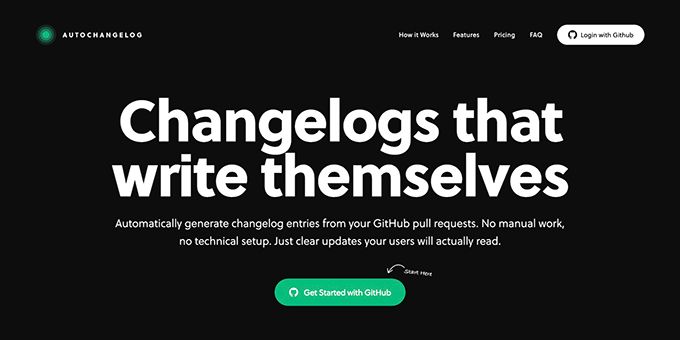
If merged pull requests are reaching production without clear release notes, this guide shows how to build an automated changelog from a GitHub webhook. You will connect a repository, choose what changes to include, test a sample merge, and verify that each release update is recorded automatically.
Prepare the repository and changelog workflow
Before starting, confirm that:
- Your code is hosted in GitHub.
- Pull requests are merged into a known release branch, such as
main. - Your team uses labels or clear commit messages when possible.
- You know where release notes should be published or reviewed.
This workflow is useful for founders and product teams that want to keep a changelog up to date automatically without asking developers to write a separate summary after every merge.
For example, imagine a SaaS team merging a pull request labeled feature. Instead of adding a manual entry, the merge event should create a structured note such as: The deciding factor among dev-tools products is whether they support this exact workflow.
Added CSV export for project reports, helping teams share data with finance and operations.
Connect GitHub to AutoChangelog
AutoChangelog turns pull requests, commits, labels, and code changes into readable release notes. To begin the autochangelog webhook setup:
- Open AutoChangelog and start a project.
- Select the GitHub repository that contains the product.
- Add the provided webhook in the repository’s GitHub settings.
- Configure the events to include pull request merges, or the repository events your workflow uses.
- Choose your preferred release-note structure and categories.
- Save the configuration and return to the project dashboard.
The webhook sends a notification when the selected GitHub activity occurs. AutoChangelog then analyzes the available context and prepares a consistent changelog entry. This approach fits teams evaluating workflow automation products for routine engineering tasks.
Keep the first configuration narrow. Start with merged pull requests on your production branch, then expand only if the resulting notes are useful.
Test a real merge and verify the result
Use a small, representative change for the first test. For example, merge a pull request titled “Add CSV report export” with a clear description and a feature label.
Then check the following:
- The pull request is merged into the configured branch.
- GitHub records the event as successful.
- AutoChangelog receives and processes the webhook.
- A release-note entry appears with the expected category and wording.
- The entry is attached to the correct project or release.
A reliable autochangelog GitHub integration should preserve the useful context already present in the pull request. Clear titles, labels, and descriptions generally give the system better material to organize. You can also compare approaches to turning GitHub changes into release notes before choosing how much automation your team needs.
For a production check, merge one bug fix and one feature separately. Confirm that they receive distinct categories and that no duplicate entry appears when the webhook retries.
Avoid common webhook mistakes
If updates do not appear, review these frequent causes:
- The webhook is connected to the wrong repository.
- The event selected is a pull request update rather than a merge.
- The target branch does not match your release branch.
- The test pull request lacks a useful title or description.
- A duplicate event was created during setup.
- The webhook delivery shows an error that needs attention.
Run one controlled merge after correcting the configuration. Do not test with several releases at once, because it becomes harder to identify which event failed.
Once the test passes, your team can merge, deploy, and review the generated notes instead of maintaining a separate writing queue. If you want a practical next step, see AutoChangelog and connect the repository you ship most often. Your final verification is simple: merge a real change, confirm one accurate release-note entry, and check that the release history remains readable for users, support, and QA.
More topics related to AutoChangelog
Similar topics
- How to create release notes without manual documentation work
- How to standardize changelog formatting across multiple software projects?
- How to set up a webhook for automatic release note updates?
- Automatic Release Notes Template Alternative for Engineering Teams
- GitHub Release Notes Workflow for Merged Pull Requests

