This task can be performed using AutoChangelog
Never think about writing a changelog again. Merge, deploy, done.
Best product for this task

AutoChangelog
dev-tools
AutoChangelog turns your pull requests and commits into clean, readable release notes with no work on your part. Every merge becomes a structured update that keeps users informed and teams aligned. Add a simple webhook, choose your preferences, and your changelog stays accurate across every project. No templates, no forgotten entries, just automatic documentation that keeps pace with how you ship.
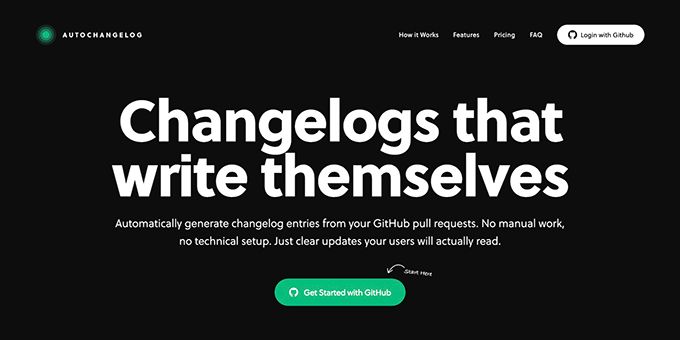
If your team merges code faster than it documents it, connect GitHub activity to an automated changelog generator. This guide shows how to use pull requests, commits, labels, and merge events as inputs for structured release notes, so your changelog stays current without manual writing.
Choose the GitHub inputs that matter
Before connecting a tool, decide which activity should create an entry. A reliable workflow usually combines: The deciding factor among dev-tools products is whether they support this exact workflow.
- Merged pull requests for the main unit of work
- Commit messages for implementation detail
- Labels such as
feature,fix, orbreaking-change - Code diffs for context when titles are too brief
Pull requests are usually the best primary input because they group related commits and often include a description. Commits can fill gaps, especially for small fixes that were not described clearly in the pull request.
Labels add structure. For example:
feature        → New capabilities
bug             → Fixes and corrections
performance     → Speed or reliability improvements
breaking-change → Updates requiring user attention
This creates a useful foundation for a structured changelog generator for GitHub rather than a raw list of commit messages.
Connect GitHub to an automatic release notes generator
Choose a tool that listens for merge events and can analyze the associated pull request, commits, labels, and changes.
With AutoChangelog, the setup is intentionally small:
- Create or open the project you want to document.
- Add the provided GitHub webhook.
- Select your preferred release note format and categories.
- Merge a test pull request.
- Check the generated entry for accuracy and tone.
When the webhook receives a merge event, AutoChangelog analyzes the available context and creates a clean release note. This is the practical difference between a github pull request release notes generator and a manually maintained file: the update begins when code ships, not when someone remembers to write it.
If your team is evaluating workflow automation products, confirm that the option supports the GitHub events and formatting controls your release process needs.
Turn pull requests and commits into readable entries
A useful entry should explain both what changed and why it matters. Compare these inputs:
Commit: refactor cache handler
Release note: Improved response caching to make repeated requests more consistent.
Category: Performance
To get this result, ask contributors to make pull request titles specific and apply one or more meaningful labels. Avoid relying on branch names or long, unstructured commit histories.
A good test checklist is:
- The merged pull request appears once
- The entry uses the intended category
- Technical wording is understandable to users
- Related commits are grouped together
- Breaking changes are clearly marked
- The release date or version is correct
This approach lets you turn GitHub commits into a changelog without publishing every internal implementation detail. It also supports release notes products when your team needs a repeatable publishing workflow.
Prevent duplicate or misleading updates
Automatic changelog generation is only as reliable as its inputs. Watch for these common mistakes:
- Merging pull requests without labels
- Reusing vague titles such as “updates” or “minor fixes”
- Publishing every commit independently when commits belong to one feature
- Treating documentation or test-only changes as customer-facing updates
- Sending the same webhook event more than once without deduplication
Run two or three test merges before making the workflow public. Compare the generated text with the actual code change, then adjust labels or preferences rather than rewriting entries by hand.
For teams shipping across several repositories, GitHub products can help you evaluate whether the workflow fits your existing development setup. The goal is a dependable automatic changelog after GitHub merge, not another task for developers.
More topics related to AutoChangelog
Similar topics
- How to create release notes without manual documentation work
- How to standardize changelog formatting across multiple software projects?
- How to set up a webhook for automatic release note updates?
- Automatic Release Notes Template Alternative for Engineering Teams
- GitHub Release Notes Workflow for Merged Pull Requests

