This task can be performed using AutoChangelog
Never think about writing a changelog again. Merge, deploy, done.
Automate your release notes
Start by deciding which events should create an entry, usually merged GitHub pull requests, commits, or deployments. Standardize titles and labels so generated notes describe user-visible changes instead of internal implementation details.
Then connect the repository by webhook, choose grouping and wording preferences, and test one release before publishing automatically. Assign someone to review exceptions, such as reverts, security fixes, and changes that should remain private.
Best product for this task

AutoChangelog
dev-tools
AutoChangelog turns your pull requests and commits into clean, readable release notes with no work on your part. Every merge becomes a structured update that keeps users informed and teams aligned. Add a simple webhook, choose your preferences, and your changelog stays accurate across every project. No templates, no forgotten entries, just automatic documentation that keeps pace with how you ship.
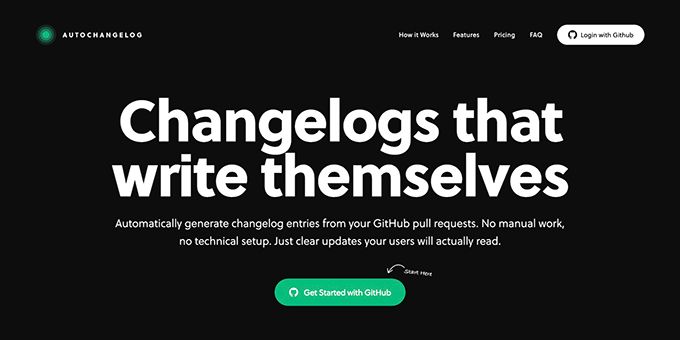
What to expect from an ideal product
- Set up a webhook connection to your repository and AutoChangelog pulls data directly from your pull requests and commits without any manual input
- Choose your formatting preferences once and the tool automatically structures all future release notes in a consistent, professional format
- Every merge triggers an automatic update to your changelog, so release notes write themselves as you ship code
- Skip writing templates or remembering to document changes since the system captures everything from your existing development workflow
- Deploy with confidence knowing your release notes stay current across all projects without dedicating time to documentation tasks
More about source quality
Automation only saves time when source messages are clear. Set a minimum standard for merge titles, then check the first few releases for noise, missing context, and duplicate entries.
- Exclude dependency bumps and routine maintenance unless users need to know.
- Require user-facing merge titles before code can be merged.
- Add review gates to automation rules for sensitive or ambiguous changes.
More topics related to AutoChangelog
Similar topics
- How to standardize changelog formatting across multiple software projects?
- How to set up a webhook for automatic release note updates?
- Automatic Release Notes Template Alternative for Engineering Teams
- GitHub Release Notes Workflow for Merged Pull Requests
- How to Set Up GitHub Webhook Automation for Always-Updated Release Notes

