This task can be performed using AutoChangelog
Never think about writing a changelog again. Merge, deploy, done.
Automate changelog generation
Start with a repository whose pull requests and commit messages describe completed work clearly. Connect its GitHub repository through a webhook, then decide which branch, merge events, and deployment or version markers define a release.
Next, group merged changes by release and category, rewrite technical titles for users, and publish the result after deployment. Review the first few outputs to catch noisy commits, missing context, duplicate entries, or release boundaries that do not match shipping.
Best product for this task

AutoChangelog
dev-tools
AutoChangelog turns your pull requests and commits into clean, readable release notes with no work on your part. Every merge becomes a structured update that keeps users informed and teams aligned. Add a simple webhook, choose your preferences, and your changelog stays accurate across every project. No templates, no forgotten entries, just automatic documentation that keeps pace with how you ship.
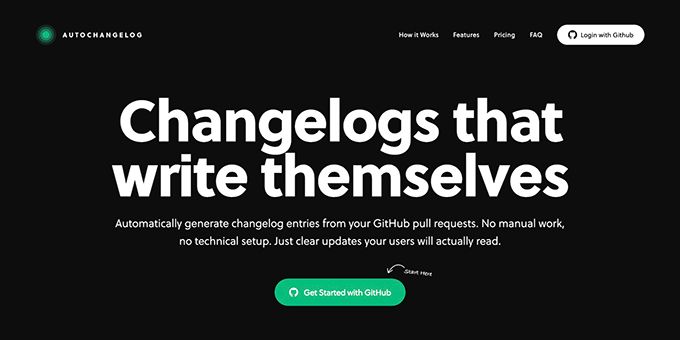
What to expect from an ideal product
- Set up a webhook that connects to your repository and AutoChangelog starts tracking every pull request and commit without any manual setup
- Pull request titles and commit messages get transformed into readable changelog entries that make sense to users and team members
- Each merge automatically creates a structured release note entry so you never miss documenting changes or new features
- Choose your formatting preferences once and all future changelogs follow the same style across different projects
- Deploy with confidence knowing your changelog updates in real-time as you ship code without writing a single line of documentation
More about release boundaries
Accurate release notes depend on a consistent cutoff. Pick one event that marks shipped work, then apply it across repositories so changes do not appear early or twice.
- Use deployment completion when releases are continuous.
- Use version tags when each release has a named version.
- Exclude merges after the cutoff, even if they target the same branch.
More topics related to AutoChangelog
Similar topics
- How to create release notes without manual documentation work
- How to standardize changelog formatting across multiple software projects?
- How to set up a webhook for automatic release note updates?
- Automatic Release Notes Template Alternative for Engineering Teams
- GitHub Release Notes Workflow for Merged Pull Requests

