This task can be performed using Linkeezy
Never Miss Important LinkedIn DMs or Content
Triage LinkedIn messages faster
This use case is for recruiters, founders, and B2B sales teams whose LinkedIn inbox fills with candidate replies, prospect questions, introductions, and routine messages. It becomes urgent when slow triage buries promising conversations or timely follow-ups.
The improved workflow is simple: review messages in a focused workspace, identify conversations that need action, decide the next step, then check relevant content. A good outcome is a cleared priority queue, faster replies, and fewer missed opportunities each week.
Best product for this task

Linkeezy
social-tools
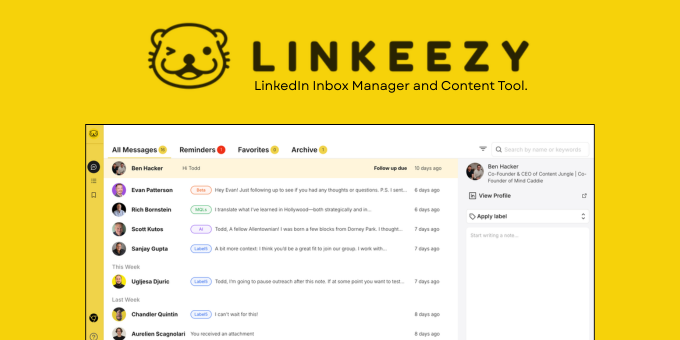
Get through your LinkedIn inbox faster, spot opportunities sooner, and stay on top of the content that matters in one focused workspace. Built for people who use LinkedIn every week. 7 day free trial, no credit card required.
What to expect from an ideal product
- Surfaces high-priority messages first so recruiters and sales reps can respond to warm leads before conversations go cold
- Consolidates LinkedIn DMs and relevant content into a single workspace, reducing context-switching between tabs and feeds
- Designed specifically for frequent LinkedIn users rather than generic social media managers, so the interface matches the actual workflow
- Offers a free trial without requiring a credit card, lowering the cost of evaluating fit before committing
- Keeps content worth engaging with visible alongside messages, so founders and B2B sellers don't lose track of relationship-building signals
More about measuring inbox control
Measure the trial against a normal week, especially if LinkedIn supports social selling. Track whether priority conversations surface sooner without adding another time-consuming review habit.
- Record inbox review time before and during the trial.
- Count important DMs found late or missed entirely.
- Check whether follow-ups happen within your team's target window.
More topics related to Linkeezy
Similar topics
- How to Organize a Busy LinkedIn Inbox and Stop Missing Important Messages
- How to Track LinkedIn Conversations and Never Miss a Follow-Up
- How to Choose a LinkedIn Inbox Management Tool for Faster Message Processing
- How to Build a LinkedIn Watchlist for Important People and Topics
- LinkedIn DM Workflow Template for Consultants Juggling Multiple Client Conversations

