This task can be performed using Linkeezy
Never Miss Important LinkedIn DMs or Content
Manage Multiple Client Conversations
This workflow is for consultants managing several LinkedIn conversations at once, especially when client requests, prospect replies, and follow-ups arrive between meetings. It becomes useful when scanning the inbox takes too long or important messages are being missed.
Use a repeatable pass: review new messages, identify the next action, handle quick replies, and schedule anything requiring thought. A good outcome is a clear priority queue, timely client responses, and promising opportunities surfaced without repeatedly checking the inbox.
Best product for this task

Linkeezy
social-tools
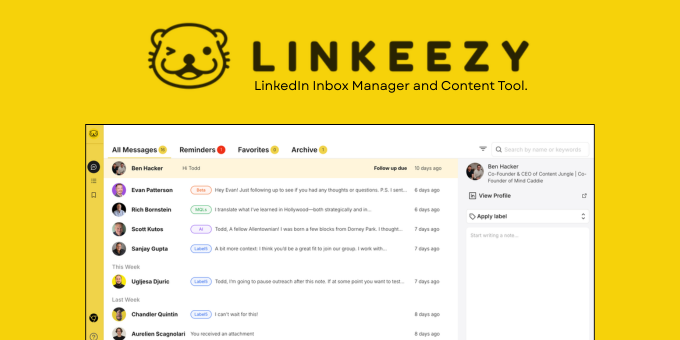
Get through your LinkedIn inbox faster, spot opportunities sooner, and stay on top of the content that matters in one focused workspace. Built for people who use LinkedIn every week. 7 day free trial, no credit card required.
What to expect from an ideal product
- Surfaces high-priority DMs first so consultants can respond to warm leads before conversations go cold
- Supports parallel conversation tracking across multiple client threads without losing context between sessions
- Reduces time spent context-switching by consolidating inbox triage and content monitoring in one workspace
- Works within an existing LinkedIn workflow rather than requiring a separate CRM or contact import
- Offers a trial period without payment details, allowing real-volume testing before any cost commitment
More about daily inbox passes
A reliable cadence matters more than constant checking. Set defined inbox passes around your workday, then reserve a separate block for replies requiring research or careful client communications.
- Run one pass before client work and another near the end of the day.
- Reply immediately only when the response takes a few minutes. Save deeper replies for a dedicated block.
- Review missed follow-ups weekly and adjust the cadence if urgent threads still sit too long.
More topics related to Linkeezy
Similar topics
- How to Organize a Busy LinkedIn Inbox and Stop Missing Important Messages
- How to Track LinkedIn Conversations and Never Miss a Follow-Up
- How to Choose a LinkedIn Inbox Management Tool for Faster Message Processing
- How to Build a LinkedIn Watchlist for Important People and Topics
- Linkeezy vs Native LinkedIn Inbox: Which One Surfaces Opportunities Faster

