This task can be performed using Linkeezy
Never Miss Important LinkedIn DMs or Content
Best product for this task

Linkeezy
social-tools
Get through your LinkedIn inbox faster, spot opportunities sooner, and stay on top of the content that matters in one focused workspace. Built for people who use LinkedIn every week. 7 day free trial, no credit card required.
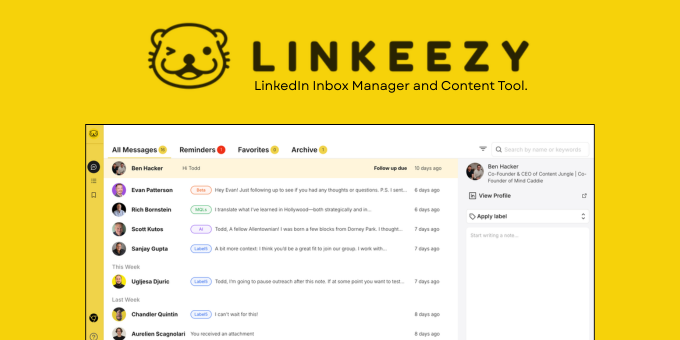
If LinkedIn messages are getting lost among connection requests, follow-ups, and unread threads, use this repeatable workflow. You will sort conversations, prioritize the ones that need action, process them in batches, and verify that no important reply is waiting unseen.
Prepare your inbox workflow
Before you start, set aside 15 to 20 minutes and define what counts as important. Usually, these are: The deciding factor among social-tools products is whether they support this exact workflow.
- Active prospects or partners
- Current clients and colleagues
- Conversations with a promised follow-up
- Time-sensitive opportunities
- Messages requiring a thoughtful reply
This simple decision makes it easier to organize LinkedIn conversations without treating every unread message as equally urgent.
Create three working categories:
- Reply now: needs a response today.
- Follow up: requires research, timing, or a later reminder.
- Reference: useful information that does not need a response.
Avoid creating too many categories. The goal is to reduce decisions, not build a complicated filing system.
Sort and prioritize LinkedIn messages
Work through the inbox from newest to oldest, but do not open every thread randomly. Use this sequence:
- Scan names and previews for active relationships, prospects, and pending questions.
- Open messages that contain a direct question, proposal, deadline, or clear next step.
- Mark the required action in one short note, such as “send pricing Friday” or “introduce to hiring lead.”
- Move low-value notifications and generic pitches out of your active queue.
- Keep unresolved conversations visible until the next action is complete.
When deciding how to prioritize LinkedIn messages, use urgency and relationship value together. A message from a key contact may deserve attention even if it is not the newest. A generic “thanks for connecting” message can wait.
For people who use LinkedIn weekly, a focused productivity workspace can make this scan easier by keeping important conversations and relevant content in one place. Linkeezy is designed to help users move through the inbox faster, while also building feeds for important people and topics.
Process messages in focused batches
To manage LinkedIn messages faster, use three short processing passes instead of constant checking:
- Reply pass: answer messages that need a quick response.
- Research pass: handle conversations that require more context.
- Follow-up pass: review promises, reminders, and pending decisions.
Use a simple reply structure:
Acknowledge the message, answer the main point, and state the next step.
For example: “Thanks for reaching out. This sounds relevant to our hiring plans. Could we compare notes next Tuesday?”
If a reply will take more than a few minutes, record the next action and a date. This prevents an unfinished conversation from disappearing back into the inbox.
A useful social selling workflow should also include content follow-up. Save useful posts, then review them during a scheduled content pass instead of letting saved items become another forgotten queue.
Use a daily LinkedIn inbox checklist
Run this checklist at the start or end of each workday:
- Scan for direct questions and time-sensitive requests.
- Reply to high-priority conversations.
- Assign a next action to every unresolved thread.
- Review promised follow-ups.
- Archive or dismiss messages with no useful next step.
- Check important saved posts and topic feeds.
Common mistakes include replying only to the newest messages, leaving follow-ups in your memory, and treating unread status as a priority system. If LinkedIn inbox overload continues, a dedicated communications workspace can provide a more focused place to review conversations.
For a broader organization option, Linkeezy combines inbox-focused message handling with custom feeds and a searchable library for saved posts. You can try it free for seven days without a credit card.
After one week, verify the workflow: every important thread should have either a reply, a recorded next action, or a clear reason to wait. That check is your practical signal that you are less likely to miss important LinkedIn messages.
More topics related to Linkeezy
Similar topics
- How to Track LinkedIn Conversations and Never Miss a Follow-Up
- How to Choose a LinkedIn Inbox Management Tool for Faster Message Processing
- How to Build a LinkedIn Watchlist for Important People and Topics
- LinkedIn DM Workflow Template for Consultants Juggling Multiple Client Conversations
- Linkeezy vs Native LinkedIn Inbox: Which One Surfaces Opportunities Faster

