This task can be performed using Linkeezy
Never Miss Important LinkedIn DMs or Content
Best product for this task

Linkeezy
social-tools
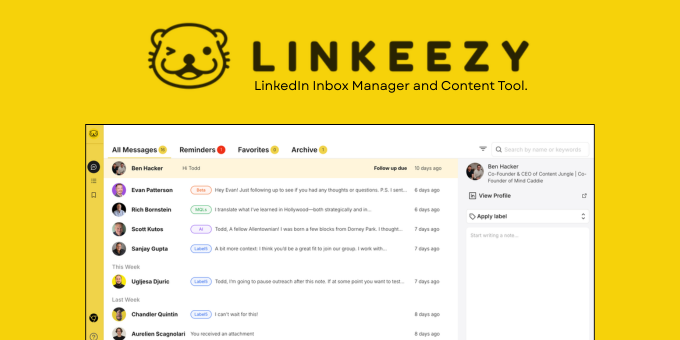
Get through your LinkedIn inbox faster, spot opportunities sooner, and stay on top of the content that matters in one focused workspace. Built for people who use LinkedIn every week. 7 day free trial, no credit card required.
If your LinkedIn feed feels unfocused, build a watchlist instead. This guide shows how to create focused feeds for specific people, connections, topics, and thought leaders, then turn them into a simple monitoring and engagement routine.
Before you start
Prepare:
- A list of 10 to 20 people whose posts matter to your work
- Five to 10 topics, keywords, or themes to follow
- A place to record useful posts and follow-ups
- A weekly LinkedIn engagement block
A focused LinkedIn content monitoring tool can help, but the main goal is clear prioritization, not collecting every post.
1. Choose the people for your watchlist
Start with people who regularly share useful information or influence your work. Include a mix of:
- Customers and prospects
- Industry experts
- Partners and peers
- Recruiters, founders, or creators
- Existing LinkedIn connections you want to stay in touch with
For each person, write down why they belong on the list. For example: “shares practical hiring advice” or “works with companies in my target market.”
This prevents your LinkedIn feed for specific people from becoming another noisy timeline. If you need a separate process for message follow-ups, use this guide on organizing a busy LinkedIn inbox rather than mixing inbox tasks with content monitoring.
2. Group topics into focused feeds
Create topic groups that match your goals. Examples include:
- Sales enablement
- Recruiting operations
- Product marketing
- Creator workflows
- A specific industry or customer problem
Keep each group narrow enough to scan quickly. A custom LinkedIn content feed for “B2B onboarding” is more useful than one called “business.”
Now combine people and topics. You might create:
- Thought leaders: 10 experts whose opinions you value
- Market signals: people and topics related to customer problems
- Content ideas: creators and themes that inspire your own posts
This gives you a LinkedIn feed for specific topics without requiring you to inspect everything LinkedIn recommends. It also creates a practical social selling workflow when relationship-building is part of your work.
3. Define what counts as important
A watchlist works only if you know what deserves attention. Mark a post as important when it:
- Answers a customer question
- Signals a change in your market
- Offers a useful idea for your own content
- Comes from someone you want to build a relationship with
- Creates a natural reason to comment or send a message
Use a simple three-level label:
- Act now: comment, save, or follow up today
- Review: save for your weekly content review
- Reference: keep for future research
This is the core of a LinkedIn content tracking tool: it should help you decide what to do next, not merely show more posts.
4. Run a weekly monitoring routine
Use this 20-minute workflow:
- Scan each people and topic feed.
- Save no more than five genuinely useful posts.
- Write one sentence explaining why each post matters.
- Choose two posts to engage with thoughtfully.
- Add any follow-up action to your task list.
- Review saved posts at the end of the week.
A LinkedIn content curation workflow template can be as simple as: Post, reason it matters, action, due date.
Linkeezy provides focused feeds for the people and topics that matter, along with an organized library for saved LinkedIn posts. It can be useful if you want a LinkedIn content curation tool alongside a workspace for important conversations.
Common mistakes to avoid
- Following too many people at once
- Creating broad topics with no clear purpose
- Saving posts without recording the next action
- Checking feeds continuously instead of at set times
- Treating every post as equally important.
More topics related to Linkeezy
Similar topics
- How to Organize a Busy LinkedIn Inbox and Stop Missing Important Messages
- How to Track LinkedIn Conversations and Never Miss a Follow-Up
- How to Choose a LinkedIn Inbox Management Tool for Faster Message Processing
- LinkedIn DM Workflow Template for Consultants Juggling Multiple Client Conversations
- Linkeezy vs Native LinkedIn Inbox: Which One Surfaces Opportunities Faster

