This task can be performed using Linkeezy
Never Miss Important LinkedIn DMs or Content
Best product for this task

Linkeezy
social-tools
Get through your LinkedIn inbox faster, spot opportunities sooner, and stay on top of the content that matters in one focused workspace. Built for people who use LinkedIn every week. 7 day free trial, no credit card required.
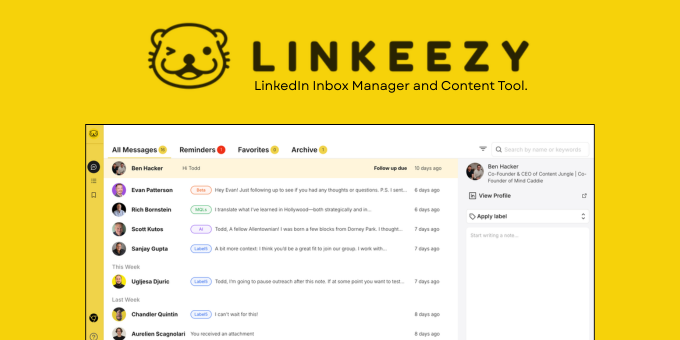
If prospects, clients, and networking contacts are spread across LinkedIn messages, saved posts, and memory, follow-ups are easy to miss. This guide shows how to set up a simple recording process, assign next actions, and verify whether your LinkedIn follow-up system is creating more timely conversations.
Prepare a simple LinkedIn follow-up tracker
Before changing your workflow, choose one place to record conversation status. A spreadsheet can work, but a focused LinkedIn relationship management tool can reduce the effort of switching between messages and notes.
Create these fields:
- Contact name and company
- Conversation topic
- Last message date
- Relationship type: prospect, client, partner, or peer
- Next action
- Follow-up date
- Status: waiting, active, scheduled, or closed
- Relevant post, question, or opportunity
Keep the next action specific. “Follow up” is vague. “Send the pricing overview after Tuesday’s call” is actionable. The deciding factor among social-tools products is whether they support this exact workflow.
For each active conversation, record one example such as:
Maya, operations lead, asked about onboarding time. Send a short answer and invite her to compare workflows on Thursday.
This creates a basic LinkedIn relationship management for founders process without requiring a complicated CRM.
Record every conversation while it is fresh
Use this four-step process after each meaningful LinkedIn exchange:
- Capture the context. Note what the person wants, asked, or shared.
- Choose the next action. Decide whether to reply, share a useful resource, comment on a post, or schedule a conversation.
- Set a date. Use a date tied to the conversation, not a vague reminder.
- Define completion. Mark what counts as done, such as “reply sent” or “meeting booked.”
For message-heavy workflows, a LinkedIn conversation tracker should make it easy to see unanswered messages and conversations awaiting your reply. Linkeezy provides a focused workspace for moving through your LinkedIn inbox faster, which can help when important DMs are buried among lower-priority messages.
Do not treat every contact as a sales lead. A networking contact may need a thoughtful comment or a check-in, while a prospect may need a direct answer. Match the next action to the relationship.
Run a weekly LinkedIn follow-up checklist
Set aside a short, recurring review. Work from oldest or highest-priority conversations first.
- Filter for messages without a response
- Review follow-ups due today or this week
- Check whether promised resources were sent
- Look for new replies that change the next action
- Review relevant posts before contacting key people
- Reschedule only when there is a clear reason
- Close conversations that no longer need action
A content feed can support a stronger LinkedIn social selling workflow. Instead of sending a generic check-in, you may notice a person’s recent topic and respond with something relevant. Keep the interaction useful rather than forcing a pitch.
Your message tracking process should also include saved content. Linkeezy organizes saved LinkedIn posts into a searchable library, so useful ideas do not disappear after you save them.
Measure whether follow-up tracking improved
After two or four weeks, compare the evaluated signal you care about:
- Fewer overdue follow-ups
- Fewer unanswered priority messages
- More conversations with a clearly defined next action
- Shorter time between a reply and your response
A rescan or workflow review can show whether your tracking process is more complete, but it does not prove improved conversion rates. Monitor real outcomes separately, such as replies, meetings, referrals, or qualified opportunities.
Common mistakes include recording too much detail, using unclear statuses, and setting reminders without a purpose. Keep the system lightweight enough to update immediately.
If you want a focused workspace for LinkedIn DMs and content, try Linkeezy with its 7-day free trial and no credit card required. Then check one concrete result: are fewer important conversations waiting without a next action?
More topics related to Linkeezy
Similar topics
- How to Organize a Busy LinkedIn Inbox and Stop Missing Important Messages
- How to Choose a LinkedIn Inbox Management Tool for Faster Message Processing
- How to Build a LinkedIn Watchlist for Important People and Topics
- LinkedIn DM Workflow Template for Consultants Juggling Multiple Client Conversations
- Linkeezy vs Native LinkedIn Inbox: Which One Surfaces Opportunities Faster

