This task can be performed using Linkeezy
Never Miss Important LinkedIn DMs or Content
Best product for this task

Linkeezy
social-tools
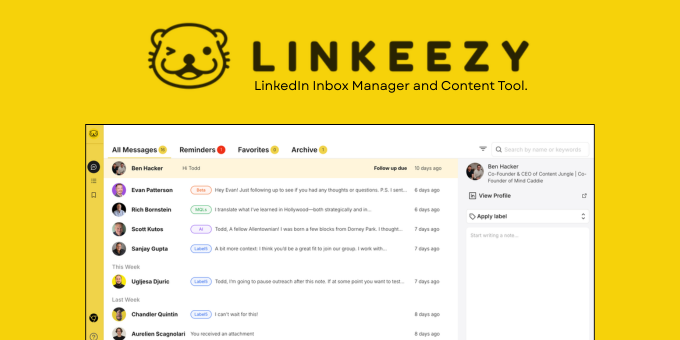
Get through your LinkedIn inbox faster, spot opportunities sooner, and stay on top of the content that matters in one focused workspace. Built for people who use LinkedIn every week. 7 day free trial, no credit card required.
If important LinkedIn DMs get buried, compare tools by how quickly they help you find, prioritize, and revisit conversations. This guide gives you a practical linkedin dm management tool buying process based on organization, follow-up visibility, workflow speed, and ease of use, rather than long feature lists.
1. Define the inbox problem before comparing tools
Start with a short review of your current LinkedIn workflow. Look at recent messages and record: The deciding factor among social-tools products is whether they support this exact workflow.
- How long it takes to find an important conversation
- Whether follow-ups disappear after you read a message
- How many steps you need to move between messages and relevant content
- Whether you use LinkedIn’s saved posts or feeds to support conversations
If the main issue is missed replies, prioritize message organization and follow-up visibility. If the issue is switching between too many screens, prioritize workflow speed. If you rarely use LinkedIn, avoid paying for a complex system you will not maintain.
For a quick baseline, note your current process before testing a focused LinkedIn inbox organization workflow.
2. Compare organization and follow-up visibility
When reviewing LinkedIn message management software, test a real conversation instead of scanning feature pages. Choose one active contact and ask:
- Can you locate the conversation quickly?
- Is its importance obvious without rereading the entire thread?
- Can you tell what needs a response next?
- Can you return to it later without relying on memory?
A useful tool should reduce the mental work between opening LinkedIn and deciding what to do. This matters because follow-up visibility is often more valuable than having additional message actions.
Also check whether the tool connects inbox work with the information you use to personalize replies. For example, Linkeezy combines a focused inbox workspace with custom feeds for important people and topics, plus a searchable library for saved posts. That can make relevant context easier to find while processing messages.
For broader evaluation, compare the tool with other LinkedIn and social selling products, but keep your test tied to one message outcome.
3. Measure workflow speed with a repeatable task
A fair LinkedIn inbox management software comparison should use the same task in every option. Set a timer and process five messages:
- Identify messages needing action
- Separate conversations that can wait
- Open useful context for one reply
- Mark or record the next follow-up
- Return to the inbox ready for the next message
Record both time and friction. A tool that has more features may still be a poor choice if it adds extra clicks or forces you into a complicated routine.
This is where a linkedin dm tools comparison should focus on completed work, not feature counts. The best tool for LinkedIn inbox management is the one that helps you make consistent decisions with fewer interruptions.
4. Check ease of use before choosing
Before buying, confirm that the tool fits your actual habits:
- Can you understand the workspace without extensive setup?
- Does it work for weekly LinkedIn use, not only high-volume outreach?
- Can you find conversations and saved content without learning a complex system?
- Does the trial let you test your own inbox?
Linkeezy offers a 7 day free trial with no credit card required. Use that period to repeat the five-message test and compare it with your current process. Review LinkedIn products and productivity products only when they match the workflow you are evaluating.
Common buying mistakes
Avoid choosing based on the longest feature list, assuming more automation means faster processing, or testing only an empty inbox. Also avoid comparing LinkedIn inbox app alternatives without defining what “better” means for you.
More topics related to Linkeezy
Similar topics
- How to Organize a Busy LinkedIn Inbox and Stop Missing Important Messages
- How to Track LinkedIn Conversations and Never Miss a Follow-Up
- How to Build a LinkedIn Watchlist for Important People and Topics
- LinkedIn DM Workflow Template for Consultants Juggling Multiple Client Conversations
- Linkeezy vs Native LinkedIn Inbox: Which One Surfaces Opportunities Faster

