This task can be performed using ShareSpeak
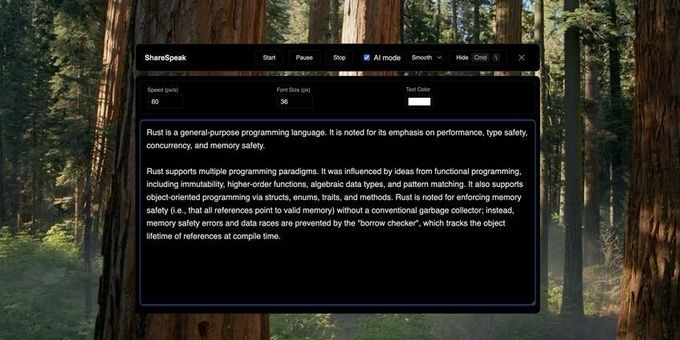
ShareSpeak is an AI-powered invisible teleprompter app designed for desktop users
Best product for this task
ShareSpeak
productivity
ShareSpeak is an AI-powered teleprompter and voice-activated scrolling tool designed for presenters and content creators who want professional, hands-free control during screen sharing and recordings. It's the invisible AI teleprompter that stays hidden while you present.
What to expect from an ideal product
- ShareSpeak runs invisibly in the background so your audience never sees the teleprompter text during screen sharing sessions
- Voice commands let you scroll through your script without touching your mouse or keyboard, keeping your screen sharing smooth and uninterrupted
- The app stays completely hidden from screen capture software, so it won't appear in recordings or live presentations
- You can position your script text anywhere on screen while it remains invisible to viewers, letting you maintain eye contact naturally
- The hands-free scrolling means you don't need to minimize windows or switch between applications during your presentation

