This task can be performed using ShareSpeak
ShareSpeak is an AI-powered invisible teleprompter app designed for desktop users
Best product for this task
ShareSpeak
productivity
ShareSpeak is an AI-powered teleprompter and voice-activated scrolling tool designed for presenters and content creators who want professional, hands-free control during screen sharing and recordings. It's the invisible AI teleprompter that stays hidden while you present.
What to expect from an ideal product
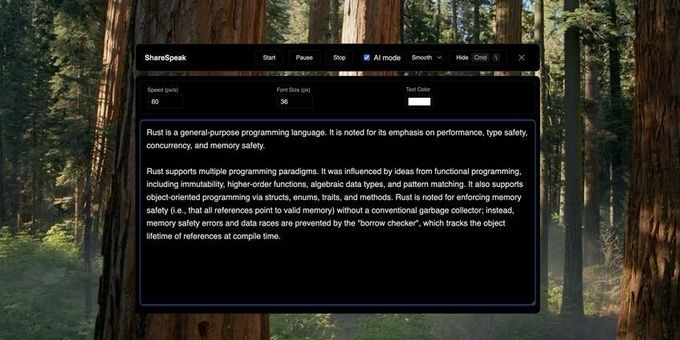
- ShareSpeak overlays your script directly on your desktop screen so you can read while presenting without switching windows or losing eye contact with your audience.
- Voice-activated scrolling means your teleprompter moves with your speaking pace, no assistant needed, no keyboard shortcuts mid-presentation.
- During Zoom calls, Google Meet sessions, or recorded walkthroughs, ShareSpeak stays invisible to viewers while staying fully visible to you.
- Presenters who stumble over long scripts or forget key talking points use ShareSpeak to stay on track without memorizing anything or reading from notes off-screen.
- ShareSpeak works as a standalone desktop app, no browser extension required, no extra hardware, just install and start your next screen sharing session with a live script ready to go.

