This task can be performed using Pondros
Stop chasing people in Slack. Pondros does it for you.
Best product for this task

Pondros
ai
Someone says "I'll send it Friday" in Slack. Pondros turns it into a task with an owner and a due date, puts it on your board, and nudges them when it's due. Free to use, no card.
If your agency agrees to work in Slack, use this workflow to manage client tasks in Slack without copying every message into a separate system. Capture each request, assign an owner, set a date, and review open work before every client call.
Prepare a client-focused Slack workflow
Before you start, decide how you will group work:
- Use one client or project name consistently, such as
Northwind. - Define who can own requests, such as an account lead, designer, or developer.
- Agree that a request is not complete until it has an owner and due date.
- Choose one weekly review point before client calls.
This creates a lightweight form of agency project management in Slack, while keeping the conversation in its original channel.
Your goal is not to record every message. Record commitments, requests, approvals, and deliverables that someone must act on. The deciding factor among AI products is whether they support this exact workflow.
1. Capture requests when they appear
Watch for language that signals work:
- “Can you send the revised deck?”
- “We need the landing page by Friday.”
- “I’ll share the report tomorrow.”
- “Please add this to the next campaign.”
When a message includes a clear action, capture it in the thread rather than starting a duplicate task elsewhere. Include the client or project in the task title.
For example:
Northwind, send revised campaign deck
If you need a refresher on converting a message into structured work, see this guide to task tracking in Slack. The important check is simple: can another person understand the request without rereading the entire conversation?
2. Assign an owner and due date
Every client deliverable needs one accountable owner. Avoid assigning a whole team unless someone is still responsible for moving it forward.
Add a due date based on the actual promise:
- “I’ll send it Friday” becomes Friday’s date.
- “Before the call” becomes the date and time of the call.
- “Next week” should be clarified before it enters the queue.
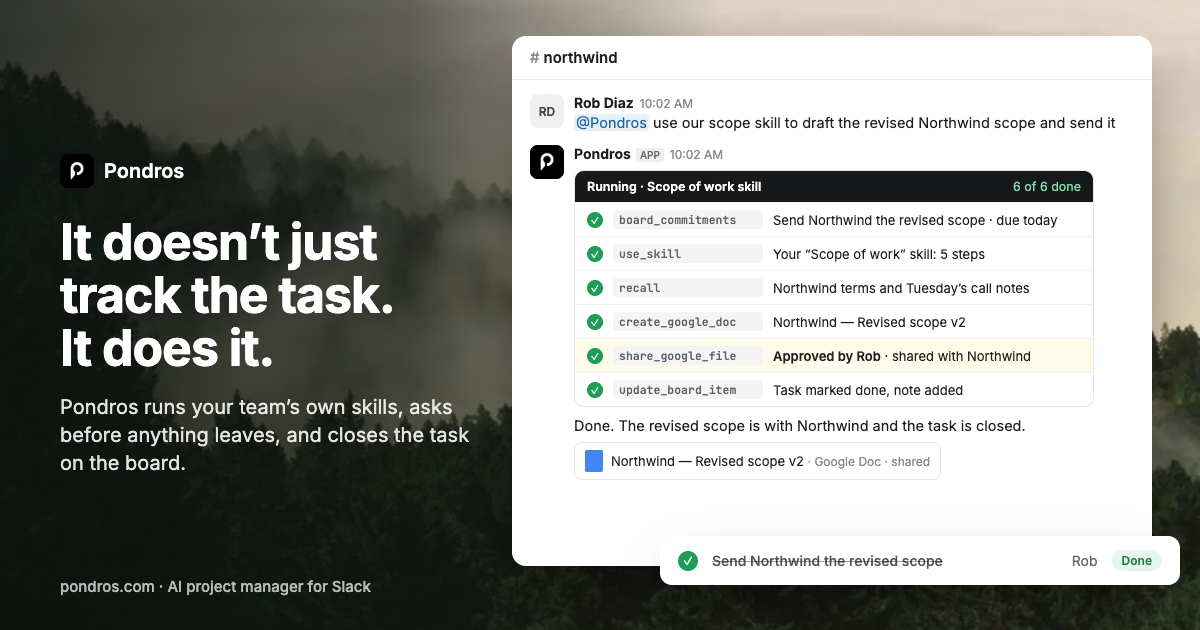
Pondros can help with Slack client task management. After it is added to Slack, it can identify a task, show the owner and due date, and let you correct or dismiss it. The task then appears on a board organized by client or project.
Use a quick verification checklist:
- The task names the client or project.
- One person owns the deliverable.
- The due date is specific.
- The original Slack thread remains available for context.
This approach supports founders and operations teams that need Slack task management for founders without forcing everyone to learn a new workflow.
3. Review open work before the client call
The day before a client call, filter the board by client. Check three groups:
- Due soon, so the owner can finish or update the work.
- Overdue, so you can address the risk before the call.
- Blocked or unclear, so someone can resolve the dependency.
Use the review to create client follow up reminders in Slack. Ask for a status only when the task is late, blocked, or missing context. This is more useful than scrolling through every channel.
With Pondros, you can ask where a client stands and see open tasks, late work, and owners. It can also nudge owners when work is due or stalls, reducing manual chasing. Keep the board as the overview, but let Slack remain the place where decisions happen.
Common mistakes and the success check
Avoid these errors:
- Creating a task without naming the client.
- Giving one deliverable several owners.
- Treating “soon” as a due date.
- Copying the same request into multiple trackers.
- Waiting until the client call to discover overdue work.
After two or three review cycles, verify the evaluated signal: are fewer client requests missing an owner or date, and are fewer deliverables discovered late? Then monitor real outcomes, such as on-time delivery and client follow-up volume.
More topics related to Pondros
Similar topics
- How to set up Pondros to track Slack commitments automatically?
- Best Slack Task Tracking Workflow for Team Follow-Ups
- How to Turn Slack Messages Into Tasks With Owners and Due Dates
- How to stop chasing teammates for promised Slack follow-ups?
- Turn Slack Commitments Into Assigned Tasks With Due Date Reminders

