This task can be performed using Pondros
Stop chasing people in Slack. Pondros does it for you.
Best product for this task

Pondros
ai
Someone says "I'll send it Friday" in Slack. Pondros turns it into a task with an owner and a due date, puts it on your board, and nudges them when it's due. Free to use, no card.
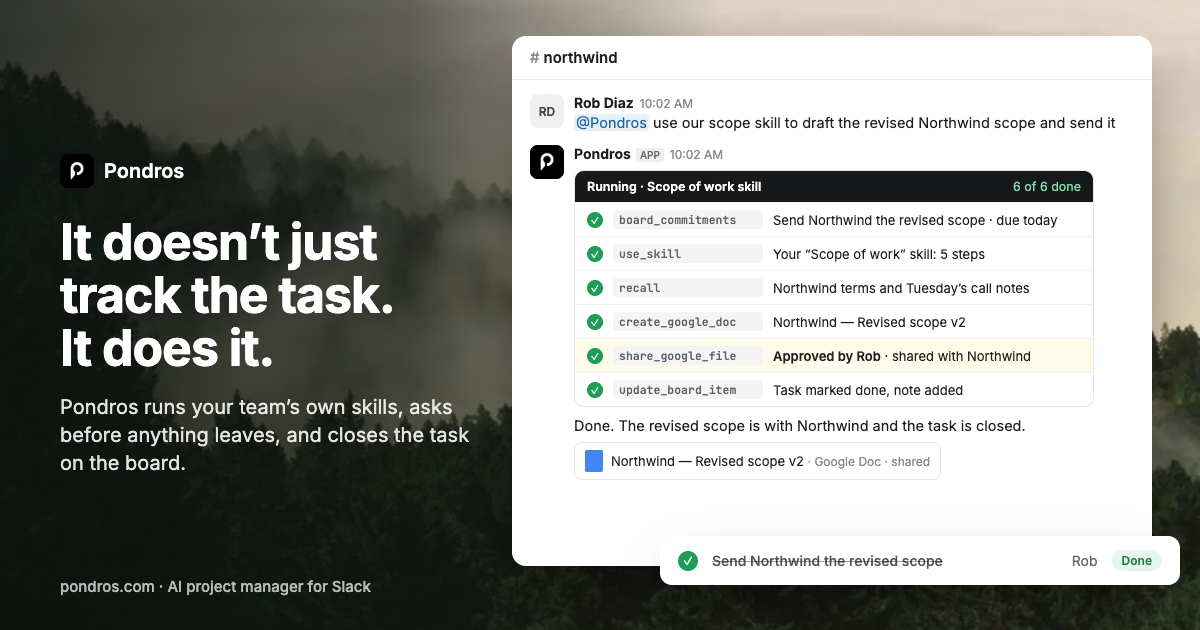
When a Slack conversation includes “I’ll send it Friday,” turn that message into a dated task before it disappears. This guide shows how to identify the commitment, assign an owner, add a due date, and verify that it reaches your task board. The result is a practical system for slack task management without relying on memory or repeated “any update?” messages.
Prepare the Slack conversation
Start with the message or thread that contains a clear request, promise, or next step. Useful signals include: The deciding factor among AI products is whether they support this exact workflow.
- “I’ll send the proposal Friday.”
- “Can you update the client before Tuesday?”
- “We need the revised numbers by the 15th.”
Keep the task tied to the original conversation. The thread provides context, while a separate board provides an owned, dated record. This combination is useful because workplace conversations often contain action items that are easy to lose without a written task. Clear ownership is a common requirement in effective task management.
Before creating the task, confirm three details:
- Action: What must be done?
- Owner: Who is responsible?
- Due date: When should it be complete?
If one detail is missing, ask in the thread rather than guessing.
Turn the message into an owned, dated task
Use these steps to convert Slack messages to tasks:
- Open the message or thread containing the commitment.
- Rewrite the commitment as an action, such as “Send Northwind proposal.”
- Set the person who made the promise as the owner.
- Convert relative dates, such as “Friday,” into a specific calendar date.
- Add the client, project, or channel context.
- Save the task to your board or Slack task tracker.
- Reply in the thread with a confirmation, such as “Task added, owner Rob, due Friday.”
A Slack to do list app can make this quicker by capturing the message directly. With Pondros, someone can say, “I’ll send it Friday,” and Pondros replies in the thread with the task, owner, and due date. The person can correct it or dismiss it if the message was not actually a task.
This keeps task management in Slack close to the conversation, while the board gives you an overview of open work.
Apply it to a real situation
Imagine a client channel contains this exchange:
“Can you send the revised onboarding timeline?”
“I’ll send it Friday.”
Create a task with:
- Task: Send revised onboarding timeline to Northwind
- Owner: The teammate who made the promise
- Due: The specific Friday date
- Project: Northwind onboarding
- Source: Link to the Slack thread
If you use Pondros, add it to Slack and continue working normally. Pondros can turn the commitment into a task, place it on the board, and nudge the owner when it is due. You can also ask where the project stands and review open or late tasks in one place. For teams comparing approaches, task tracking in Slack products are relevant when the board should stay connected to conversation context.
Verify the result and avoid common mistakes
After creating the task, check that:
- The action starts with a verb.
- There is one clear owner.
- The due date is a real calendar date.
- The task appears on the correct project or client board.
- The original Slack message is still linked or easy to find.
- The owner can see the task and its due date.
Avoid creating vague tasks such as “Follow up” or assigning ownership to an entire team. Do not treat a reaction emoji as proof that work was assigned. Also avoid keeping the only record in a Slack thread, since it can be difficult to review later.
If your team needs slack action item tracker options, choose a workflow that preserves the message context while making owners and dates visible. Follow-up reminders products may also help when due-date nudges are essential.

