This task can be performed using Decloak - Web security intelligence
Security intelligence for teams from vibe coders to enterprise
Best product for this task

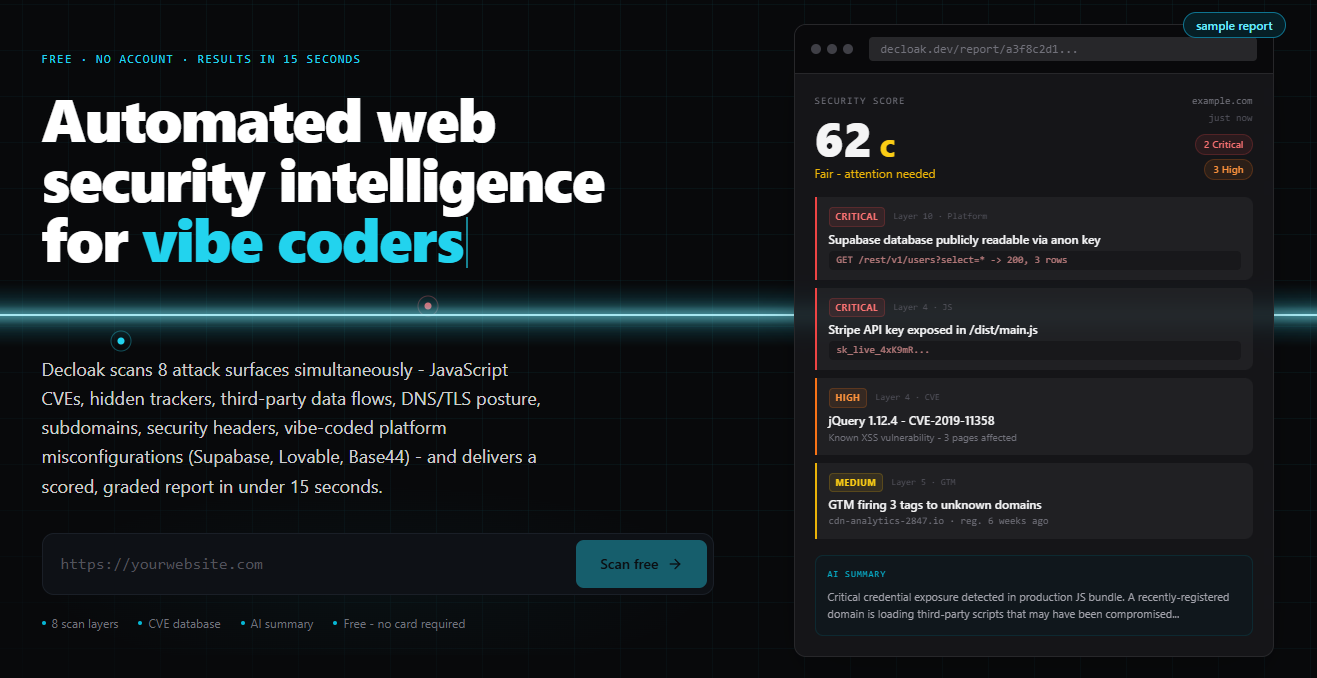
Decloak scans any live URL across 8 layers, catching exposed API keys, misconfigured databases, and vulnerable libraries, including the specific failures common to apps built with Lovable, Supabase, and Base44. Paid tiers deploy an AI agent that investigates a whole site, run AI-powered penetration testing, and map findings to SOC2, ISO 27001, NIS2, and DORA controls, all for a fraction of what tools like AppCheck or Qualys cost.
Before launching a SaaS app, use this practical checklist to inspect its external attack surface, exposed services, secrets, and common web vulnerabilities. Then decide whether a one-time review is enough or whether production needs continuous monitoring.
1. Define the scan and launch decision
Start with the exact production URL, staging URL, approved subdomains, and any public APIs. Avoid scanning systems you do not own or have permission to test. The deciding factor among AI products is whether they support this exact workflow.
Record:
- Application and API domains
- Cloud-hosted services and third-party integrations
- Expected public ports and services
- Framework or platform, such as Next.js, Lovable, Supabase, or Base44
- Launch date and the person responsible for fixes
Your goal is not simply to collect findings. It is to decide whether the application is safe enough to expose, what must be fixed first, and how often the checks should repeat.
For a broader startup web application security checklist, include authentication, authorization, session handling, backups, logging, and dependency updates. This guide focuses on externally observable risks that a scanner can evaluate before and after launch.
2. Run an external attack-surface scan
Use a website vulnerability scanner for startups to fingerprint the live application and discover what an attacker can see without internal access.
Check for:
- Unexpected subdomains and exposed services
- Open ports or administrative interfaces
- Debug pages, source maps, and directory listings
- TLS and certificate problems
- Missing or weak security headers
- Outdated JavaScript libraries
- Exposed API keys, tokens, and configuration values
- Publicly readable databases or storage
- Hidden trackers and suspicious external domains
A platform-aware tool matters for early-stage apps. For example, a Supabase project may be publicly readable when Row Level Security was not enabled. That is a different investigation from a missing header or an old frontend package.
Decloak - Web security intelligence scans a live URL across eight layers and fingerprints platforms such as Lovable, Supabase, Base44, Bubble, and Next.js. Its paid tiers can investigate connected findings across the whole site rather than treating every alert as isolated.
You can also compare a security scanner for indie hackers with a broader web-security product category, but choose based on coverage and follow-up capability, not the number of checks listed on a pricing page.
3. Triage findings before launch
Sort results into three groups:
- Block launch: exposed credentials, public customer data, exploitable authentication flaws, unexpected admin access, or vulnerable internet-facing services.
- Fix soon: missing headers, source maps, outdated libraries, unnecessary services, or weak cookie settings.
- Review: low-confidence detections, third-party trackers, and findings that require application context.
For each issue, save the affected URL, evidence, severity, owner, and fix status. Then make the smallest safe change, such as rotating a key, enabling database policies, removing a debug route, or upgrading a dependency.
Do not assume a clean homepage means a clean application. Test authenticated areas, API routes, redirects, error pages, and alternate subdomains where permitted. If database exposure is suspected, follow a focused Supabase database access diagnosis guide rather than guessing at policy changes.
4. Choose one-time review or continuous monitoring
A one-time production website security check before launch may be reasonable for a static MVP with few changes. Repeat it after major releases, new integrations, domain changes, or infrastructure migrations.
Choose continuous website security monitoring for SaaS when the product changes frequently, uses several hosted services, handles sensitive data, or has a small team without dedicated security ownership. Schedule scans and compare new findings with the previous baseline.
A practical website security audit checklist for startups ends only when you verify the fix:
- Rescan the affected URL
- Confirm secrets were rotated, not merely deleted
- Verify private data is inaccessible without authorization
- Confirm expected services still work
- Record the remaining accepted risks
- Set the next scan date.
More topics related to Decloak - Web security intelligence
Similar topics
- How to map website security findings to SOC 2 and ISO 27001 controls?
- AppCheck Alternative for AI Website Penetration Testing
- Website Security Scanning Workflow for Vibe Coding Teams
- How to run AI penetration tests on a live website before launch?
- How to Audit a Supabase App and Fix Public Database Access

