This task can be performed using Linkeezy
Never Miss Important LinkedIn DMs or Content
Prioritize LinkedIn activity
Define what matters before sorting: active prospects, customer questions, partner requests, hiring conversations, and posts from priority accounts. Assign each group a response window so importance is based on business impact, not recency or engagement.
Then create a repeatable LinkedIn workflow. Review direct messages first, save valuable posts into a short action queue, and schedule separate time for reading. Archive or mute low-value items, then record the next action outside the feed if follow-up matters.
Best product for this task

Linkeezy
social-tools
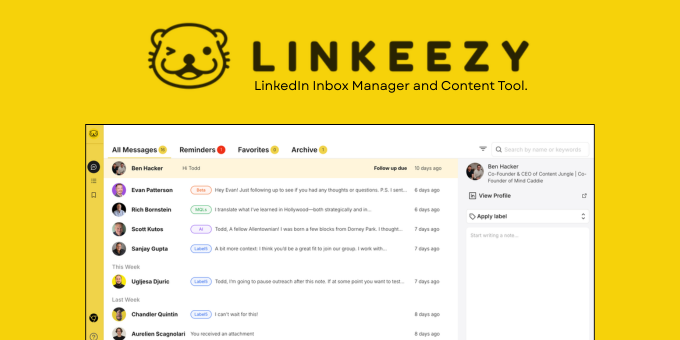
Get through your LinkedIn inbox faster, spot opportunities sooner, and stay on top of the content that matters in one focused workspace. Built for people who use LinkedIn every week. 7 day free trial, no credit card required.
What to expect from an ideal product
- Filter your LinkedIn feed to show only posts from key clients, prospects, and industry leaders so you never scroll past important updates
- Set up custom alerts for specific keywords and topics that matter to your business, letting you jump on relevant conversations quickly
- Sort incoming messages by priority level, putting partnership inquiries and sales opportunities at the top of your inbox
- Create separate workspaces for different content types like thought leadership posts, company updates, and engagement opportunities
- Track which posts and messages need follow-up action with built-in reminders, so nothing falls through the cracks
More about priority rules
Use a fixed rule when everything looks important: prioritize items tied to an active conversation, a near-term decision, or measurable social selling activity before general industry updates.
- Reply today when delay could block a decision or damage a relationship.
- Schedule items that require research, drafting, or input from someone else.
- Archive content with no clear action, learning value, or account relevance.
More topics related to Linkeezy
Similar topics
- How to Organize a Busy LinkedIn Inbox and Stop Missing Important Messages
- How to Track LinkedIn Conversations and Never Miss a Follow-Up
- How to Choose a LinkedIn Inbox Management Tool for Faster Message Processing
- How to Build a LinkedIn Watchlist for Important People and Topics
- LinkedIn DM Workflow Template for Consultants Juggling Multiple Client Conversations

