This task can be performed using VocalLab AI
Turn written lines into studio-quality performances in seconds.
Best product for this task

VocalLab AI
music
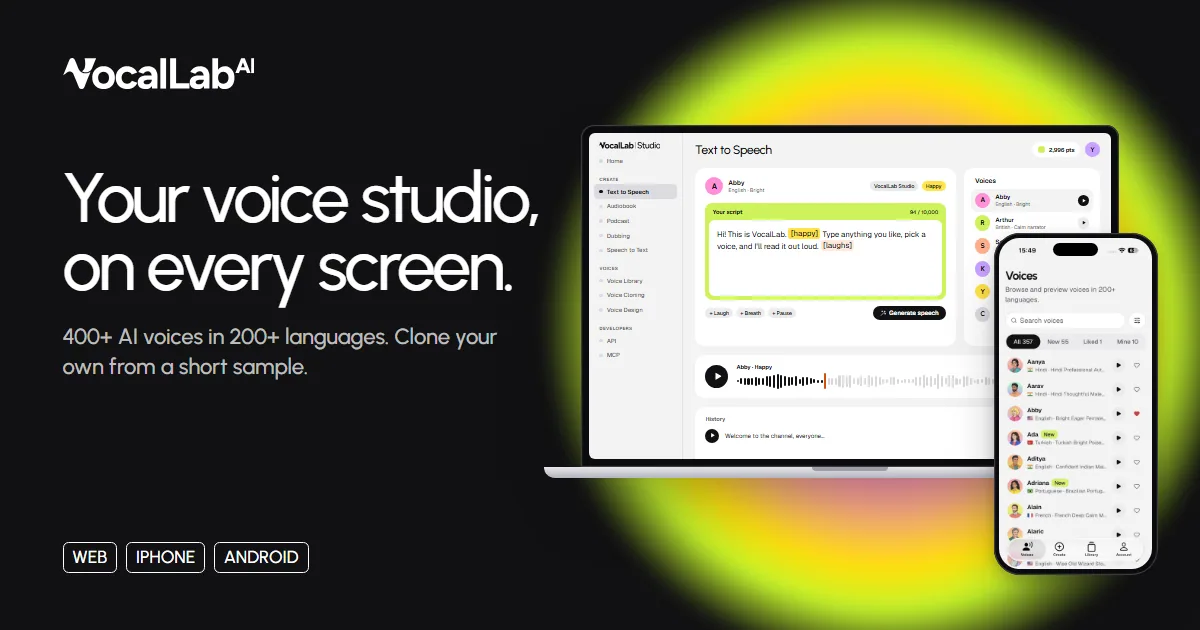
VocalLab is an AI voice studio for creators, turning scripts and plain-English directions into emotionally performed voiceovers with 400+ realistic voices, voice cloning, and expressive sound tags for TikTok, YouTube.
If your sleep story, meditation script, or breathing exercise sounds rushed or flat, use this repeatable process to create relaxing audio. You will shape the script, direct an AI voice generator for sleep stories with clear pacing and pauses, then check the final recording for a soothing, listener-friendly performance.
Prepare the script for relaxation
Before choosing a voice, rewrite the script for easy listening.
- Keep sentences short, especially when giving breathing instructions.
- Add line breaks where you want the narrator to pause.
- Replace sharp or urgent wording with gentle language.
- Mark physical actions clearly, such as “inhale slowly” and “exhale completely.”
- Read the script aloud once to find awkward rhythms.
For example:
Close your eyes.

[pause for 3 seconds]

Breathe in slowly through your nose.

[pause]

Now, breathe out gently.
A sleep story may need longer descriptive passages, while meditation scripts work better with simple, spacious lines. Avoid placing several instructions in one sentence. The listener should never have to rush to follow you.
Choose a voice and set the delivery
Select a warm, steady voice without excessive brightness or dramatic energy. A calm AI voice for guided meditation should sound present and reassuring, not sleepy to the point of being unclear.
Use plain-English directions alongside the script. For example:
[Speak slowly, softly, and warmly. Leave a gentle pause after each sentence.]
The room is quiet now, and your body can begin to rest.
For a breathing exercise, try:
[Use a calm, instructional tone. Count slowly and keep the rhythm consistent.]
Inhale for four.
[pause for 1 second]
Exhale for six.
[pause for 2 seconds]
VocalLab AI lets creators turn written lines and directions into performed voiceovers, with 400+ realistic voices, voice steering, and expressive sound tags. You can compare takes until the pace and tone feel natural. If you need a repeatable narrator across a series, voice cloning is another option. See this guide to creator voice cloning products only if consistent identity is important for your project.
Build and review the audio
Generate a short test before rendering the full recording. Use 20 to 30 seconds that includes narration, a pause, and one breathing direction.
Check these details:
- Is every word easy to understand at a low volume?
- Do pauses feel long enough for the listener to respond?
- Does the voice remain calm at the end of sentences?
- Are breathing counts steady from one cycle to the next?
- Do transitions avoid sudden changes in energy?
For meditation, an AI voice generator for meditation scripts works best when each instruction has room to land. For breathing audio, an AI voiceover for breathing exercises should prioritize timing over expressive variation. Export a longer sample and listen while sitting quietly, rather than judging only from the editor.
Keep background music subtle if you add it. Music production tools may help with atmosphere, but the voice must remain clear and easy to follow.
Fix common calming-voice mistakes
If the narration feels rushed, add punctuation, line breaks, or explicit pause directions. If it sounds robotic, vary sentence length and use warmer delivery instructions. If the voice becomes too theatrical, remove words such as “dramatic” or “intense.”
Also avoid:
- Long paragraphs with no breathing space
- Sudden volume or tone changes
- Fast countdowns
- Overly whispered speech that loses clarity
- Instructions that conflict with the actual timing
When the test passes, generate the complete track and listen once without editing. Confirm that the opening sets a calm expectation, the middle maintains consistent pacing, and the ending fades naturally. To create and refine these takes in one studio, try VocalLab AI.
More topics related to VocalLab AI
Similar topics
- How to Create Scroll-Stopping YouTube and TikTok Voiceovers Faster
- How to Produce Multi-Character Podcasts and Audiobooks With AI Voices
- Best AI Voice Studio for TikTok and YouTube Creators
- How to turn scripts into emotional TikTok voiceovers with AI?
- How to clone your voice for consistent YouTube narration?