This task can be performed using VocalLab AI
Turn written lines into studio-quality performances in seconds.
Best product for this task

VocalLab AI
music
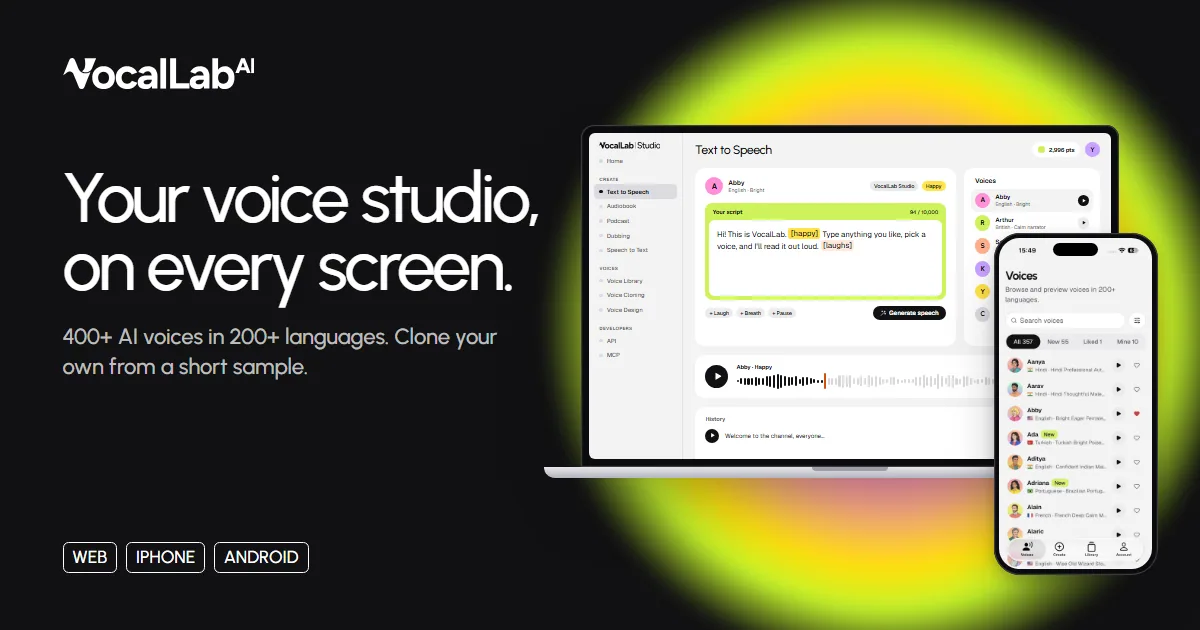
VocalLab is an AI voice studio for creators, turning scripts and plain-English directions into emotionally performed voiceovers with 400+ realistic voices, voice cloning, and expressive sound tags for TikTok, YouTube.
If you have a scripted podcast scene or short audiobook chapter, you can turn it into a multi-character performance by assigning each role a distinct voice, directing delivery, and checking the final mix. This guide shows how to produce a practical two-person scene with AI voice for podcast narration, then verify that the dialogue sounds clear, consistent, and ready to publish.
1. Prepare the script and cast
Start with a clean script. Put each speaker on a separate line and remove stage directions that should not be spoken.
Example:
NARRATOR: The train stopped just before midnight.
MAYA: Did you hear that?
LEO: Hear what?
MAYA: Someone is walking outside.
Create a simple cast sheet:
| Role | Voice direction |
|---|---|
| Narrator | Calm, cinematic, measured |
| Maya | Alert, breathy, quick |
| Leo | Lower, skeptical, relaxed |
Choose voices that are easy to distinguish without sounding exaggerated. For AI podcast voices with multiple speakers, consistency matters more than novelty. Keep the same voice, approximate pace, and emotional range for every scene.
If your project needs expressive delivery rather than flat reading, review this guide to directional TTS products before generating the takes.
2. Generate each role with clear directions
Use an AI voice generator for podcast dialogue that accepts both script text and performance instructions. In VocalLab AI, add plain-English directions in brackets so the delivery is part of the prompt.
MAYA: [whisper urgently] Did you hear that?
LEO: [quietly, skeptical] Hear what?
MAYA: [breathing faster] Someone is walking outside.
Generate short sections first, such as two to four lines. This makes it easier to replace one weak take without regenerating the entire chapter.
For an AI audiobook narration with character voices, keep the narrator separate from dialogue. Use a stable narrator voice for scene transitions, then switch to character voices only when a character speaks. VocalLab offers 400+ voices, voice cloning, custom character creation, and expressive tags such as laughs, sighs, and breaths.
3. Assemble the conversation
Place the generated files in script order. Leave small gaps between speakers, but avoid identical timing on every exchange. Natural dialogue needs variation.
For a podcast scene:
- Put narration on its own track.
- Place each character on a separate track.
- Trim long silences, but keep intentional breaths.
- Balance loudness so no speaker disappears.
- Add light music or ambience only after the voices are clear.
This approach also works for an AI voiceover for audiobooks, especially when a chapter includes dialogue, narration, and recurring characters. You can use expressive voiceover products when comparing tools or workflows for emotionally directed takes.
4. Verify the finished performance
Listen once with headphones and once through ordinary speakers. Use this checklist:
- Can you identify every speaker without checking the script?
- Are names, places, and repeated character traits pronounced consistently?
- Does the emotion fit the scene?
- Are interruptions understandable rather than messy?
- Is narration clearly separated from dialogue?
- Are breaths and sound tags supportive instead of distracting?
- Does the pacing leave enough time to follow the story?
If Maya sounds too calm, change the direction, not just the voice. Try “speaking quickly, frightened, with a shaky breath.” If Leo sounds too dramatic, reduce the instruction to “quietly doubtful.”
For short videos, the same method supports an AI character voice generator for videos, including skits, explainers, and recurring series characters. For more control, VocalLab can function as a custom AI character voice generator for building a repeatable cast.
Common mistakes
Avoid assigning similar voices to every role, generating an entire audiobook in one take, or mixing music before dialogue levels are stable. Also check commercial-use terms for your selected plan before publishing.
More topics related to VocalLab AI
Similar topics
- How to Create Scroll-Stopping YouTube and TikTok Voiceovers Faster
- Best AI Voice Studio for TikTok and YouTube Creators
- How to turn scripts into emotional TikTok voiceovers with AI?
- How to clone your voice for consistent YouTube narration?
- AI Voiceover Workflow Using Sound Tags and Plain English Directions