This task can be performed using Linkeezy
Never Miss Important LinkedIn DMs or Content
Find LinkedIn opportunities faster
Start by defining what counts as an opportunity: a buying signal, referral, partnership request, hiring need, or timely post. Then review your LinkedIn inbox and relevant content in one scheduled pass instead of switching between tabs throughout the day.
Triage each item by intent, fit, and urgency. Respond to clear, time-sensitive opportunities first, schedule follow-ups for promising conversations, and dismiss low-value outreach. Repeat this process at consistent times so important signals do not depend on memory.
Best product for this task

Linkeezy
social-tools
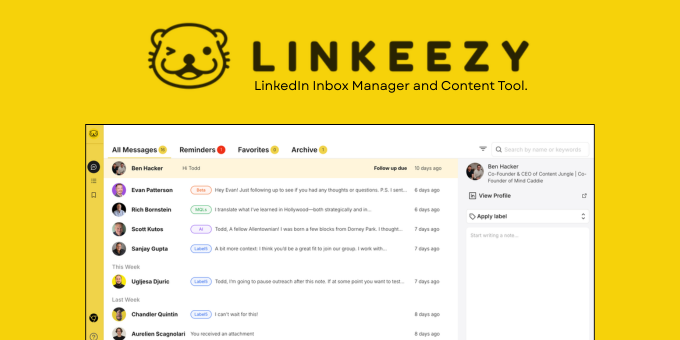
Get through your LinkedIn inbox faster, spot opportunities sooner, and stay on top of the content that matters in one focused workspace. Built for people who use LinkedIn every week. 7 day free trial, no credit card required.
What to expect from an ideal product
- Clean up your LinkedIn inbox automatically so you can quickly spot messages from potential clients, partners, or job opportunities without digging through spam
- Get alerts when important people in your industry post content, helping you jump into conversations early and build relationships before your competitors do
- Filter and organize your LinkedIn messages by priority so you never miss that one DM that could turn into your next big deal or collaboration
- Track conversations with prospects and leads in one place, making it easier to follow up at the right time and close more business
- Stay on top of trending posts and discussions in your field so you can share valuable insights and get noticed by the right people
More about opportunity scoring
Use a simple score before replying so urgency does not crowd out value. This keeps your social selling workflow consistent when message volume rises.
- Score intent, fit, and timing from 0 to 2, then handle the highest totals first.
- Reply immediately when a credible need has a deadline or clear next step.
- Archive low-fit outreach, and schedule a later review for promising but untimely signals.
More topics related to Linkeezy
Similar topics
- How to Organize a Busy LinkedIn Inbox and Stop Missing Important Messages
- How to Track LinkedIn Conversations and Never Miss a Follow-Up
- How to Choose a LinkedIn Inbox Management Tool for Faster Message Processing
- How to Build a LinkedIn Watchlist for Important People and Topics
- LinkedIn DM Workflow Template for Consultants Juggling Multiple Client Conversations

