This task can be performed using MailVault
Blazing-fast email search, fully private, stored only on your computer.
Best product for this task

MailVault
productivity
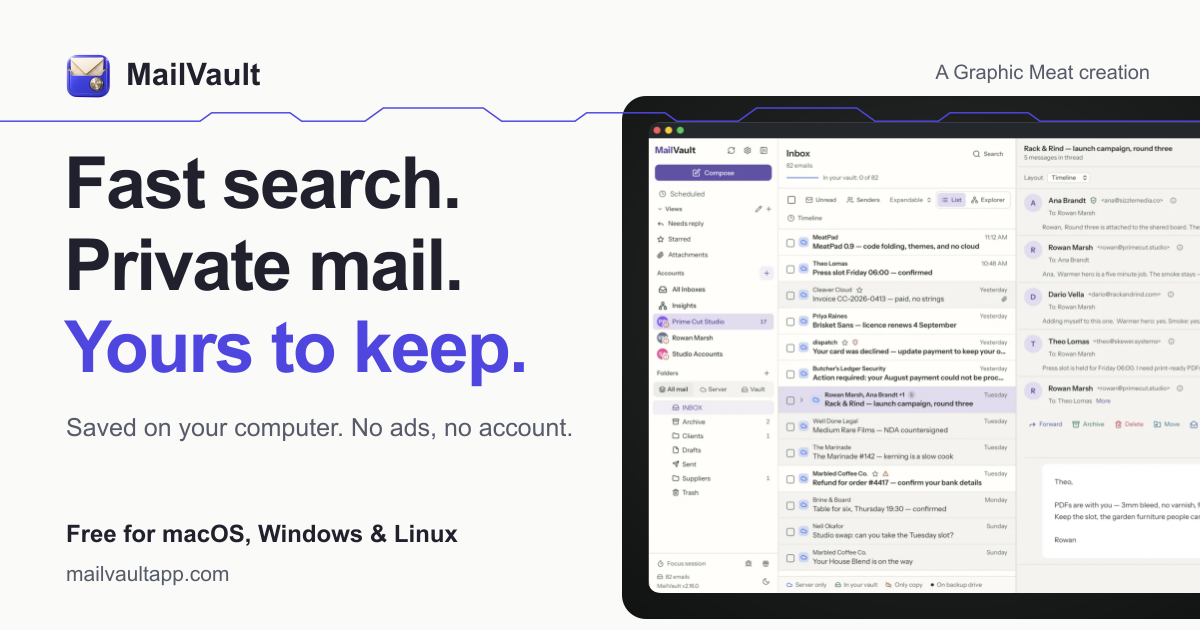
MailVault is a privacy-focused desktop email client that keeps a fast-searchable archive of your inbox on your own computer, freeing server space while preserving every message in open .eml format.
If Gmail or Outlook storage is full, use a verify-first process: save older messages locally, confirm each copy opens correctly, then delete only the verified server copies. This lets you free up Gmail storage by archiving emails or reduce Outlook mailbox usage without sacrificing your email history.
Prepare a safe local archive
Before removing anything, decide what must remain available. Keep legal, financial, account, customer, and project messages unless you are certain they are no longer needed. The deciding factor among productivity products is whether they support this exact workflow.
You will need:
- Enough free space on your computer for the archive
- A backup location, such as an external drive
- Access to your Gmail, Outlook.com, Microsoft 365, iCloud, Yahoo, or IMAP account
- A local email tool that preserves messages in a portable format
MailVault is a privacy-focused desktop email client that stores searchable messages on your computer as open .eml files. It connects to common providers and IMAP inboxes without routing your email through third-party servers. If you are comparing email archiver products, prioritize readable, portable files rather than a closed database.
For a larger migration, first review this guide to download email locally from Gmail, Outlook, Microsoft 365, iCloud, or Yahoo.
Archive messages before deleting them
Start with a small, clearly defined batch. For example, choose messages older than five years, or search for newsletters and automated notifications that no longer matter on the server.
- Connect your mailbox to MailVault.
- Let the selected folders finish synchronizing.
- Choose the messages or folders you want to archive.
- Save them locally as
.emlfiles. - Wait for the archive process to complete before closing the app.
A local archive can help you search thousands of emails privately on your computer, but searchability is not enough by itself. You must confirm the actual message files are complete and readable.
Verify every copy before removing server mail
Use a sample from every important folder and time period. Open several archived messages and check:
- The sender, recipients, date, and subject are present
- The message body displays correctly
- Attachments open and have expected filenames
- The archive contains the intended folder or category
- The number of saved messages matches your selection
Try searching for a distinctive phrase, sender, and attachment name. If anything is missing, stop and resynchronize. Do not delete server copies simply because an archive job reports completion.
Create a second backup before cleanup. Automatic backups and snapshots add protection if your computer fails after deletion. A separate guide explains how to back up a local email archive automatically. You can also review data archiving products when choosing a backup approach.
Delete only verified server copies
After verification, remove the same messages from Gmail or Outlook. Check the provider’s Trash or Deleted Items folder and confirm the storage total begins to fall. Some providers may take time to recalculate usage.
For Gmail, emptying large messages, videos, and unwanted attachments can release space quickly. For Outlook, inspect Deleted Items and other folders that count toward the mailbox quota. Keep server copies of anything you still need immediate access to until your local archive and backup have both been checked.
Common mistakes include archiving only the inbox while missing Sent or custom folders, deleting before attachments are tested, and storing the only local copy on a failing laptop. If the mailbox still reports full, rescan usage and look for large files in every folder.
With MailVault, you can keep a private local email archive and remove verified server copies while retaining readable .eml files. Your final check is simple: open representative archived messages, test attachments, confirm the backup exists, and only then empty the provider’s deletion folder.
More topics related to MailVault
Similar topics
- How to free email server space without deleting old messages?
- Private Email Archiving for Lawyers Handling Sensitive Client Messages
- How to free mail server space without deleting old messages?
- MailVault vs Cloud Email Archives for Private Offline Search
- Best Desktop Email Client for Private Offline Inbox Search

