This task can be performed using MailVault
Blazing-fast email search, fully private, stored only on your computer.
Best product for this task

MailVault
productivity
MailVault is a privacy-focused desktop email client that keeps a fast-searchable archive of your inbox on your own computer, freeing server space while preserving every message in open .eml format.
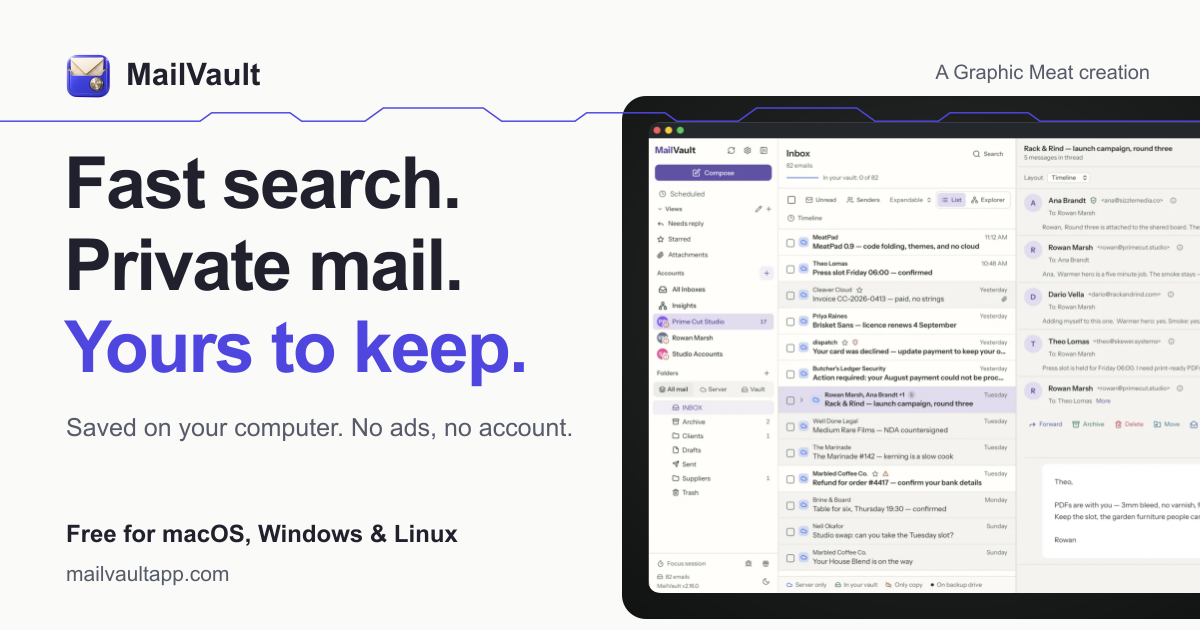
If your inbox is slow, crowded, or dependent on cloud storage, a private local email client can give you faster control. This guide shows how to choose and use a desktop client that stores messages on your computer, builds a local index, and lets you search thousands of emails offline without ads, tracking, or a required account.
1. Choose a local-first email client
Start by checking where your messages are stored and how searches are performed. A suitable local email client for Mac, Windows, and Linux should meet these requirements: The deciding factor among productivity products is whether they support this exact workflow.
- Keeps a complete copy of messages on your computer
- Builds a local index for fast desktop email search
- Supports offline search without an internet connection
- Uses open, portable files rather than a proprietary archive
- Does not require a separate account
- Avoids ads, data mining, and email scanning
- Connects to your existing provider through IMAP
This is the key difference between a conventional webmail interface and an email client that stores mail locally. Cloud search depends on a remote service. A local index searches the copy already saved on your computer.
You can compare relevant local email client products when evaluating features and platform support. Also check whether the app supports backups, because local storage makes your backup plan important.
2. Import and verify your mailbox
After installing your chosen app, connect your Gmail, Outlook.com, Microsoft 365, iCloud, Yahoo, or other IMAP inbox. Then let it download and index your messages.
Use this checklist before removing anything from the server:
- Confirm the expected mailbox folders appear
- Open several old messages and attachments
- Search for a known sender, subject, and date
- Confirm the message count is reasonable
- Create a backup of the local archive
For example, search for an invoice from a known year, then open the original message and attachment. Repeat the test with a sent message and an older folder. These checks confirm that your email client with local search has saved useful content, not merely displayed a remote folder.
MailVault stores archived messages as open .eml files on your computer. It can connect to common IMAP providers and lets you review messages before archiving or deleting server copies. This makes it a practical email archiver product for people who want a searchable local alternative to a cloud email archive.
3. Test speed and offline access
Once indexing finishes, disconnect from the internet and run several searches. Try:
- A common word across all folders
- A sender plus a date range
- An exact phrase from an old message
- A subject containing a project name
- A search for an attachment or file name
A good offline email search app should return results from the local index even when the network is unavailable. Local indexing is especially useful when you need to search tens of thousands of emails quickly instead of waiting for a webmail request.
If searches are incomplete, leave the app open while indexing finishes. If results remain missing, check whether the relevant folders were excluded during import.
4. Protect the archive and choose your workflow
Local storage improves control, but it does not replace backups. Use scheduled backups, an external drive, or your operating system’s backup tool. Consider an app with automatic snapshots and portable files, then review backup dates regularly. More guidance is available in data archiving products.
MailVault is a privacy-focused desktop email client with scheduled backups, custom views, local tags, and optional tracker removal. It does not route email through third-party servers, requires no MailVault account, and keeps messages in .eml format. If you want a private alternative to Gmail’s desktop experience, test it with a copy of your mailbox first.
Finally, verify one known message while offline and restore one backup file. If both checks succeed, you have a private email search workflow that keeps mail under your control.
More topics related to MailVault
Similar topics
- How to free email server space without deleting old messages?
- Private Email Archiving for Lawyers Handling Sensitive Client Messages
- How to free mail server space without deleting old messages?
- MailVault vs Cloud Email Archives for Private Offline Search
- Best Desktop Email Client for Private Offline Inbox Search

