This task can be performed using DisplaySwitcher
Switch monitor inputs and transfer text and files between computers
Best product for this task

DisplaySwitcher
productivity
A desktop application for Linux, macOS, and Windows that switches monitor video inputs with a software button and transfers text and files between computers. $5.95 per month with a one-month free trial.
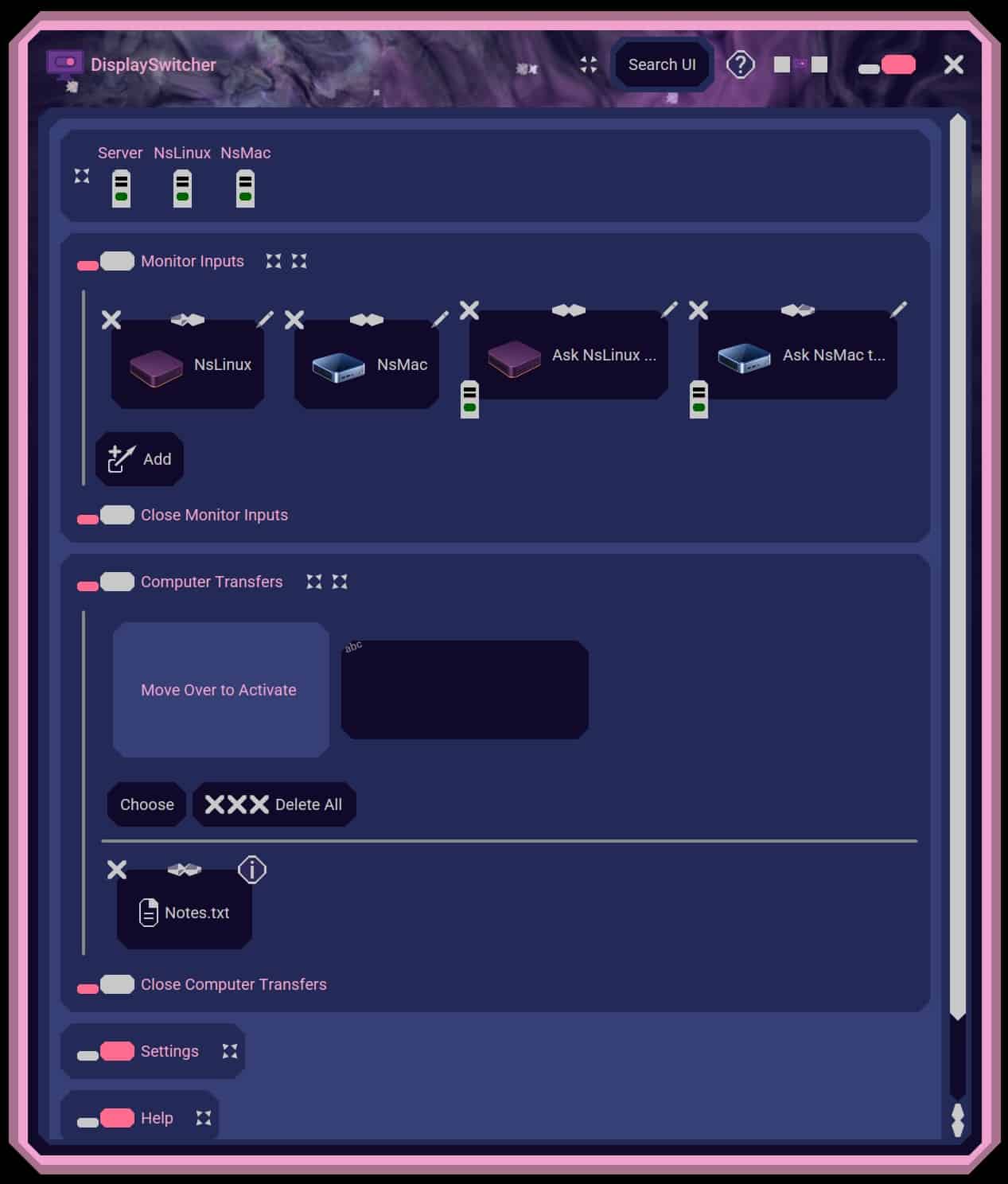
If you work on a Mac, Windows PC, and Linux computer, moving code, notes, or commands between them can be slower than it should be. This guide shows how to copy-and-paste between computers with a cross-platform desktop workflow, without cloud clipboard services, complicated network setup, or firewall configuration.
Prepare the computers
Before transferring text, make sure each computer is ready:
- Install DisplaySwitcher on the Linux, macOS, and Windows computers you want to connect.
- Keep the computers available in the same work area.
- Open the application on each computer.
- Confirm that the text transfer feature is available before copying important content.
DisplaySwitcher combines clipboard and file transfers with monitor input switching. It is useful for developers, IT professionals, and home office users who regularly work across Linux products, macOS products, and Windows systems.
This approach is different from copying text into an online account. The transfer uses the desktop application, so you can share clipboard content between computers without relying on a cloud clipboard. The deciding factor among productivity products is whether they support this exact workflow.
Copy text from one computer to another
Use these steps to transfer text between two computers:
- Open the source document, terminal, editor, or browser.
- Highlight the text you want to move.
- Copy it with
Ctrl+Con Windows or Linux, orCommand+Con macOS. - In DisplaySwitcher, choose the destination computer.
- Paste into the destination application with
Ctrl+VorCommand+V. - Check the result before continuing your work.
For example, you might copy a Linux terminal command and paste it into a Windows PowerShell window. You can also copy a code fragment from macOS and paste it into a Linux editor. This makes it practical to share text between computers with copy-and-paste while keeping each system’s normal keyboard shortcuts.
If the text contains formatting, test a short sample first. Some applications copy plain text, while others preserve formatting, line breaks, or special characters. Code is usually safest when you confirm indentation and quotation marks after pasting.
Transfer text across operating systems
The same workflow supports clipboard sharing between Mac, Windows, and Linux. Use it for:
- Moving copied text from one computer to another
- Transferring shell commands and code snippets
- Sharing meeting notes or short instructions
- Copying URLs, serial numbers, and configuration values
A desktop tool can be especially useful when you need to transfer files between computers as well as text. DisplaySwitcher supports text and file transfers using cut-and-paste, drag-and-drop, or file browsing, so you can choose the simplest method for the content.
When transferring sensitive text, avoid leaving credentials or private keys in the clipboard longer than necessary. Paste the content into its destination, then replace or clear the clipboard if your workflow requires it.
Fix common clipboard problems
If the paste does not work, check these points:
- Confirm DisplaySwitcher is running on both computers.
- Recopy the text after selecting the correct source.
- Make sure the destination application accepts pasted text.
- Test with a short sentence to separate an application issue from a transfer issue.
- Check line breaks, quotation marks, and indentation in code.
- Use file transfer instead when the content is large or includes multiple files.
DisplaySwitcher is designed to transfer text and files without network or firewall configuration. It also lets a software button switch monitor inputs, which can reduce the need to use a display’s physical controls. See the monitor input switching products category if that capability is part of your setup.
For a focused next step, try DisplaySwitcher. It costs $5.95 per month and includes a one-month free trial. After setup, verify the workflow by copying a short note from one operating system, pasting it into another, and checking that the text arrives intact.
More topics related to DisplaySwitcher
Similar topics
- Best Software for Switching One Monitor Between Multiple Computers
- DisplaySwitcher vs KVM Switches for Sharing a Monitor Between Computers
- How to set up DisplaySwitcher for one monitor shared by two computers?
- How to switch a monitor and send files without a hardware KVM?
- How to Switch Monitor Inputs Without Touching the Monitor

