This task can be performed using ZeroPulp AI
Describe process, get instant compliant workflow app—zero code.
Best product for this task
ZeroPulp AI
no-code
ZeroPulp.ai converts plain-English descriptions of business processes into live, compliant workflow automation in minutes, eliminating manual approvals, email chasing, and spreadsheet tracking without requiring any.
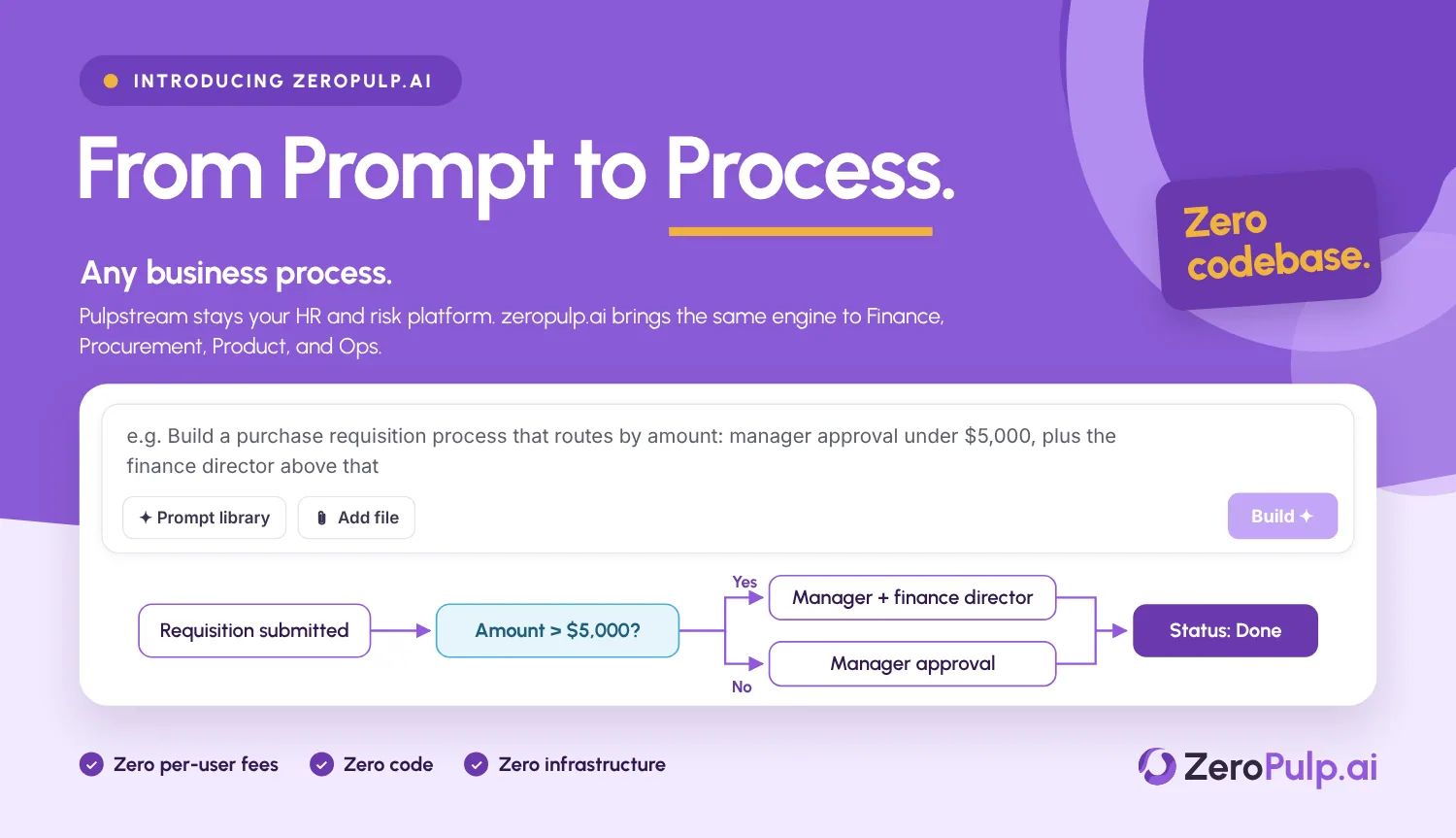
If approvals are trapped in email, spreadsheets, or chat, you can describe the process in plain English, generate a workflow, and test it before launch. This guide shows how operations teams can turn a purchase approval description into a live workflow without coding.
1. Prepare the business process description
Start with the real process, not the idealized version. Write down:
- Who submits the request
- What information is required
- Which conditions change the route
- Who approves each step
- Which tasks can happen in parallel
- What evidence must be retained
- What happens when a request is rejected or incomplete
For example:
An employee submits a purchase request with the vendor, amount, department, cost center, business justification, and attachment. The manager reviews it first. Requests above $10,000 also require finance approval. New vendors require procurement review. Finance and procurement may review in parallel. The requester receives the final decision, and the completed record must remain available for audit.
This level of detail helps an AI workflow builder for business processes generate useful logic instead of a simple form.
Before generating anything, resolve ambiguous terms. Define “high value,” identify the actual approver roles, and decide whether missing information should pause or reject the request.

2. Generate the workflow from natural language
Choose a plain English workflow automation tool that accepts process descriptions, then paste the complete version. Ask it to create:
- An external or internal request form
- Required fields and validation
- Conditional approval rules
- Parallel review steps
- Notifications and reassignment rules
- An audit-ready record
- Final requester communication
A useful prompt is:
Generate a purchase approval workflow from this process description. Route every request to the submitter’s manager. If the amount exceeds $10,000, add finance approval. If the vendor is new, add procurement review. Run finance and procurement reviews in parallel when both apply. Prevent submission when required fields are missing. Record every decision, comment, timestamp, and attachment.
This is a practical example of no code process automation for operations teams. It also lets teams build internal apps without engineering, while keeping the original process description as a reference for review.
ZeroPulp AI is designed for this approach. Its workflow generation converts plain-English process descriptions into live workflow applications, including routed approvals, external request forms, and records for regulated processes.
3. Compare the generated workflow with the real process
Do not publish immediately. Test each branch using realistic scenarios:
- $2,000 purchase from an existing vendor
- $12,000 purchase from an existing vendor
- $12,000 purchase from a new vendor
- Missing cost center
- Rejected manager approval
- Finance approval completed before procurement review
For every scenario, verify the route, required fields, notifications, and final status. Check that the correct person receives each task, especially when a manager changes or a request crosses departments.
Common mistakes include:
- Describing job titles without defining who currently holds them
- Omitting rejection and resubmission behavior
- Treating all purchases as identical
- Forgetting attachments or audit fields
- Creating duplicate approvals for the same condition
- Using one person’s name instead of a durable role
If the generated result is wrong, revise the description and regenerate. Do not rely on users to work around an incorrect route.
4. Launch, monitor, and improve
Publish only after a small pilot confirms the workflow behaves as intended. Give pilot users clear instructions and ask them to report missing fields, confusing steps, and incorrect routing.
After launch, review completed records for:
- Requests waiting too long at one step
- Frequent rejection reasons
- Manual workarounds
- Missing evidence
- Requests sent to the wrong stakeholder
Use those findings to update the process description and workflow rules. Teams evaluating an approval workflow engine should prioritize traceability and controlled routing, not just fast generation.
More topics related to ZeroPulp AI
Similar topics
- Best Zero-Code Compliance Workflow Use Cases for Operations Teams
- How to build a compliant approval workflow from a plain English process?
- How to replace email approvals and spreadsheet tracking with one workflow app?
- Employee Onboarding Approval Workflow Template With Automated Compliance Tracking
- How to Create Audit-Ready Workflows for Regulated Teams