This task can be performed using CodexBar
See all your AI coding limits, right in macOS.
Best product for this task

CodexBar
dev-tools
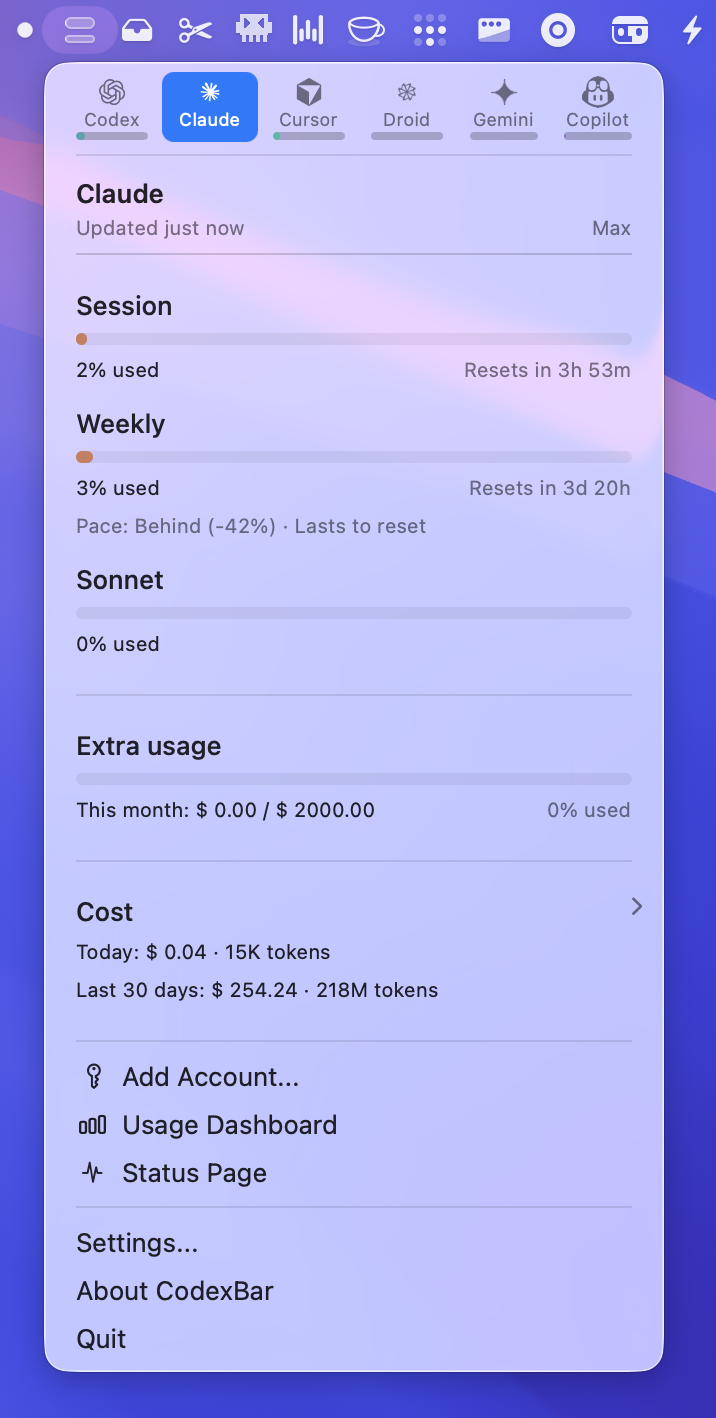
CodexBar is a macOS 14+ menu bar utility that tracks AI coding assistant limits for multiple providers, showing live session, weekly, and credit usage. It pulls data from browser cookies or CLIs, supports automation with a bundled CLI, and keeps developers aware of reset times and outages.
What to expect from an ideal product
- CodexBar sits in your macOS menu bar and pulls usage data directly from your browser cookies and command line tools, so you can see exactly how much you've used across all your AI coding assistants
- The app tracks different types of limits including daily sessions, weekly quotas, and credit balances, giving you a complete picture of your remaining capacity with each provider
- You get real-time updates on your usage without having to log into multiple websites or remember different billing cycles for each AI service you use
- CodexBar shows you when your limits will reset and alerts you to any service outages, so you can plan your coding work around these constraints
- The built-in command line interface lets you automate usage monitoring and integrate limit checking into your development workflow or scripts

