This task can be performed using CodexBar
See all your AI coding limits, right in macOS.
Best product for this task
CodexBar
dev-tools
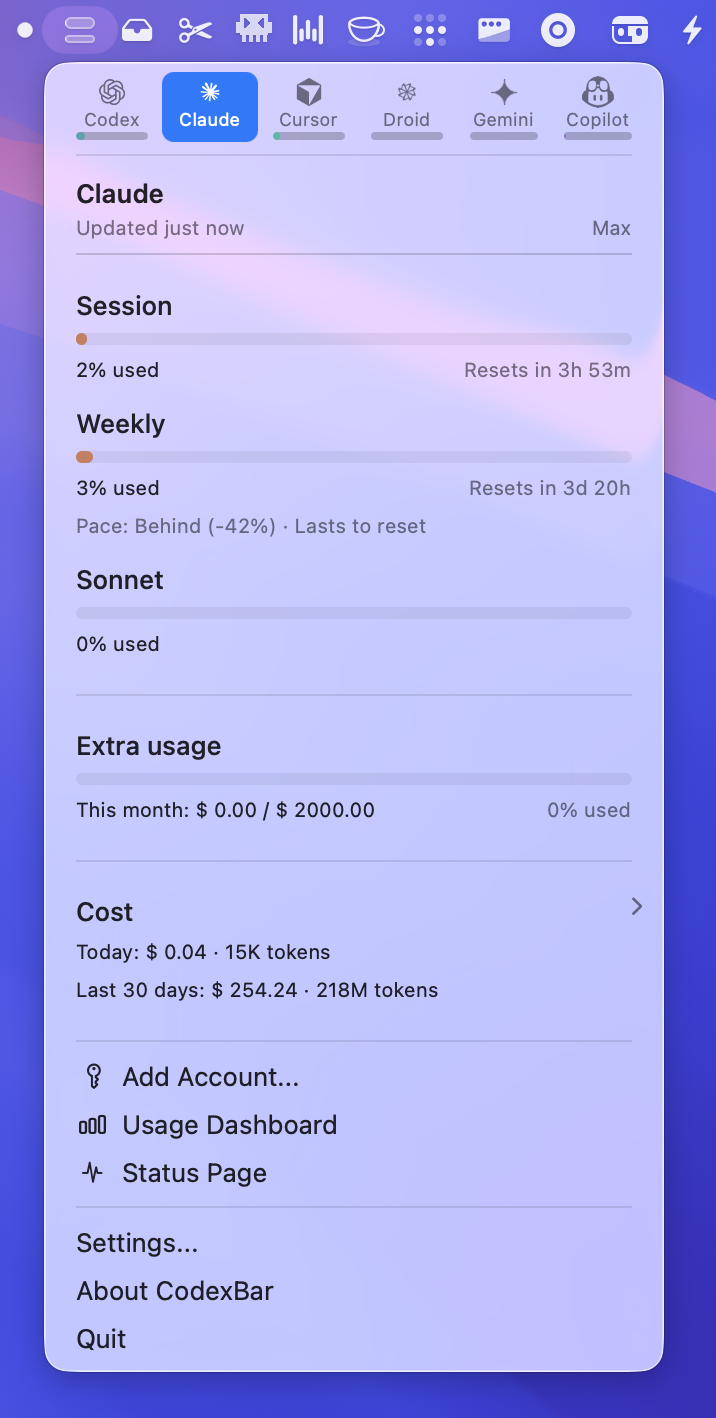
CodexBar is a macOS 14+ menu bar utility that tracks AI coding assistant limits for multiple providers, showing live session, weekly, and credit usage. It pulls data from browser cookies or CLIs, supports automation with a bundled CLI, and keeps developers aware of reset times and outages.
What to expect from an ideal product
- Track usage across all your AI coding tools in one place from your Mac's menu bar without switching between different provider dashboards
- Get real-time alerts when you're approaching rate limits so you can plan your coding sessions and avoid unexpected interruptions
- Monitor daily, weekly, and credit-based limits automatically by pulling data directly from your browser cookies and command line tools
- Set up automated tracking with the built-in CLI tool to create custom notifications and integrate limit monitoring into your development workflow
- Stay informed about service outages and limit reset times so you know exactly when your AI coding assistants will be available again

