This task can be performed using TidyList
A playlist builder and tidier for YouTube
Best product for this task
TidyList
tech
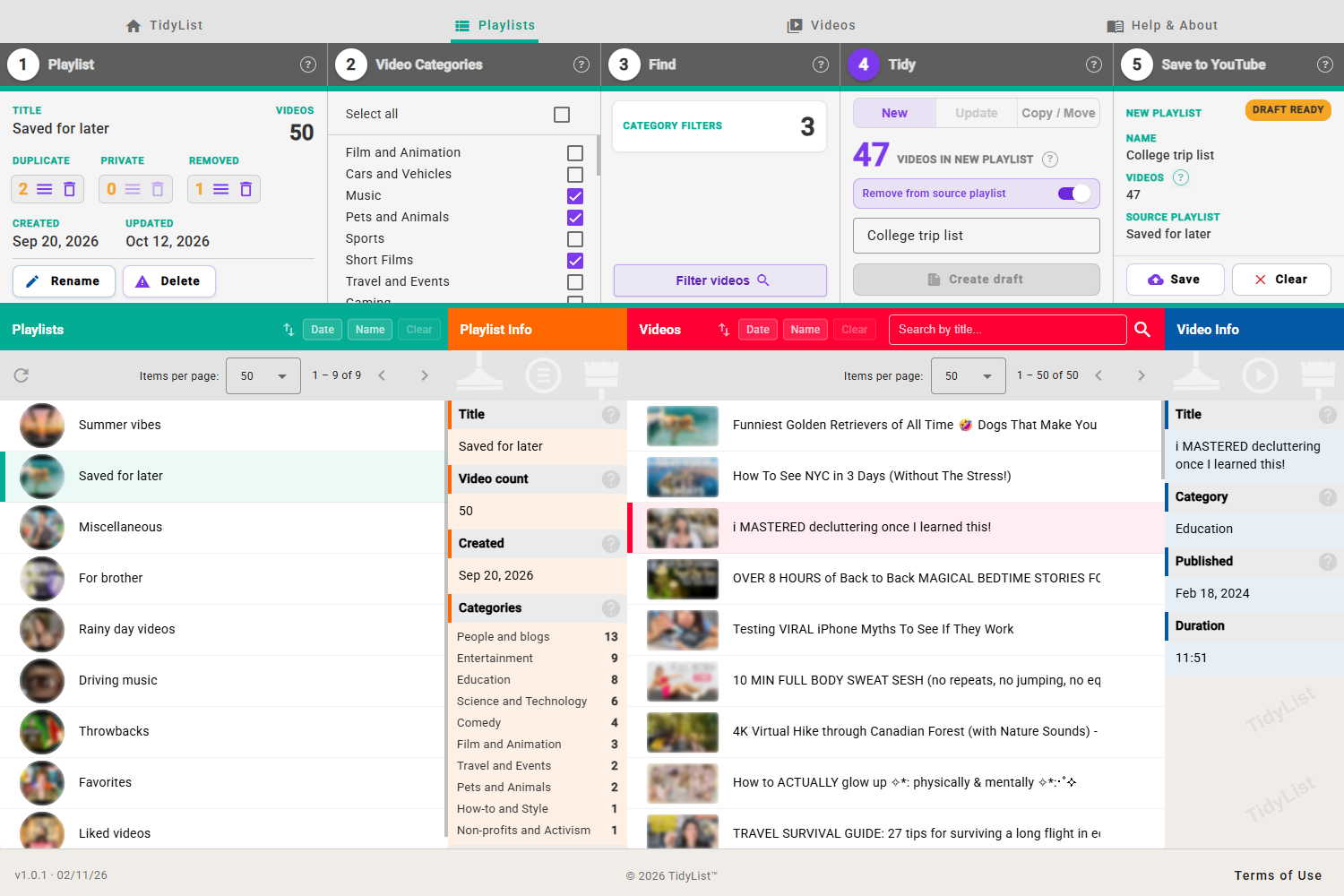
A web app to build and tidy your YouTube playlists: search and filter your videos, save the results as a new playlist, and clear duplicate, private and removed videos.
What to expect from an ideal product
- TidyList lets you filter your YouTube playlist by keyword, duration, or other criteria and save the results as a brand new playlist in just a few clicks.
- No manual copy-pasting or tab-switching: the entire workflow from filtering to saving happens inside one web app connected to your YouTube account.
- If your playlist has grown too large to manage, you can narrow it down to exactly the videos you want and export that subset cleanly.
- TidyList also strips out duplicate, private, and removed videos before saving, so your new playlist stays clean from the start.
- Works with playlists you own, making it practical for creators and curators who want to split one big playlist into focused, topic-specific ones.