This task can be performed using Mail Chat
Read Outlook email conversations in a chat-style view
Best product for this task
Mail Chat
productivity
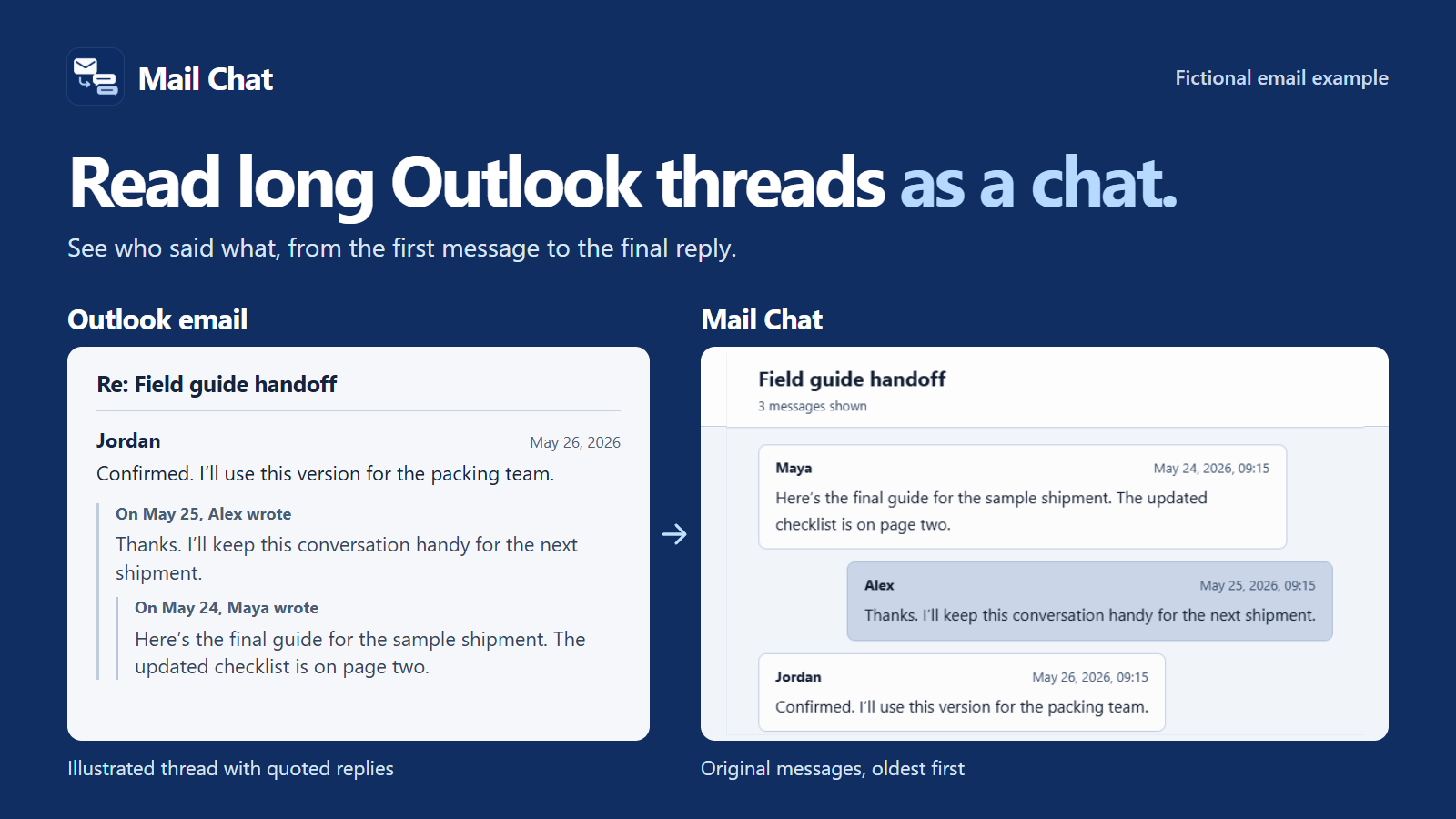
Lost in long Outlook email threads? Mail Chat helps you see who said what and when by displaying related emails in a clear, chronological chat view.
OutlookEmailProductivityEmail ManagementEmail ThreadsConversation ViewWorkflowBusiness Communication
What to expect from an ideal product
- Mail Chat converts messy Outlook inbox threads into a chronological chat view, so you always know who replied last and what was said.
- Stop scrolling through collapsed email chains to find context. Mail Chat lines up every message in order, like a conversation you can actually follow.
- Works directly inside Outlook, no switching apps or exporting threads to read your emails in a clean, time-ordered format.
- If you manage high-volume inboxes with long reply chains, Mail Chat cuts the time you spend untangling threads before you can respond.
- Cluttered Outlook conversations bury important details. Mail Chat surfaces each message in sequence so nothing gets missed or misread.