This task can be performed using Orgchartstudio
Create org charts in minutes, not meetings.
Export a clean org chart
Prepare names, job titles, and reporting lines in a CSV or simple list. In an organization chart maker, import or enter the data, connect each person to the correct manager, and arrange the hierarchy.
Before exporting, shorten long labels, use consistent card sizes and spacing, and leave room around the chart. Export the PNG, open it at 100 percent, and check that every name and connector is readable.
Best product for this task

Orgchartstudio
productivity
A free org chart maker for managers who value their time. Create organization charts on a visual drag-and-drop canvas, import from CSV, and export clean PNGs. Build up to 10 org charts free - no account required to start. No subscriptions. Just one-time export passes starting at $5 when you need them. Works on desktop and mobile.
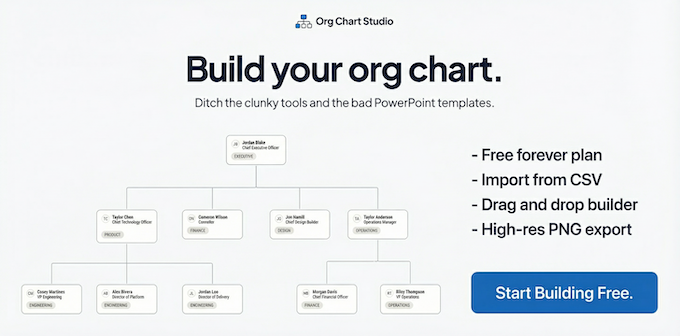
What to expect from an ideal product
- No recurring subscription
- One-time export pricing
- Clean PNG output
- CSV import for faster setup
- Drag-and-drop chart editing
More about one-time export checks
A free org chart creator may let you build without charge while charging only for the finished file. Confirm that PNG export uses a one-time pass rather than starting a recurring plan.
- Finish edits before purchasing an export pass.
- Preview the full chart at the size where it will be shared.
- Re-export after fixing clipped cards, tiny text, or crossed connectors.

