This task can be performed using Orgchartstudio
Create org charts in minutes, not meetings.
Build an org chart on mobile
Gather each person’s name, title, manager, and department before opening an organization chart maker. On your phone, start with the top role, add direct reports one level at a time, then drag each card beneath the correct manager.
Zoom out regularly to check reporting lines, but zoom in before editing text or moving a card. Save after major changes if the tool supports it. When the structure is correct, preview the full chart and export a readable PNG.
Best product for this task

Orgchartstudio
productivity
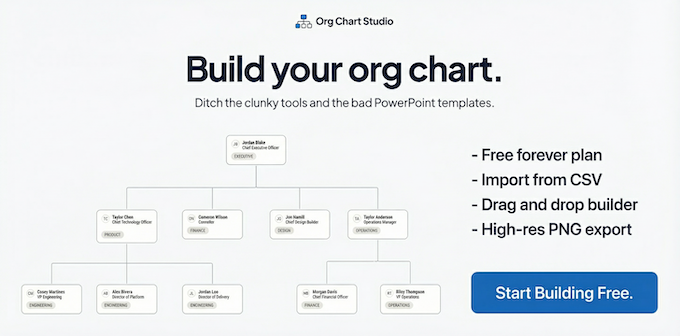
A free org chart maker for managers who value their time. Create organization charts on a visual drag-and-drop canvas, import from CSV, and export clean PNGs. Build up to 10 org charts free - no account required to start. No subscriptions. Just one-time export passes starting at $5 when you need them. Works on desktop and mobile.
What to expect from an ideal product
- Mobile drag-and-drop editing
- CSV import for faster setup
- Canvas zoom for detailed changes
- Clean PNG export for sharing
- Free start with one-time export pricing
More about checking mobile readability
Before exporting, use an org chart template as a comparison point for spacing and hierarchy, then inspect the final preview at normal phone size rather than only while zoomed in.
- Shorten titles that force cards to wrap awkwardly.
- Confirm every connector ends at the intended manager.
- Export the PNG and reopen it on your phone to test readability.

