This task can be performed using ZeroPulp AI
Describe process, get instant compliant workflow app—zero code.
Best product for this task

ZeroPulp AI
no-code
ZeroPulp.ai converts plain-English descriptions of business processes into live, compliant workflow automation in minutes, eliminating manual approvals, email chasing, and spreadsheet tracking without requiring any.
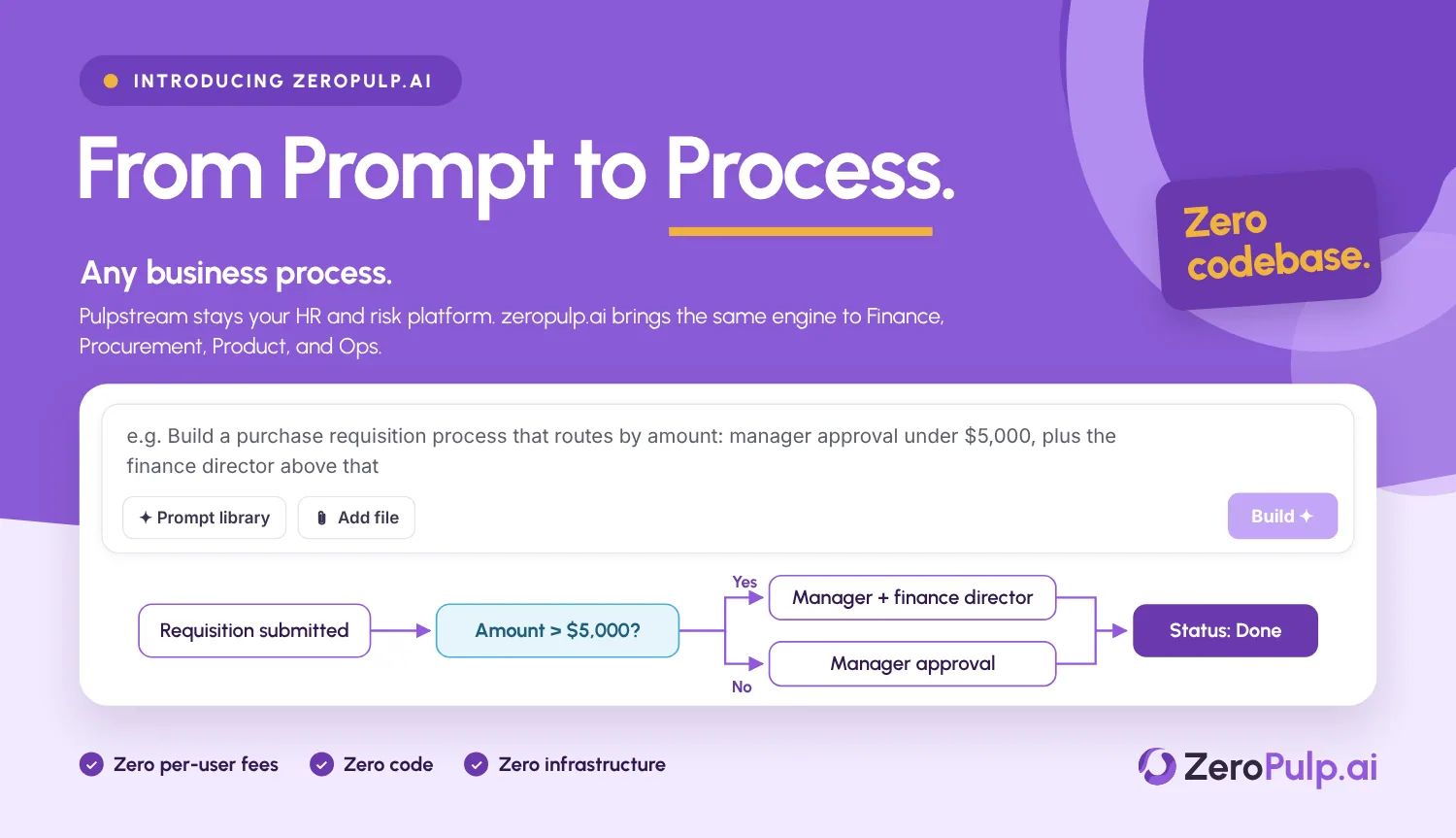
If finance approvals still move through email and spreadsheets, set up one workflow that routes purchase requisitions by amount and cost center, collects vendor tax and insurance documents, and sends CapEx requests to the right reviewers. This guide provides a purchase approval workflow template, a vendor onboarding workflow template, and checks for complete approval records.
Prepare the approval rules and required data
Before building anything, define:
- Requester, department, cost center, supplier, amount, currency, and business purpose
- Approval thresholds, such as manager review below $5,000, finance review from $5,000 to $25,000, and executive review above $25,000
- Cost centers that require additional budget-owner approval
- CapEx fields, including asset category, useful-life estimate, project code, and budget status
- Vendor documents, including tax forms, insurance certificates, banking details, and expiration dates
- Final checks for procurement, finance, and segregation of duties
Keep the rules explicit. A useful purchase approval workflow template should record the submitted values, each decision, timestamps, comments, and any changed documents.
Build the purchase requisition approval workflow
Create the request form, then add conditional routing:
- Send the request to the cost center owner.
- Route it to finance based on the amount.
- Add executive approval when the threshold is exceeded.
- Return incomplete requests to the requester with a reason.
- Notify procurement only after all required approvals are complete.
- Store the final decision and supporting files in one record.
For example, a $3,000 marketing request may need the marketing budget owner and finance. A $40,000 technology request may need the technology cost center owner, finance, procurement, and an executive.
This is the core of a purchase approval workflow by amount and cost center. Test overlapping rules carefully. A cost center exception should not bypass a higher amount threshold.
For teams comparing implementation approaches, workflow automation products can help frame the difference between an approval engine and a collection of forms. ZeroPulp AI can turn a plain-English description into a live workflow app without code, including routed approvals and audit-ready records.
Add CapEx and vendor onboarding paths
Use a separate branch for capital purchases. A practical CapEx approval workflow automation sequence is:
- Requester submits the asset, project, amount, and budget details.
- Cost center owner confirms business need.
- Finance reviews capitalization and budget impact.
- An executive or investment committee reviews requests above the defined limit.
- Procurement receives the approved request.
- The workflow records the final decision and attachments.
For vendors, use a vendor onboarding workflow template with required uploads before activation:
- Tax documentation
- Insurance certificate and expiration date
- Banking information
- Supplier contact details
- Risk or compliance review, if applicable
Set reminders for expiring insurance documents and block final approval when required files are missing. This creates an automated vendor approval workflow for finance without relying on inbox searches.
If your team needs broader no-code process automation products, choose an option that supports external forms, parallel tasks, conditional routing, and complete records.
Launch, test, and verify the workflow
Start with three test cases:
- A low-value operating purchase
- A high-value purchase crossing an approval threshold
- A CapEx request with a vendor missing insurance documentation
Confirm that each request reaches the correct stakeholders, that rejected requests return with clear instructions, and that every approval includes a timestamp, user, decision, and comment. Check that requesters cannot approve their own submissions.
Useful workflow automation prompts for finance approvals include:
“Route purchase requests by amount and cost center. Require finance approval above $5,000 and executive approval above $25,000. Record every decision.”
“Collect vendor tax and insurance documents. Block activation when required files are missing and remind owners before insurance expires.”
“Route CapEx requests to the cost center owner, finance, and executive approver based on amount.”.
More topics related to ZeroPulp AI
Similar topics
- Best Zero-Code Compliance Workflow Use Cases for Operations Teams
- How to Turn a Business Process Description Into a Live Workflow
- How to build a compliant approval workflow from a plain English process?
- How to replace email approvals and spreadsheet tracking with one workflow app?
- Employee Onboarding Approval Workflow Template With Automated Compliance Tracking