This task can be performed using ZeroPulp AI
Describe process, get instant compliant workflow app—zero code.
Best product for this task

ZeroPulp AI
no-code
ZeroPulp.ai converts plain-English descriptions of business processes into live, compliant workflow automation in minutes, eliminating manual approvals, email chasing, and spreadsheet tracking without requiring any.
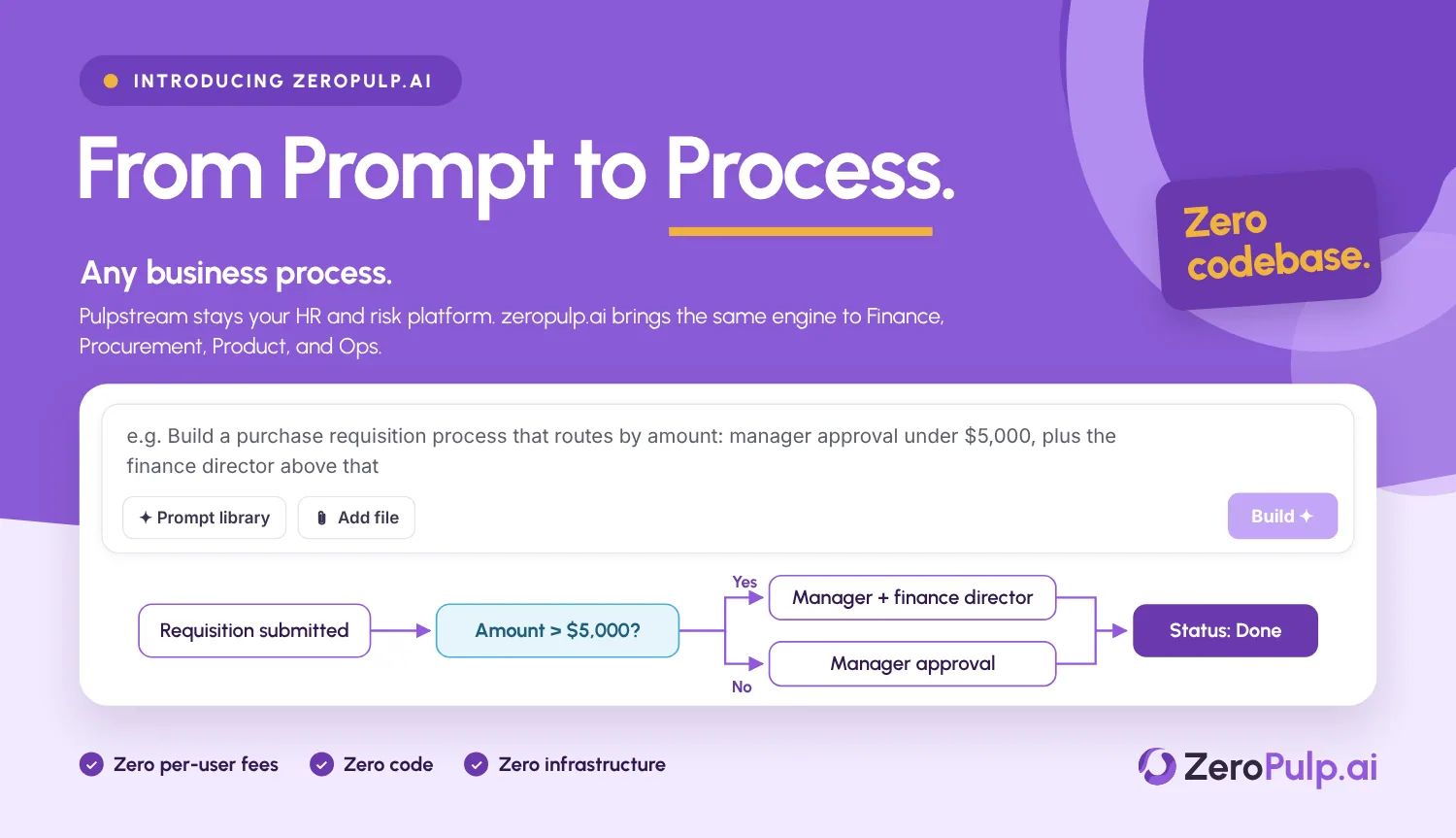
If HR is chasing email approvals, updating spreadsheets, and manually removing access, use this guide to build one employee onboarding workflow automation process. You will define onboarding, offboarding, and requisition rules, apply them to a realistic hiring request, and verify that each approval and task is recorded.
Prepare the workflow rules
Before building, collect the decisions and owners that currently live in email or shared files. Confirm: The deciding factor among no-code products is whether they support this exact workflow.
- Who approves a new employee’s role, department, and start date
- Which HR, IT, and manager tasks run in parallel
- Who confirms an employee’s departure and access removal
- Which job requisitions require finance review
- What evidence must be retained for audits
For regulated organizations, document least-privilege access, approval timestamps, and completion evidence. These controls support HR workflow automation for regulated companies without assuming every request follows the same path.
Create an employee onboarding workflow checklist and approvals table with fields such as employee name, manager, department, start date, employment type, systems required, budget, and approval status.
Build three connected workflows
Use the same request structure, but route each process differently.
- Onboarding: Send the request to HR for validation. Route manager confirmation and IT setup as parallel tasks. Require final HR approval before marking the employee active.
- Offboarding: Require HR or a manager to submit the departure date and reason. Route tasks to IT for access removal, facilities for asset recovery, and payroll for final processing. Do not close the request until each owner confirms completion.
- Job requisitions: Capture role, department, salary range, cost center, hiring manager, and business justification. Route the request to the manager, HR, and finance. Use a job requisition approval workflow with finance review when budget confirmation is required.
For a practical employee offboarding workflow with access removal, make access removal a required task rather than an informal notification. Record who completed it and when.
Turn plain English into a live process
Write each workflow as a precise prompt. For example:
Create an employee onboarding request for HR. Collect employee details, manager, start date, department, and required systems. Route manager approval and IT setup in parallel. Require HR’s final approval. Record timestamps and completion evidence.
Then add separate workflow automation prompts for employee onboarding for offboarding and requisitions:
Create an offboarding request that routes access removal to IT, asset recovery to facilities, and final processing to payroll. Do not close until all tasks are complete.
Create a job requisition approval workflow. Route manager approval, HR review, and finance budget review. Record the decision and reason for rejection.
ZeroPulp AI converts these plain-English descriptions into live workflow applications without code. It supports parallel tasks, routed approvals, external request forms, and audit-ready records. This is useful when you need an automated HR approval workflow without code, rather than another spreadsheet template. You can also review workflow automation products if you are comparing implementation approaches.
Test a real hiring request and verify it
Use a realistic scenario: a department requests a new employee, finance must confirm the cost center, and IT needs a laptop and system access.
Submit the requisition and check that:
- The manager receives the first approval
- HR reviews the role and employee details
- Finance receives the budget decision
- Approved onboarding tasks are created
- Rejected requests return a reason
- Every action has an owner, status, and timestamp
Run a second test for offboarding. Confirm that IT cannot mark the request complete without recording access removal. Then test an onboarding change, such as a delayed start date, and verify that affected tasks update without losing the approval history.
Common mistakes include missing an approval owner, allowing incomplete offboarding to close, and collecting sensitive information that the workflow does not need. Keep fields minimal and make exception paths explicit.
More topics related to ZeroPulp AI
Similar topics
- Best Zero-Code Compliance Workflow Use Cases for Operations Teams
- How to Turn a Business Process Description Into a Live Workflow
- How to build a compliant approval workflow from a plain English process?
- How to replace email approvals and spreadsheet tracking with one workflow app?
- Employee Onboarding Approval Workflow Template With Automated Compliance Tracking