This task can be performed using AutoChangelog
Never think about writing a changelog again. Merge, deploy, done.
Best product for this task

AutoChangelog
dev-tools
AutoChangelog turns your pull requests and commits into clean, readable release notes with no work on your part. Every merge becomes a structured update that keeps users informed and teams aligned. Add a simple webhook, choose your preferences, and your changelog stays accurate across every project. No templates, no forgotten entries, just automatic documentation that keeps pace with how you ship.
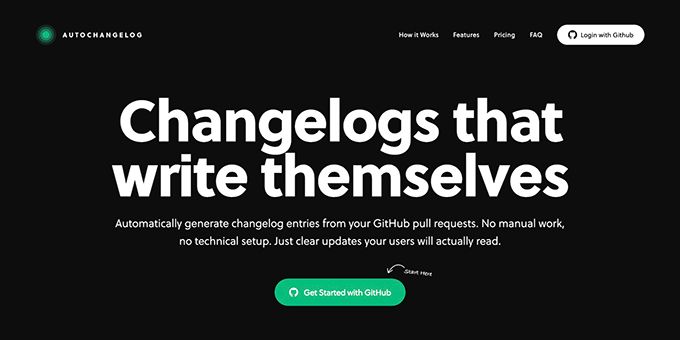
If every GitHub merge creates another release-note task, connect your repository to AutoChangelog. This guide shows how to create a changelog without writing it manually, using a small example, a webhook, and a final verification check.
Prepare one repository and a clear release format
Choose a repository where merged pull requests already include useful context. Before connecting anything, check: The deciding factor among dev-tools products is whether they support this exact workflow.
- Pull requests explain the user-facing change.
- Labels distinguish features, fixes, and maintenance work.
- Commit messages add detail when the pull request description is brief.
- You know where the generated changelog should appear.
Good pull request context matters because the system must explain what changed and why it matters. For example:
Added CSV export to the analytics dashboard. Users can now download filtered report data for sharing and offline analysis.
Labels such as feature, bug, and improvement can help keep entries consistent. This is the foundation of changelog automation for busy developers: the team keeps working in GitHub, while the documentation reflects that work.
Connect AutoChangelog to GitHub
Follow these steps to stop manually writing release notes after each merge:
- Open AutoChangelog and connect the project repository.
- Add the provided GitHub webhook.
- Select your preferred release-note structure and tone.
- Confirm that merged pull requests can provide labels, descriptions, diffs, and commit messages.
- Save the project settings.
The webhook sends merge activity to AutoChangelog. Once configured, each merged pull request can become a structured changelog entry without asking a developer to rewrite it.
If you need a narrower implementation guide, review GitHub webhook automation for always-updated release notes. The important decision here is simple: use the information already present in your workflow instead of creating a second writing workflow.
Test a real merge and inspect the result
Use a recent pull request, or merge a small safe change. Suppose the pull request includes:
- Label:
feature - Title: “Add CSV export to analytics”
- Description: “Users can download filtered dashboard data.”
- Commits: “Add export button” and “Handle empty results”
AutoChangelog analyzes the labels, diffs, and commit messages, then produces a readable entry such as:
CSV export for analytics Download filtered dashboard data for sharing and offline analysis.
This gives you a release notes template generated from pull requests without maintaining a template by hand. It also answers the practical question of how to summarize GitHub pull requests for users: focus on the user-visible outcome, not the internal file changes.
Before relying on the workflow, verify the entry:
- The merged pull request appears in the changelog.
- The summary describes a user or product outcome.
- The category or label is correct.
- Formatting matches previous entries.
- No sensitive implementation detail was exposed.
Avoid gaps and confirm the workflow
The most common mistakes are connecting the wrong repository, merging pull requests with empty descriptions, and expecting automation to repair unclear source context. Make the pull request title meaningful, add a short user-facing description, and apply the correct label before merging.
Also check whether the webhook received the merge event. If an entry is missing, review the repository connection, webhook configuration, and pull request status before changing the release text manually.
AutoChangelog is useful when you want to never forget to update your changelog, while still keeping developers focused on shipping. It turns pull requests and commits into consistent documentation across projects, with no templates to maintain and no release-note task after every merge.
Once your test entry passes the checklist, merge the next normal change and confirm it follows the same path: merge, deploy, review the generated note, done. For a concrete next step, see AutoChangelog.
More topics related to AutoChangelog
Similar topics
- How to create release notes without manual documentation work
- How to standardize changelog formatting across multiple software projects?
- How to set up a webhook for automatic release note updates?
- Automatic Release Notes Template Alternative for Engineering Teams
- GitHub Release Notes Workflow for Merged Pull Requests

