This task can be performed using Yakki
Write at the speed of your thoughts
Best product for this task

Yakki
productivity
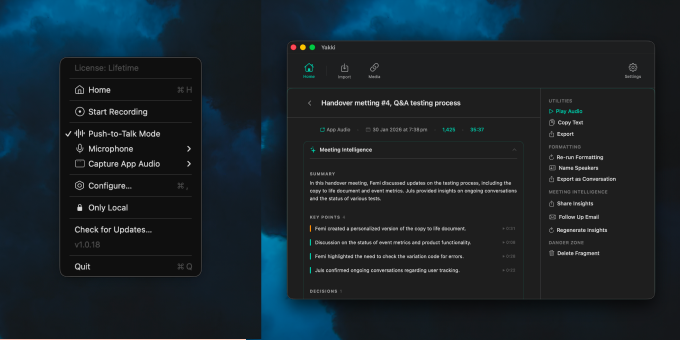
Yakki is a macOS menu bar app that turns your voice into text instantly. Press a key to talk, and Yakki transcribes your speech on-device using on-device models. No cloud, no latency, no privacy concerns. It injects the transcribed text directly into whatever app you're using, making dictation feel seamless and native. Designed for speed and simplicity, Yakki stays out of your way until you need it.
What to expect from an ideal product
- Yakki runs entirely on-device, so your words never leave your Mac and transcription starts the moment you press the key, with zero waiting for a server response.
- Works inside any Mac app automatically, from Notes to Notion to your email client, without switching windows or copy-pasting anything.
- No subscription to a cloud service means no usage limits, no outages, and no one storing your voice data on a remote server.
- Built for people who think faster than they type, Yakki lets you dump ideas, draft emails, or write docs at natural speaking pace without breaking your flow.
- Setup lives in your menu bar and stays invisible until you need it, so there is no extra window cluttering your screen or slowing your machine down.

