This task can be performed using Yakki
Write at the speed of your thoughts
Best product for this task

Yakki
productivity
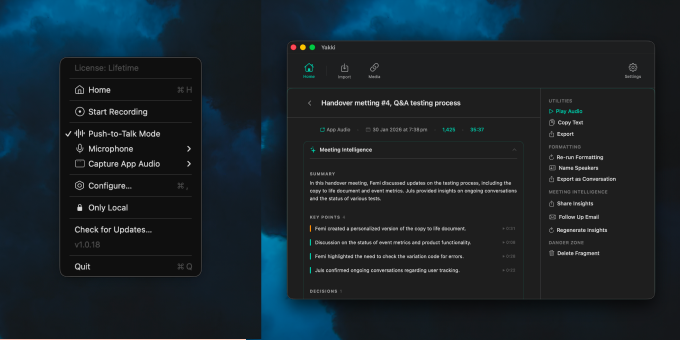
Yakki is a macOS menu bar app that turns your voice into text instantly. Press a key to talk, and Yakki transcribes your speech on-device using on-device models. No cloud, no latency, no privacy concerns. It injects the transcribed text directly into whatever app you're using, making dictation feel seamless and native. Designed for speed and simplicity, Yakki stays out of your way until you need it.
What to expect from an ideal product
- Press any customizable hotkey to instantly start dictating into whatever app you're currently using without switching windows or opening separate dictation tools
- Text appears directly where your cursor is positioned across all macOS applications - from email and documents to chat apps and web forms
- Skip the slow built-in macOS dictation by using Yakki's faster on-device speech recognition that works without internet connection
- No need to copy and paste transcribed text since Yakki automatically injects your spoken words right into the active text field
- Works seamlessly in the background from your menu bar, letting you dictate into any app just like typing but much faster

