This task can be performed using Yakki
Write at the speed of your thoughts
Best product for this task

Yakki
productivity
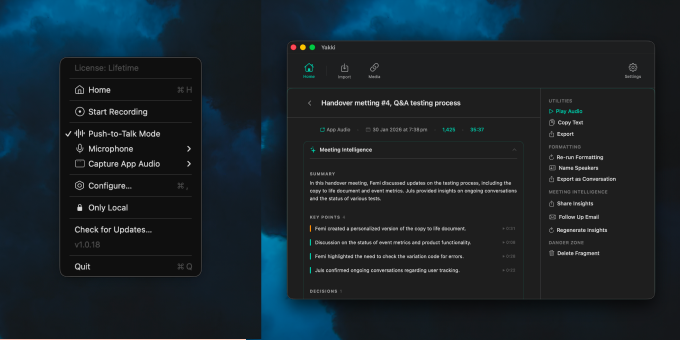
Yakki is a macOS menu bar app that turns your voice into text instantly. Press a key to talk, and Yakki transcribes your speech on-device using on-device models. No cloud, no latency, no privacy concerns. It injects the transcribed text directly into whatever app you're using, making dictation feel seamless and native. Designed for speed and simplicity, Yakki stays out of your way until you need it.
What to expect from an ideal product
- Yakki runs entirely on your Mac using built-in speech recognition models, keeping all voice processing local without sending data to remote servers
- The app sits quietly in your menu bar and activates with a simple keyboard shortcut, letting you dictate directly into any Mac application
- Speech gets converted to text instantly on your machine, eliminating the delays that come with internet-based transcription services
- Your voice recordings never leave your computer, protecting sensitive information from being stored or processed by third-party companies
- The transcribed text appears right where you're typing, whether in emails, documents, or chat apps, without switching between different programs

