This task can be performed using OmniSocials
Let AI schedule every post; you keep full control.
Best product for this task

OmniSocials
social-tools
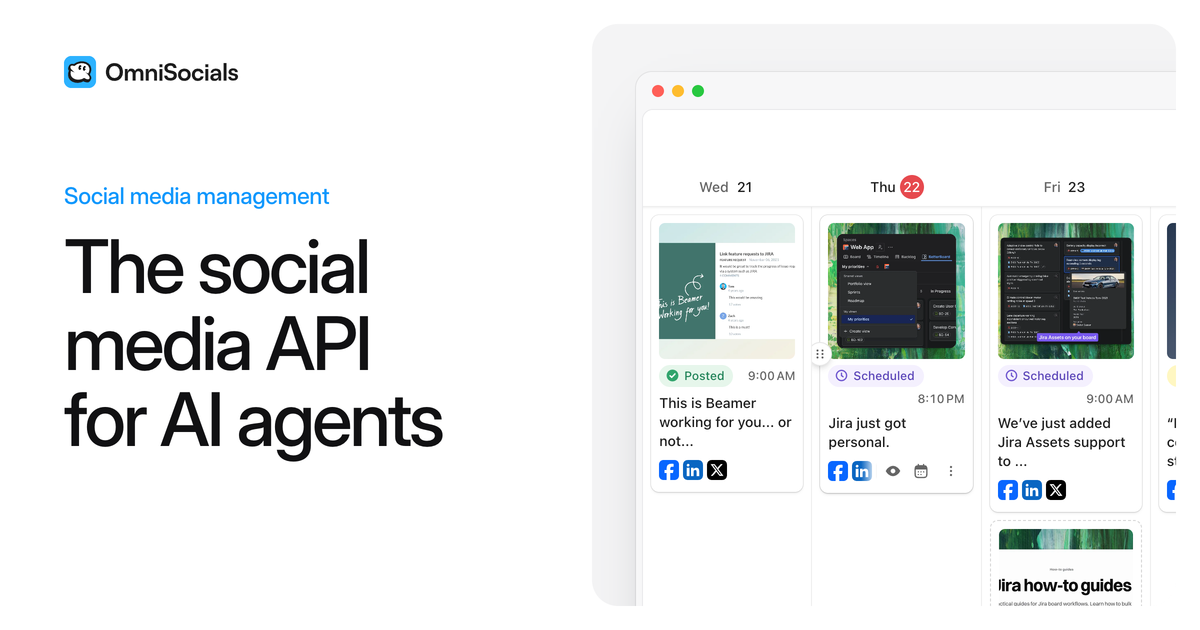
OmniSocials connects AI agents like Claude and ChatGPT via MCP to plan, draft, and schedule posts across 13 social networks, while you control approvals and timing from a visual, human-friendly social calendar.
ai social scheduleragent-ready calendarmcp social connectorsocial schedulingcreator marketingcontent automationdeveloper apisai marketing
What to expect from an ideal product
- OmniSocials uses MCP to connect directly with Claude and ChatGPT, so your AI agent can draft, schedule, and queue posts without you switching between tools or copying prompts manually.
- Your visual social calendar shows every scheduled post across all 13 networks in one place, so you always know what goes live, when, and on which platform before it publishes.
- You keep full approval control, meaning AI handles the heavy lifting of planning and writing while you review, adjust timing, or reject any post before it reaches your audience.
- Setting up AI scheduling via MCP takes minutes, no custom code needed, and OmniSocials handles the connection between your AI agent and your social accounts out of the box.
- Teams worried about losing brand control with AI posting can use OmniSocials approval workflows to stay in the loop on every piece of content before it goes public.