This task can be performed using DBCode
Database management in VSCode
Best product for this task

What to expect from an ideal product
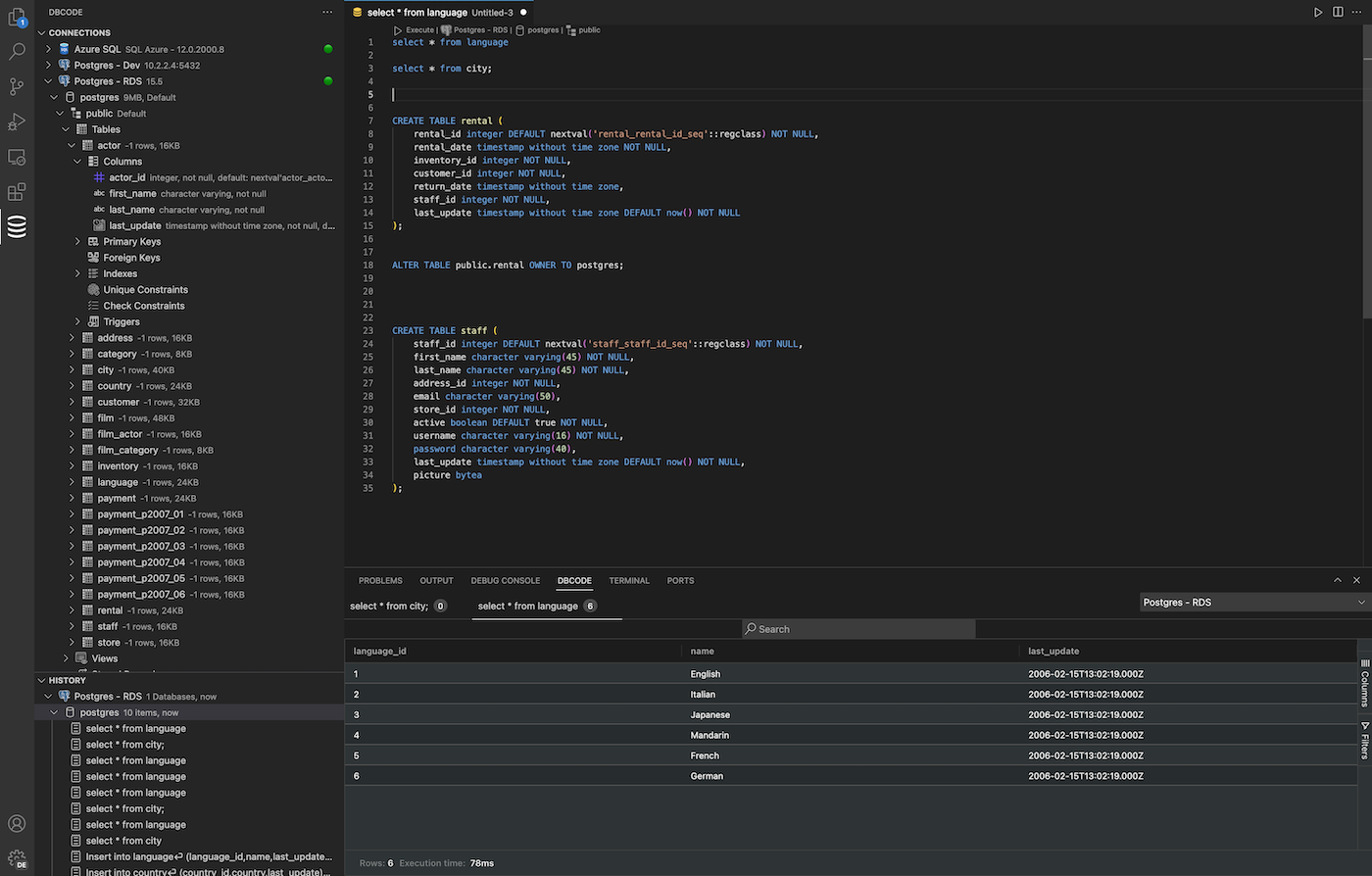
- DBCode lets you write and run SQL queries directly inside Visual Studio Code, so you never have to switch between your editor and a separate database tool.
- See query results in a clean table view right inside VSCode, with support for filtering, sorting, and copying data without leaving your workflow.
- Connect to popular databases like PostgreSQL, MySQL, SQLite, and more in a few clicks using DBCode's built-in connection manager.
- Stop paying for standalone database GUIs. DBCode gives you the core features you actually need, built into the editor you already use every day.
- Whether you are debugging a slow query or exploring a new schema, DBCode keeps your database work and your code side by side in one place.

