This task can be performed using VocalLab AI
Turn written lines into studio-quality performances in seconds.
Best product for this task

VocalLab AI
music
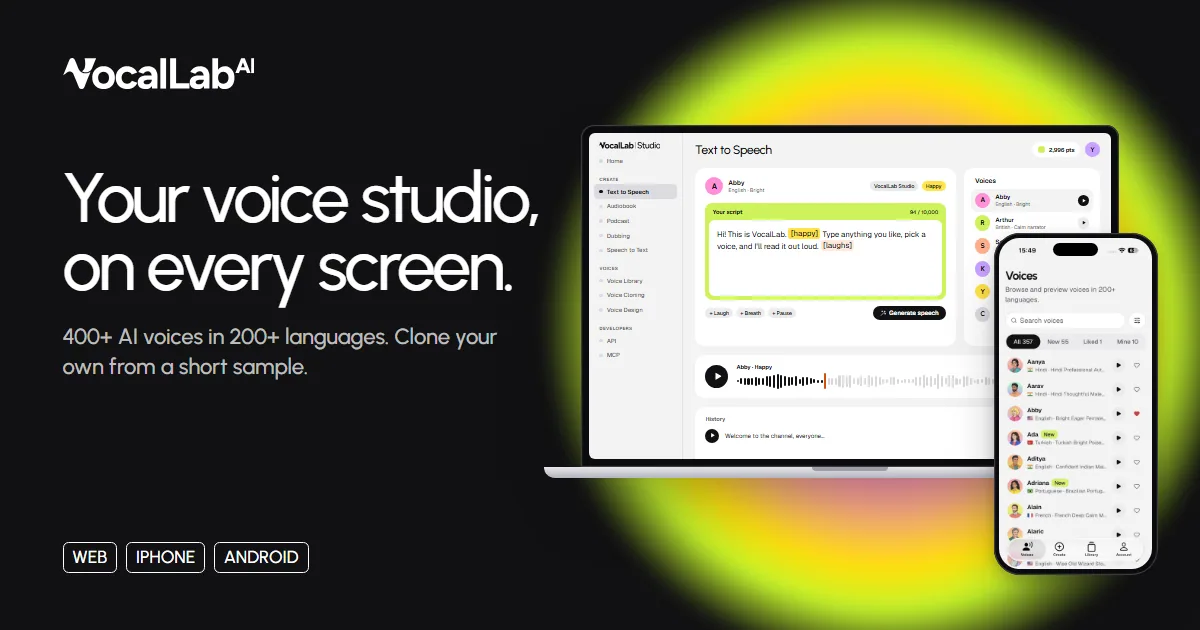
VocalLab is an AI voice studio for creators, turning scripts and plain-English directions into emotionally performed voiceovers with 400+ realistic voices, voice cloning, and expressive sound tags for TikTok, YouTube.
If your AI narration sounds flat, you can improve it by directing the read like an actor. This guide shows how to turn written lines into a performed voiceover, test a real dramatic scene, and verify that the result sounds natural rather than robotic.
Prepare the script and performance goal
Before opening an expressive AI voice generator, define three things:
- Who is speaking? For example, a calm narrator, nervous friend, or sarcastic host.
- What do they want? The goal shapes emphasis and emotion.
- What should the listener feel? Choose one primary feeling, such as curiosity, tension, warmth, or surprise.
Keep each line short enough to direct clearly. Mark pauses with punctuation, and split major emotional turns into separate lines. The deciding factor among music products is whether they support this exact workflow.
For example:
I thought the package was lost. Then I heard something moving inside.
The first line might sound relieved. The second needs restrained fear and a slower reveal. This is the difference between basic text to speech with emotional voices and a directed performance.
If you are comparing tools, focus on expressive voiceover products that let you control delivery, not just pitch or speed.
Add plain-English acting directions
Use a directional text to speech workflow by placing a short instruction before the line. Describe the action, tone, pace, and intensity.
Try this AI voice acting prompt template:
[quiet, cautious, slow, pause before “inside”]
I thought the package was lost. Then I heard something moving inside.
For a real situation, imagine a YouTube mystery intro:
[low, urgent narrator, controlled tension]
At 2:13 a.m., every light in the building turned on.

[whisper very softly, frightened]
And nobody was inside.

[dramatic delivery, quickening pace]
Then the elevator started moving.
Useful voiceover direction prompt examples include:
[warm, reassuring, gentle smile][sarcastic tone, dry, slightly exaggerated][dramatic breaking-news anchor, firm emphasis][breathless, excited, fast but clear][pause, then doubtful and quieter]
VocalLab AI supports plain-English voice steering, expressive tags such as breaths and sighs, and multiple speaking styles. That makes it practical for testing how the same script changes with different acting choices.
Generate, compare, and fix the weak take
Create two or three versions, changing only one direction at a time. Compare:
- Does the emotion arrive before the key word?
- Are pauses helping the meaning?
- Does the intensity fit the scene?
- Does the voice remain easy to understand?
- Does the delivery sound acted, rather than mechanically “emotional”?
If a take sounds robotic, reduce stacked adjectives. Replace “extremely sad, intensely dramatic, deeply emotional” with one clear action, such as [trying not to cry, slow].
If timing feels wrong, add a pause or split the sentence. If sarcasm sounds angry, use [light, amused sarcasm]. If a whisper loses clarity, try [soft confidential voice, clear consonants] instead of simply “whisper.”
Use this checklist before exporting:
- The speaker’s goal is clear.
- Each line has one primary emotion.
- Directions specify pace or pause where needed.
- Key words receive natural emphasis.
- The performance remains intelligible on a phone speaker.
- The final take matches the intended audience and platform.
For creators building recurring characters, creator voice cloning products can help maintain a consistent voice identity, while VocalLab offers 400+ realistic voices and custom voice options.
Verify the finished performance
Listen once with the script visible, then once without reading along. On the second pass, ask whether the emotion is understandable from sound alone. Also check the first three seconds, sentence endings, breaths, and any abrupt changes in volume.
For a final test, play the audio at normal mobile volume and ask someone unfamiliar with the script to describe the speaker’s mood. If their answer matches your goal, the direction is working.
You can try VocalLab AI to turn written lines into studio-quality performances in seconds, then compare directed takes before choosing the final voiceover.