This task can be performed using Telemetry Studio
Sync cycling telemetry with video for stunning overlays
Best product for this task
Telemetry Studio
lifestyle
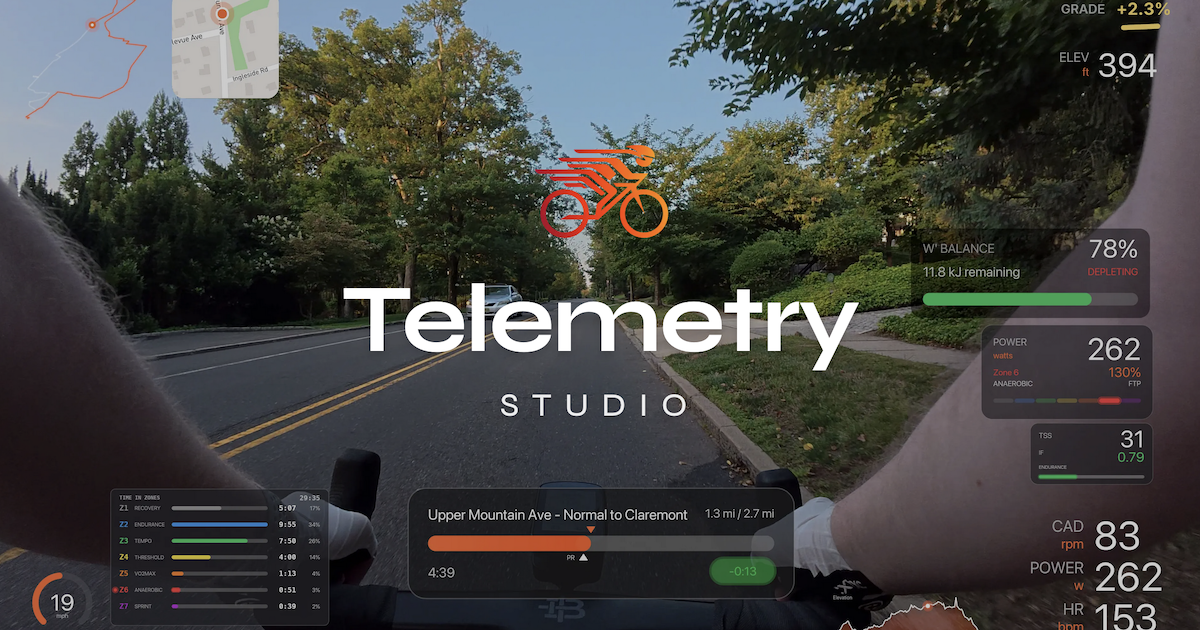
Telemetry Studio is a desktop app for cyclists that syncs GPS, speed, heart rate, and power data with ride video. It renders real-time data overlays directly onto your footage and exports production-ready videos. Import telemetry from GPX/FIT files, connect with Strava for segment data, and choose from multiple overlay themes. Available for macOS and Windows with a one-time purchase model.
What to expect from an ideal product
- Import your cycling data from GPS devices or fitness apps using standard GPX and FIT file formats to get speed and heart rate information into the software
- Sync your recorded ride footage with the telemetry data so the numbers match exactly what's happening in the video at each moment
- Choose from built-in overlay designs that display your speed and heart rate data in clean, readable formats on top of your cycling footage
- Export finished videos with the data overlays burned directly into the file, ready to share on social media or cycling communities
- Connect with Strava to pull in additional segment information and compare your performance data against popular cycling routes

