This task can be performed using Telemetry Studio
Sync cycling telemetry with video for stunning overlays
Best product for this task
Telemetry Studio
lifestyle
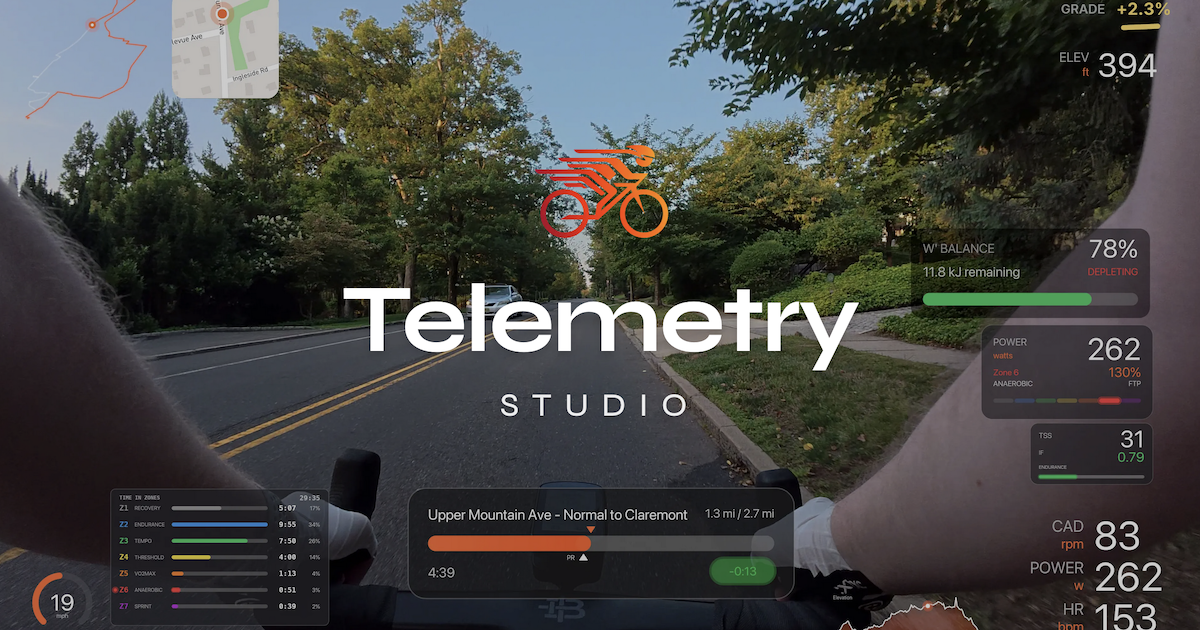
Telemetry Studio is a desktop app for cyclists that syncs GPS, speed, heart rate, and power data with ride video. It renders real-time data overlays directly onto your footage and exports production-ready videos. Import telemetry from GPX/FIT files, connect with Strava for segment data, and choose from multiple overlay themes. Available for macOS and Windows with a one-time purchase model.
What to expect from an ideal product
- Import your ride data from GPX or FIT files and load your bike camera footage into the desktop app to get everything synced up properly
- Choose from different overlay themes and customize which metrics you want to show on screen like speed, heart rate, power output, or GPS tracking
- Use the automatic sync feature to match your telemetry data timeline with your video footage so the numbers update in real-time as you ride
- Connect your Strava account to pull in segment data and show when you hit personal records or compare against other riders on popular routes
- Export your finished video with all the data overlays burned in, ready to upload to social media or share with your cycling buddies

