This task can be performed using FitForPDF
Turn wide Excel and CSV exports into readable PDFs
Best product for this task

FitForPDF
analytics
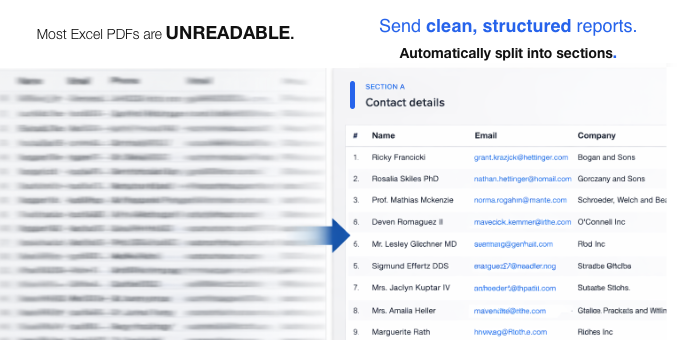
Excel → PDF is still broken in 2026. Wide tables get crushed into unreadable micro-text or cut off entirely. FitForPDF automatically splits wide tables into clean, paginated sections with repeated headers , no manual formatting. Try 3 exports free, no sign-up required.
What to expect from an ideal product
- Automatically breaks down oversized Excel tables into multiple PDF pages instead of cramming everything into one unreadable page
- Keeps column headers at the top of each new page section so you don't lose track of what data you're looking at
- Works instantly without needing to manually adjust column widths, fonts, or page layouts in Excel first
- Handles both Excel files and CSV exports that are too wide for standard PDF conversion tools
- Maintains readable text size across all pages instead of shrinking everything down to tiny, illegible fonts

