This task can be performed using FitForPDF
Turn wide Excel and CSV exports into readable PDFs
Best product for this task

FitForPDF
analytics
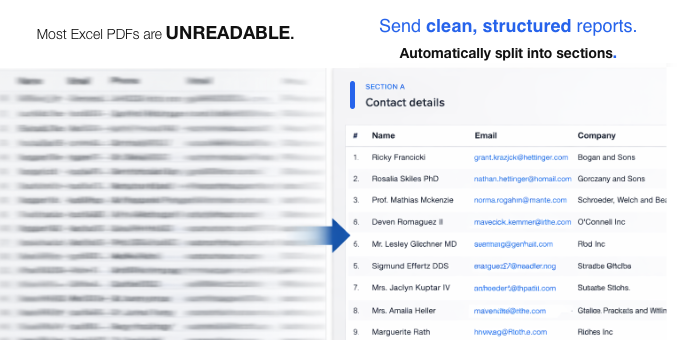
Excel → PDF is still broken in 2026. Wide tables get crushed into unreadable micro-text or cut off entirely. FitForPDF automatically splits wide tables into clean, paginated sections with repeated headers , no manual formatting. Try 3 exports free, no sign-up required.
What to expect from an ideal product
- FitForPDF detects column overflow automatically and splits your table across pages so nothing gets cut off on the right side.
- Headers repeat on every page, so anyone reading the exported PDF knows what each column means without scrolling back.
- No Excel formatting required before export, just upload your file and get a clean PDF back in seconds.
- Works with CSV files too, not just Excel, which matters when your data comes straight out of a database or reporting tool.
- You get 3 free exports without creating an account, so you can verify it fixes your specific layout before committing to anything.

