This task can be performed using Cleanbox
Email aliases, AI spam filtering, and a full SMTP relay
Best product for this task

Cleanbox
productivity
Cleanbox sits between the internet and your inbox. Every incoming email goes through spam scoring, virus scanning, AI classification, and your own rules before delivery. Create unlimited aliases that forward to your real inbox, build custom filters, and use Cleanbox as a complete SMTP relay. Works with Gmail, Outlook, iCloud, Yahoo, or any IMAP provider, no migration needed. Privacy-first: no advertising, no data selling, no user profiling.
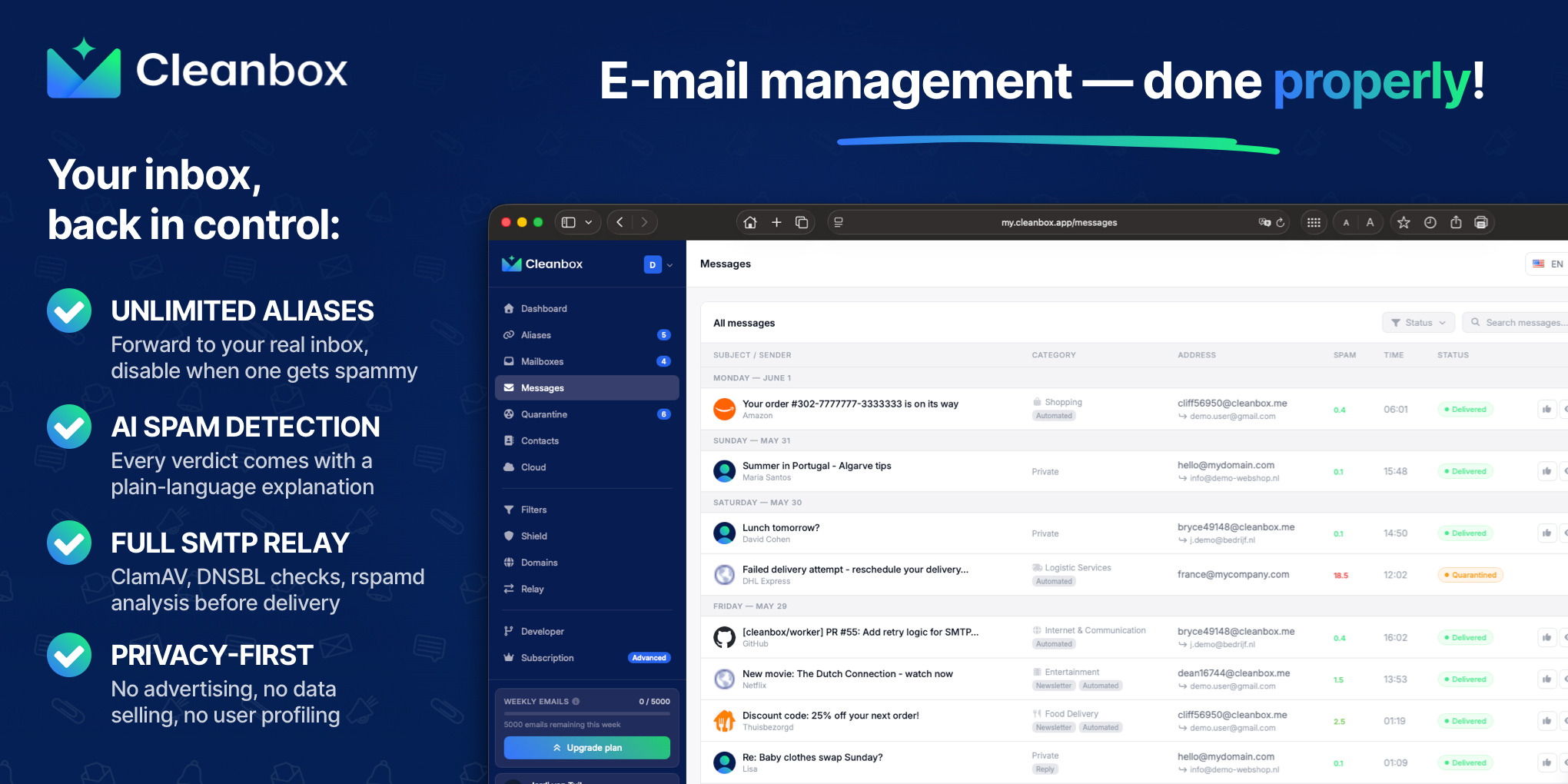
A privacy focused email alias service lets you create separate addresses for shopping, newsletters, and website signups without changing your main mailbox. The best option forwards messages to Gmail, Outlook, iCloud, Yahoo Mail, or another IMAP inbox while filtering spam before delivery.
This guide shows how to compare alias services and choose one that fits your privacy and inbox-management needs. You can also browse email alias products when comparing tools.
What to check before choosing an alias service
Start with these prerequisites:
- An existing inbox you want to keep using
- Access to your email provider’s settings
- A list of use cases, such as shopping, newsletters, or client work
- A plan for disabling aliases that become noisy
Prioritize these capabilities:
- Forwarding compatibility: Look for email aliases that forward to Gmail, Outlook, iCloud, Yahoo Mail, or any IMAP provider.
- Spam filtering: An email alias service with spam filtering should scan messages before they reach your inbox. Ideally, it combines spam scoring, virus scanning, and rules.
- Alias controls: You should be able to pause or disable an alias when it gets spam, rather than abandoning your entire mailbox.
- Privacy terms: Check whether the service uses advertising, data selling, or user profiling. A privacy-first provider should clearly avoid those practices.
- Pricing and limits: Compare free alias counts, paid plans, custom-domain support, and whether “unlimited” aliases include spam filtering.
These points separate a useful forwarding layer from a basic disposable address. The deciding factor among productivity products is whether they support this exact workflow.
Create aliases for specific privacy needs
Once you choose a service, create aliases by purpose rather than using one address everywhere.
- Create an alias for online shopping, such as
[email protected]. - Create another for newsletters and product updates.
- Use a new email alias for every website signup that does not need your primary address.
- Give each client, project, or community its own alias if you run a business.
- Record the purpose of each address in the service dashboard.
This makes it easier to identify who shared an address and disable only the affected alias. It also supports inbox management for founders with multiple aliases because messages can be routed, prioritized, or muted by address and sender.
Aliases are different from disposable email addresses. Disposable addresses are often intended for short-term use, while forwarding aliases can remain active for years. They also differ from catch-all email: a catch-all accepts many unassigned addresses, whereas individual aliases give you clearer control.
For broader comparisons, email forwarding products can help you evaluate forwarding-focused options.
Route, filter, and test before relying on it
Configure the alias service to forward messages to your existing inbox. You should not need to migrate from Gmail, Outlook, iCloud, Yahoo Mail, or another IMAP provider.
Then add protections:
- Block or quarantine messages with poor spam scores.
- Use virus scanning and sender rules.
- Add whitelist-only mode for sensitive aliases.
- Apply rate limits when one sender sends too frequently.
- Schedule delivery for aliases that should not interrupt you.
- Test filters against previous mail before activating them, when supported.
Cleanbox sits between the internet and your inbox. It combines spam scoring, ClamAV virus scanning, DNSBL checks, AI classification, and personal rules before delivery. It also provides a full SMTP relay for custom domains, which is useful when you want inbound filtering before mail reaches your server.
The spam filter products category is useful if filtering is the deciding factor in your comparison.
Common mistakes and the final choice
Avoid these mistakes:
- Using one alias for every website
- Forgetting to disable an address after a data leak
- Choosing unlimited aliases without checking filtering features
- Assuming forwarding alone removes spam
- Ignoring outbound email requirements for a custom domain
- Migrating your inbox when a forwarding layer would be enough.
Review the completed steps against the original goal. Check whether the evaluated signal improved, then monitor real conversion or usage data. Change one variable at a time and repeat the same measurement before drawing a conclusion.
More topics related to Cleanbox
Similar topics
- How to detect phishing, impersonation, spam, and malware before delivery
- How to set up an inbound SMTP relay with MX records and spam scanning
- How to put a spam-filtering security gateway before your inbox
- How to filter spam emails automatically before they reach your inbox
- Cleanbox vs SimpleLogin: Email Alias and Spam Filtering Feature Comparison

