This task can be performed using Cleanbox
Email aliases, AI spam filtering, and a full SMTP relay
Best product for this task

Cleanbox
productivity
Cleanbox sits between the internet and your inbox. Every incoming email goes through spam scoring, virus scanning, AI classification, and your own rules before delivery. Create unlimited aliases that forward to your real inbox, build custom filters, and use Cleanbox as a complete SMTP relay. Works with Gmail, Outlook, iCloud, Yahoo, or any IMAP provider, no migration needed. Privacy-first: no advertising, no data selling, no user profiling.
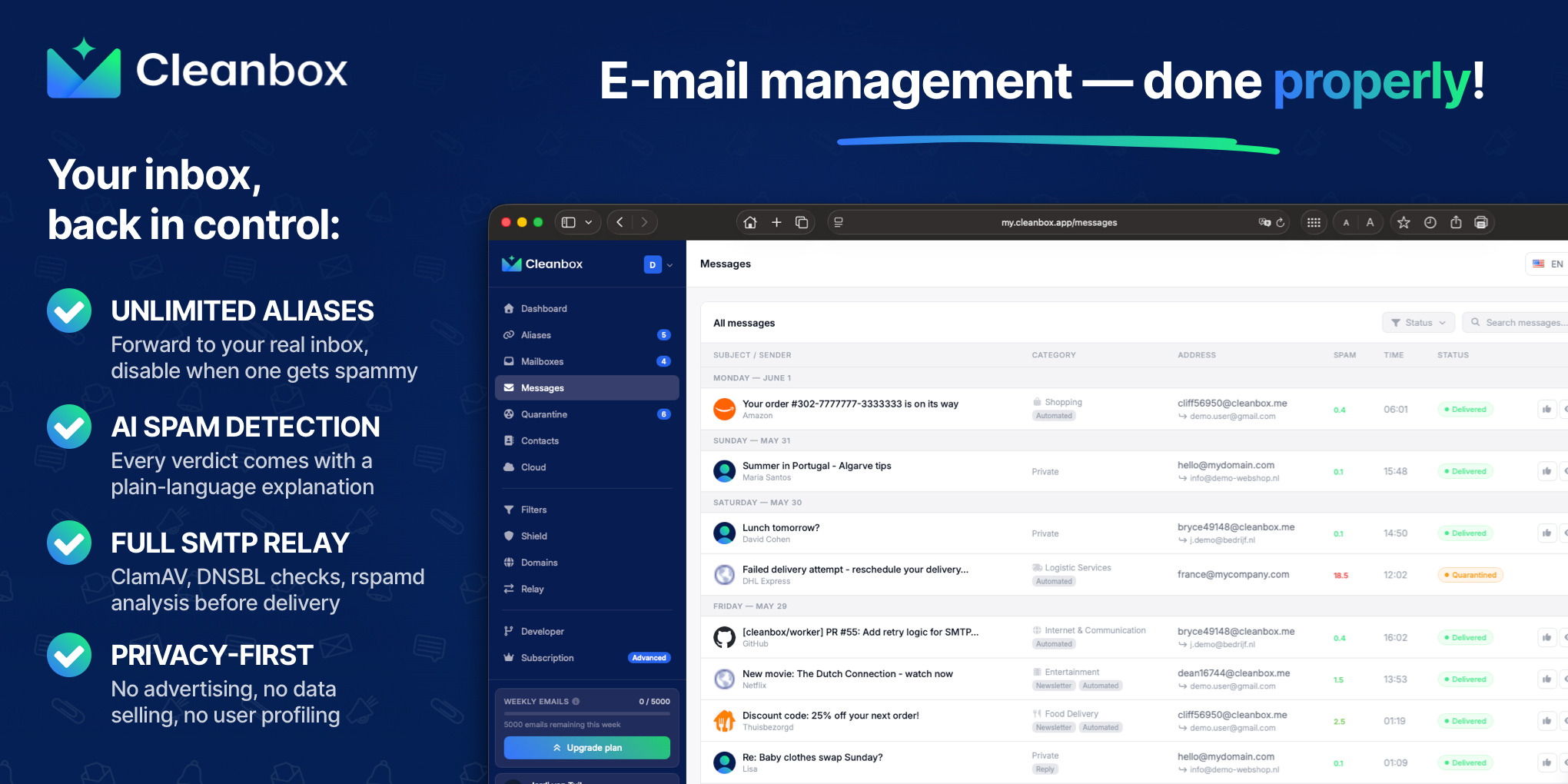
If Gmail, Outlook, iCloud, Yahoo, or another inbox receives too much unwanted mail, you can add a personal email security gateway without migrating your mailbox. This guide shows how to place a spam-filtering layer between senders and your existing inbox, then verify that suspicious messages are blocked before delivery.
Choose the right gateway setup
There are two practical approaches:
- Alias forwarding: Create new addresses that forward approved mail to your current inbox. This is useful for shopping, newsletters, and sign-ups.
- SMTP relay: Point your domain’s MX records to a gateway. The gateway scans incoming mail before forwarding it to your existing mail server.
An alias setup is simpler if you do not control a domain. An SMTP relay provides broader protection because it can inspect every message addressed to your domain. The deciding factor among productivity products is whether they support this exact workflow.
Before starting, confirm that you can access your email provider and, for an SMTP relay, manage your domain’s DNS. Review this email security gateway and spam filtering category if you are comparing implementation options.
Put the filtering layer before delivery
Use these steps to create an email spam filter before messages reach your inbox:
- Create your gateway account. With Cleanbox, you can create aliases such as
[email protected], or use addresses on your own domain. - Choose your delivery destination. Enter the Gmail, Outlook, iCloud, Yahoo, or IMAP address that should receive approved messages.
- Select the traffic path. For aliases, publish or use the alias address wherever you need a separate contact address. For a domain-wide relay, point your domain’s MX records to Cleanbox.
- Enable protection layers. Incoming messages are checked with spam scoring, virus scanning, AI classification, and your personal rules before delivery.
- Create initial rules. Start with obvious actions, such as blocking known senders, prioritizing important contacts, or holding messages from newly created aliases.
- Send a test message. Test a normal email, a newsletter, and a suspicious-looking sample. Confirm that legitimate mail arrives and unwanted mail is stopped or separated.
Cleanbox combines rspamd analysis, DNSBL checks, ClamAV scanning, and AI classification. Each verdict includes a plain-language explanation, which helps you decide whether to adjust a rule.
Decide between aliases and a full relay
Use aliases when you mainly want to limit exposure of your real address. You can disable an alias when it begins attracting spam, without changing your primary inbox. This approach fits people who want a private alternative to Gmail spam filtering while keeping their existing provider.
Use a full relay when you own a domain and want a complete email forwarding setup in front of your mail server. Cleanbox can scan every incoming message before forwarding it, so the gateway becomes a spam filtering layer between sender and inbox.
For tighter control, enable rate limits, scheduled delivery, or whitelist-only mode on individual aliases. You can also test filters against past inbox messages before activating them.
Check the result and avoid common mistakes
After setup, verify the delivery path rather than assuming it works:
- Confirm your gateway received the test messages.
- Check that clean mail reached Gmail, Outlook, or your existing inbox.
- Confirm blocked messages did not bypass the gateway.
- Review false positives before adding aggressive rules.
- Keep a recovery route for important senders.
A common mistake is changing MX records without confirming the destination mail server. Another is creating broad rules that block receipts, account alerts, or replies from real contacts. Start narrowly and review results for several days.
If you want an email security gateway for personal email, you can try Cleanbox without migrating your mailbox. The useful outcome is simple: test the path, confirm unwanted messages are filtered before delivery, and adjust rules only when the evidence supports a change.
More topics related to Cleanbox
Similar topics
- How to detect phishing, impersonation, spam, and malware before delivery
- How to set up an inbound SMTP relay with MX records and spam scanning
- Private Email Aliases That Forward to Your Existing Inbox
- How to filter spam emails automatically before they reach your inbox
- Cleanbox vs SimpleLogin: Email Alias and Spam Filtering Feature Comparison

