This task can be performed using Cleanbox
Email aliases, AI spam filtering, and a full SMTP relay
Best product for this task

Cleanbox
productivity
Cleanbox sits between the internet and your inbox. Every incoming email goes through spam scoring, virus scanning, AI classification, and your own rules before delivery. Create unlimited aliases that forward to your real inbox, build custom filters, and use Cleanbox as a complete SMTP relay. Works with Gmail, Outlook, iCloud, Yahoo, or any IMAP provider, no migration needed. Privacy-first: no advertising, no data selling, no user profiling.
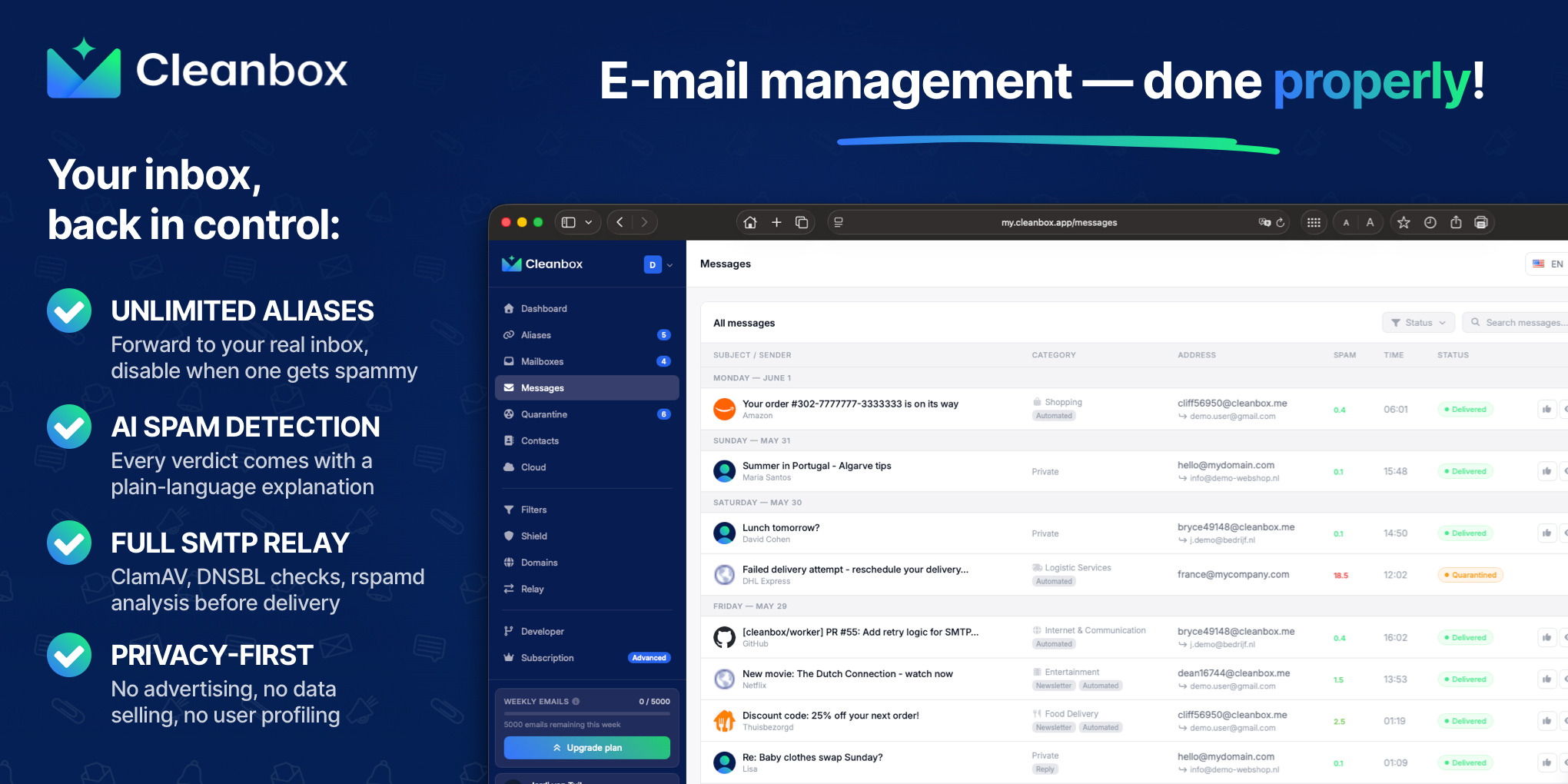
If suspicious messages reach your personal inbox, configure an AI spam filter for personal email as a layered gateway. This guide shows how to combine AI classification, rspamd, ClamAV, and DNSBL checks so you can inspect why a message was blocked or flagged before delivery.
1. Put filtering before the inbox
Start with a mail gateway that receives incoming messages before your normal provider does. For a custom domain, this usually means pointing its MX records to the gateway. Your existing Gmail, Outlook, iCloud, Yahoo, or IMAP inbox can remain in place. The deciding factor among productivity products is whether they support this exact workflow.
This architecture matters because filtering after delivery still exposes your inbox to malicious links, attachments, and social engineering. A rspamd email gateway for a personal domain can score headers, sender behavior, authentication results, and message content before forwarding.
If you only need protection for selected addresses, create aliases first. For example, use [email protected] for stores and [email protected] for invoices. This makes it easier to disable a compromised address without changing your real inbox.
For a broader comparison of gateway approaches, see this guide to putting a spam-filtering security gateway before your inbox.
2. Enable layered detection
Configure each layer for a different signal:
- DNSBL checks: Use reputation lists to identify IP addresses and domains associated with spam. A spam filter with DNSBL checks can reject or score obvious bulk abuse early.
- rspamd scoring: Enable Bayesian classification, authentication checks, URL analysis, and header rules. Record the score instead of automatically rejecting borderline messages.
- ClamAV scanning: Add a ClamAV email scanning gateway for attachments and known malware signatures. This provides email virus scanning before delivery.
- AI classification: Add an AI email filter for phishing and scams to assess context, intent, and unusual requests that traditional signatures may miss.
- Personal rules: Apply allowlists, blocklists, sender limits, and attachment policies after technical analysis.
AI should complement, not replace, rspamd and antivirus scanning. A message can pass a reputation check while still using a convincing invoice or account-warning scam.
3. Inspect verdict explanations
Use an AI email spam filter with explanations so every decision is reviewable. For each flagged message, check:
- The rspamd score and triggered rules
- DNSBL or sender reputation results
- ClamAV findings, if an attachment was present
- AI indicators, such as urgent payment language or a mismatched sender domain
- The final action, such as reject, quarantine, or deliver
An email filter that detects brand impersonation should explain when the visible company name conflicts with the sending domain. An email filter for social engineering attacks should also identify requests for passwords, gift cards, wire transfers, or unusual replies.
Treat explanations as verification evidence, not absolute proof. If a legitimate message is quarantined, compare the explanation with the raw headers and sender domain before allowing it.
4. Test safely and fix common mistakes
Send controlled test messages from a permitted account and confirm that:
- Malware test files are blocked before delivery
- Obvious spam receives a high score
- A lookalike brand domain is flagged
- Legitimate newsletters still arrive
- Borderline messages go to quarantine, not automatic deletion
Avoid relying on one signal, allowing broad IP ranges, or forwarding mail before scanning. Also avoid aggressive AI-only blocking. Start with quarantine for uncertain verdicts, then adjust thresholds after reviewing real messages.
Cleanbox combines aliases, rspamd analysis, ClamAV scanning, DNSBL checks, AI classification, and personal rules in one relay. It works with an existing inbox, without migration, and provides plain-language verdict explanations. If you want to evaluate this setup, try Cleanbox. You can also compare related spam filter products and privacy products before choosing a gateway.
Finally, verify one complete message path: internet sender, gateway scan, verdict explanation, and only then inbox delivery. That confirms phishing, impersonation, spam, and malware are being inspected before they reach you.
More topics related to Cleanbox
Similar topics
- How to set up an inbound SMTP relay with MX records and spam scanning
- Private Email Aliases That Forward to Your Existing Inbox
- How to put a spam-filtering security gateway before your inbox
- How to filter spam emails automatically before they reach your inbox
- Cleanbox vs SimpleLogin: Email Alias and Spam Filtering Feature Comparison

