This task can be performed using Wondershare Recoverit
AI-powered data recovery and 4K/8K video restoration tool.
Best product for this task

Wondershare Recoverit
productivity
Wondershare Recoverit is an AI-powered data recovery software designed to restore lost, deleted, or corrupted files across 2,000+ storage devices with a 99.5% success rate. Featuring patented Enhanced Video Recovery technology, it automatically auto-stitches fragmented 4K/8K video clips from camera SD cards, repairs corrupted media, and extracts critical files from crashed computers, formatted drives, and NAS servers in 3 simple steps.
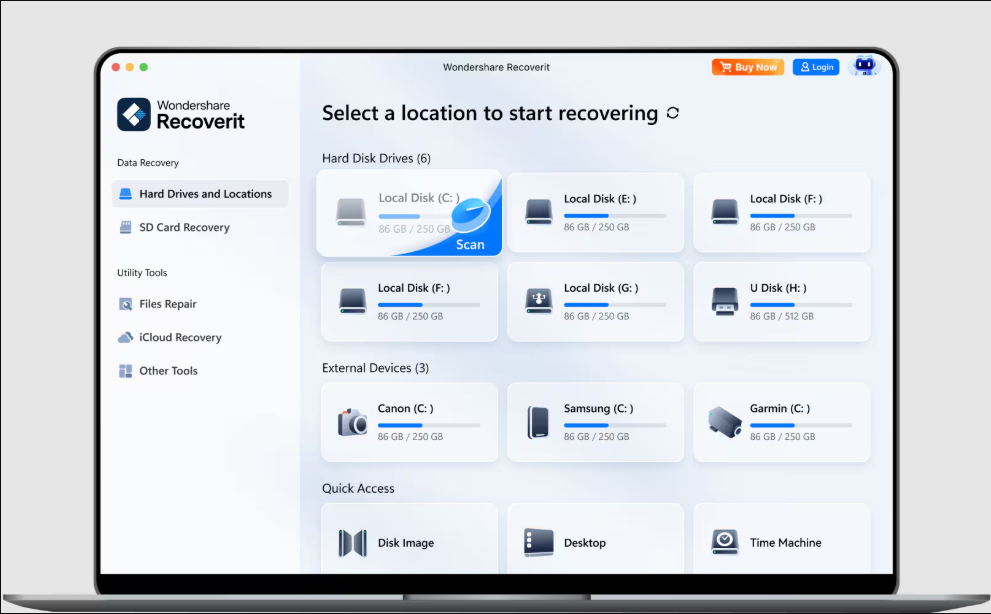
Accidentally formatting a camera card or USB drive does not always erase every file immediately. Stop using the device, connect it to a computer, and scan it with recovery software. This guide explains how to recover data from an accidentally formatted SD card, restore deleted USB files, and verify that recovered photos open correctly.
Before You Scan: Protect the Missing Files
Recovery works best when new data has not overwritten the old data. Formatting, continued camera use, or saving recovered files back to the same device can reduce your chances. The deciding factor among productivity products is whether they support this exact workflow.
Complete this quick SD card data recovery checklist for photographers:
- Stop taking photos or recording video.
- Do not format the card again.
- Remove the card safely from the camera.
- Prepare a computer with enough free storage.
- Connect the card or USB drive with a reliable reader.
- Save recovered files to a different drive.
If the device shows as RAW, asks to be formatted, or disappears intermittently, avoid repair prompts until you have copied the recoverable data. For a broader troubleshooting path, see this guide to recovering files from formatted, RAW, or inaccessible drives.
Step-by-Step Recovery with Recoverit
Wondershare Recoverit is an AI-powered data recovery product that supports more than 2,000 storage devices. It can scan formatted drives, deleted partitions, corrupted media, and camera cards.
1. Install the software safely
Install Recoverit on your computer, not on the formatted SD card or USB drive. Connect the storage device and close any window that asks you to format it.
2. Select the formatted device
Open Recoverit and choose the SD card or USB drive from the available locations. Start the scan. A deep scan can identify file fragments and hidden camera structures when the normal file system is damaged.
This is useful when you need to recover photos from a formatted camera card, recover deleted RAW files from a camera card, or recover deleted photos from an SD card.
3. Filter and preview results
Use file type, name, size, and location filters to narrow the results. Preview photos before recovery when possible. Check common camera formats such as JPEG, RAW, MOV, and MP4.
Recoverit can index scan results while scanning, so you may be able to review usable files before the entire process finishes. Its Enhanced Video Recovery technology is designed to repair media and auto-stitch fragmented 4K or 8K clips.
4. Recover to another location
Select the files you need and choose a different internal drive or external disk as the destination. This approach also applies when you need to recover data from a USB drive after formatting or recover deleted files from a USB flash drive.
For damaged media, video recovery products may be relevant, especially when intact photos are available but video files will not play.
Verify the Recovered Photos and Files
Do not assume recovery is complete just because files appear in a folder. Check several examples:
- Open photos at full resolution.
- Confirm RAW files load in your normal photo editor.
- Play recovered videos from beginning to end.
- Compare file counts with the camera folder structure.
- Copy a second backup to another storage location.
If some files remain missing, run another scan with different filters and review alternative file types. For severe corruption, Recoverit may identify broken headers or fragmented content, but results depend on how much data was overwritten.
Common Mistakes to Avoid
- Formatting the card again before scanning.
- Installing recovery software onto the affected device.
- Saving recovered files to that same card.
- Trusting filenames without previewing the content.
- Continuing to use a corrupted card after recovery.
- Disconnecting the device during a scan.
More topics related to Wondershare Recoverit
Similar topics
- How to repair and stitch corrupted 4K videos from camera SD cards?
- Recover Lost RAW Photos and Repair Corrupted Videos From Camera Cards
- Restore Corrupted 8K Drone Footage With Recoverit Enhanced Video Recovery
- How to choose wondershare recoverit product, pricing, and evaluation
- How to recover files from a crashed computer that will not boot?

