This task can be performed using Wondershare Recoverit
AI-powered data recovery and 4K/8K video restoration tool.
Recover files from a crash
Stop trying to start the computer repeatedly, especially if the drive clicks or disappears. Use a working computer to prepare bootable data recovery media, plus an empty external drive with enough space for the rescued files.
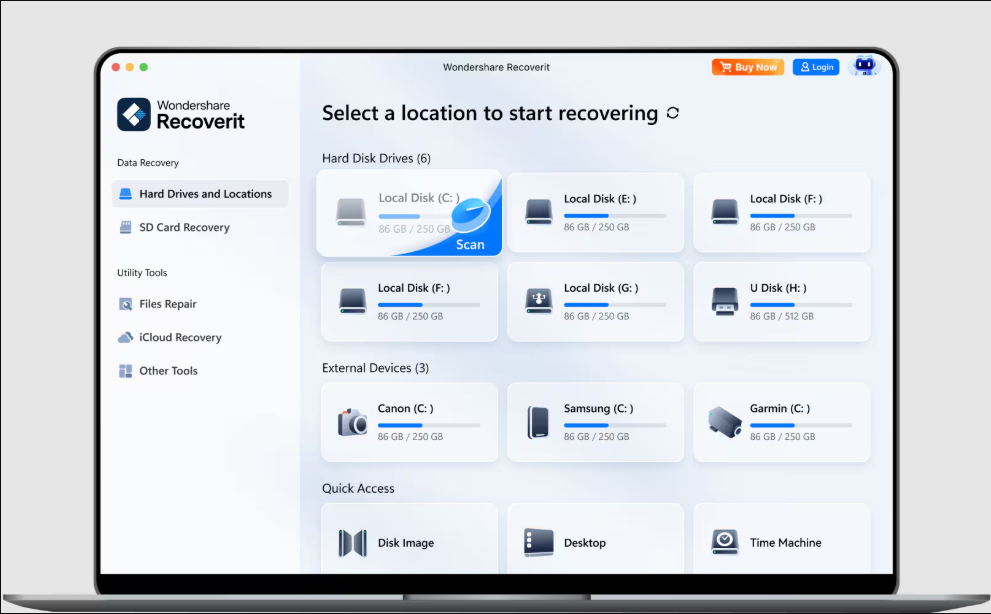
Boot the failed computer from the USB drive through its BIOS or UEFI menu. Scan the internal drive, preview important files, and recover them to the external drive. Never save recovered files back to the drive being scanned.
Best product for this task

Wondershare Recoverit
productivity
Wondershare Recoverit is an AI-powered data recovery software designed to restore lost, deleted, or corrupted files across 2,000+ storage devices with a 99.5% success rate. Featuring patented Enhanced Video Recovery technology, it automatically auto-stitches fragmented 4K/8K video clips from camera SD cards, repairs corrupted media, and extracts critical files from crashed computers, formatted drives, and NAS servers in 3 simple steps.
What to expect from an ideal product
- Bootable recovery media creation
- Read only scanning of the failed drive
- File previews before recovery
- Support for fragmented 4K and 8K videos
- Recovery to separate external storage
More about source drive safety
Treat the internal drive as read only until your files are safe. Repairs, reinstalls, and repeated boot attempts can overwrite data that recovery software might otherwise retrieve.
- Do not format, initialize, defragment, or run CHKDSK on the source drive.
- Stop immediately if the drive clicks, disconnects, or is not detected consistently.
- Recover critical documents first, then large photos and videos, always to another device.
More topics related to Wondershare Recoverit
Similar topics
- How to repair and stitch corrupted 4K videos from camera SD cards?
- Recover Lost RAW Photos and Repair Corrupted Videos From Camera Cards
- Restore Corrupted 8K Drone Footage With Recoverit Enhanced Video Recovery
- How to choose wondershare recoverit product, pricing, and evaluation
- How to choose AI data recovery software and general file restoration

